

Nonprofit Website Development
Supporters leave when they can’t see your impact quickly or giving takes too many steps. As a nonprofit website development agency, we build websites that make donating take a few taps, and that your small team can run without a developer.
Reviewed by Raj Laddha, CEO & Founder, on
Trusted by teams at





The problem
Why Nonprofit Websites Stop Working
Most of your supporters arrive on a phone from an email or a social post. If the page is slow or the donate button is hard to find, they scroll on, and that gift is gone.
All three are fixed by how the site is built.
Book a callToo many plugins
Donation forms, event calendars, galleries and popups added one plugin at a time slow the site and break after updates.
Slow on mobile
Supporters arrive from social posts and email on their phones. Heavy pages and large images make them wait, and many never reach the donate button.
Your team cannot edit it
Posting a new campaign, event or impact story needs a developer, so the site falls behind the work your team is doing.
What we solve
Problems We Commonly Solve for Nonprofits
Beyond the basics, these are the problems nonprofit clients most often bring to us.
Chapters and affiliates
One shared design for chapters that each run their own site, so every chapter looks and works the same.
Donation and CRM integrations
Donation platforms, email tools and CRMs such as Salesforce connected, so every gift is recorded once.
Events and registrations
Event listings, registrations and ticketing your team can publish without a developer.
Volunteer and member sign-ups
Short sign-up forms routed to the right coordinator, with member areas where needed.
Accessible to every supporter
Accessibility issues found and fixed, so supporters using screen readers, keyboards or larger text can use the site.
Limited budgets and small teams
Sites your staff can run themselves, with maintenance plans that keep costs predictable.
Services
What We Build for Nonprofits
A good nonprofit website shows a first-time visitor what you do and why it matters, then makes it easy to give, volunteer or get help. Your staff post stories, events and campaigns themselves, so the site keeps up with your work.
Custom Nonprofit Website Design
A clear, modern site that tells your story and puts the donate and volunteer paths first, designed for phones first and usable by everyone.
Nonprofit WordPress Development
Donation forms, event registration, volunteer sign-ups and impact pages, with a backend your team can manage.
Website Redesign and Modernization
Turn a dated site into a fast, accessible one without losing the stories, pages and search rankings you have built.
Secure WordPress Migration
Move off an old platform or proprietary nonprofit builder with full redirect mapping, so search engines and supporters find every old page at its new address.
Fundraising and Integrations
Donation platforms, CRM and email marketing connected, so supporters and gifts are tracked in one place.
Maintenance and Support
Updates, security, backups and small content requests under one predictable monthly plan.
Nonprofit work
Nonprofit Websites We Have Built
Websites for organizations we build and look after.

Every build includes
Custom Nonprofit Websites Built Around Your Mission
Every nonprofit site we deliver follows the same five principles, applied to how supporters discover a cause and take action. Your organization owns the code, and every page works on the phones supporters use.
Get a fixed estimate-
Built to grow with your programs. Add chapters, campaigns, programs and languages without a rebuild.
-
Lean pages load quickly for supporters arriving from social media and email on their phones.
-
Planned for accessibility from the first sketch, so supporters using screen readers or keyboards can read, donate and sign up.
-
Program, event and story pages set up so people can find your cause on Google and in AI answers.
-
Your staff publish campaigns, events and impact stories themselves, without waiting on a developer.



Organization types
Websites for Nonprofits, Charities and Foundations
We build across the nonprofit sector. The way supporters get involved changes with the cause. The standard does not.
-
Foundations
Grant programs, annual reports and donor recognition, presented clearly.
-
Community Health Organizations
Service finders, program pages and accessible forms for the communities you serve.
-
Associations and Member Organizations
Member directories, renewals, gated resources and event registration.
-
Advocacy Groups
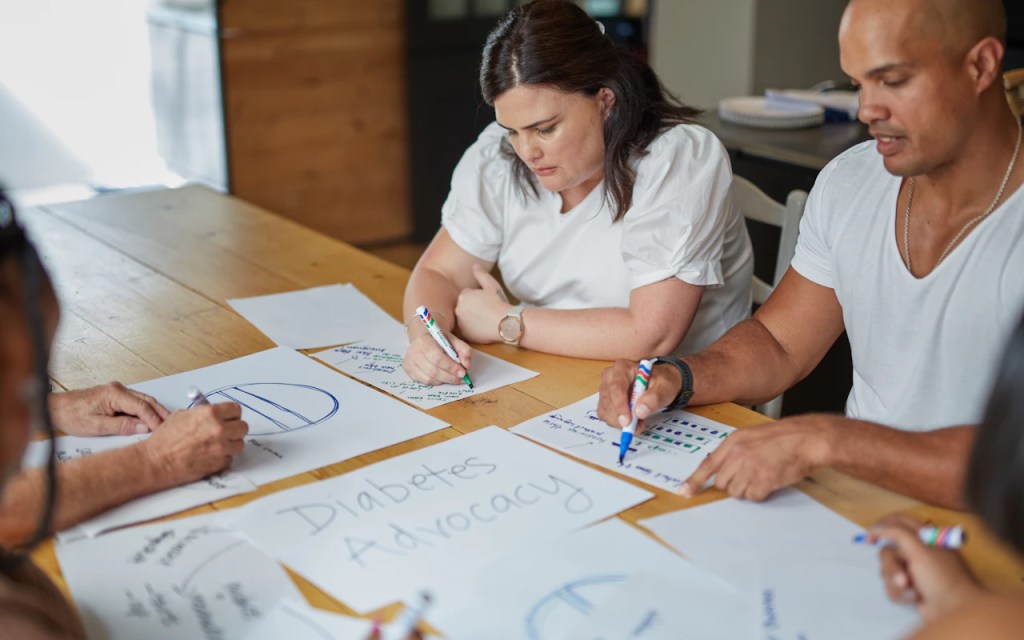
Campaign pages, petitions and email sign-ups that grow your supporter list.
-
Cultural and Heritage Organizations
Collections, exhibitions and public programs with ticketing and memberships.
-
Faith-Based Organizations
Service times, sermons, events and giving pages your volunteers can update.
-
Education Nonprofits
Program finders, applications and scholarship information for students and families.
-
Industry Forums and Consortia
Member portals, working-group pages and document libraries for collaborative bodies.

Built on WordPress
WordPress for Nonprofits vs. Wix or Squarespace: Build It Yourself or Hire Help?
Wix or Squarespace can work for a very small charity with one page and a donate link. Once you need donations tied to your donor list, events, volunteers or chapters, those builders get expensive and hard to change. WordPress has no license fees, your staff can run it, and you own it.
With Automattic Pro Partner status, we build your site around your programs and connect it to your donation platform, CRM and email tools. Your organization owns the site, with notes any future developer can follow.
Process
How a Nonprofit Website Project Works
Every nonprofit project follows the same five steps, with your donation, event and sign-up paths tested end to end before launch.
-
01. Discovery and Scoping
A short call where we learn your mission, your supporters, and what your staff can maintain.

-
02. Design and Structure
Designs for your sign-off before code, with donate, volunteer and event paths placed first.

-
03. Development
Short sprints on staging, with your donation platform, CRM and email tools connected.

-
04. QA & Pre-Launch
Donation, sign-up and event tests end to end, accessibility checks and phone testing.

-
05. Launch & Beyond
A managed go-live, training for your staff, then a two-week monitoring and fix window.

Client reviews
What Nonprofit Clients Say
“My foundation used Raj and his team of experts to maintain, enhance and protect my site. For the past decade, through many conversions and updates, cmsMinds was on top of all issues and opportunities. Always responsive and eager to help me on tech issues beyond my understanding, this team deserves my admiration and wholehearted endorsement! You will not be disappointed.”
 Charlotte Beyer
Pricing
How Much Does a Nonprofit Website Cost?
Priced by the number of page templates your site needs. You get a fixed written estimate, usually within three to five business days of a free scoping call.
| SITE SIZE | TYPICAL RANGE | TIMELINE |
|---|---|---|
| 5–10 page templates | $10,000–$25,000 | 4–8 weeks |
| 10–25 page templates | $25,000–$50,000 | 8–12 weeks |
| 25+ templates, member portals or chapter networks | $50,000–$100,000 | 12–20 weeks |
| Maintenance and support | $100 – $350 a month | Ongoing |
If a project is outside your budget, we will tell you on the first call and point you toward a simpler option that fits.
Get a fixed estimateNonprofit Websites Built for Impact
Designed to help supporters understand your mission, donate and get involved. Book a free scoping call and get a fixed written estimate.
FAQ
Nonprofit Website Development FAQs
Answers to the questions nonprofit teams ask most before a new website.
How much does a nonprofit website cost?
Most nonprofit websites we build cost $10,000–$50,000, priced by the number of page templates. A site with 5–10 templates runs $10,000–$25,000, 10–25 templates runs $25,000–$50,000, and larger sites with member portals or chapter networks run $50,000–$100,000. Every project starts with a free scoping call and a written, fixed-price estimate within three to five business days.
How long does a nonprofit website take?
A nonprofit site with 5–10 page templates takes 4–8 weeks. A site with 10–25 templates and integrations usually takes 8–12 weeks, and larger builds with member portals or chapters take 12–20 weeks.
Can you connect our donation platform and CRM?
Yes. We connect WordPress to donation platforms, email marketing tools and CRMs such as Salesforce, so gifts and supporter details are recorded once and stay in sync.
Can our staff update the site without a developer?
Yes. We build the site so your team can publish campaigns, events and stories themselves, and we train them at handover.
Will a nonprofit website redesign hurt our search traffic?
Not when it is planned. We map every existing URL, set up redirects, keep the content that ranks, and check rankings after launch.
Do you offer support after launch?
Yes. Our maintenance plans cover updates, security and backups from $100 a month. Higher plans include time each month for small edits.
Is WordPress good for nonprofits, or should we use Wix?
Wix can work for a very small charity with one page and a donate link. For most nonprofits, WordPress is the better fit: it has no license fees, works with the donation and CRM tools nonprofits already use, and lets staff manage content themselves, which keeps running costs low.
Can you make our site accessible?
Yes. We design and test to WCAG 2.2 AA, covering contrast, alt text, keyboard navigation and accessible forms, so supporters using screen readers, keyboards or larger text can use the site.