
Custom WordPress Plugin Development
When off-the-shelf plugins can’t handle how your business works, your team ends up doing that work by hand. As a custom WordPress plugin development agency, we build plugins around your processes and the systems you already use, so your website does that work for you.
Reviewed by Raj Laddha, CEO & Founder, on

Automattic Pro Partner
15+ years building only on WordPress
Trusted by Businesses That Need Plugins Built Right





Services
Our Custom WordPress Plugin Development Services
We build new plugins, fix and upgrade old ones, and connect WordPress to the tools your business runs on.
Plugin Development
If something is missing, we build it. Not every feature needs a plugin, but when one does, we create something that fits your setup without adding unnecessary complexity or slowing things down.
Plugin Upgrades
Older plugins don’t always work well after updates. That’s usually when issues start showing up, so we review the code, update what’s needed, and test it against your current WordPress and PHP versions.
Plugin Customization
Sometimes a plugin works, just not the way you want. Instead of replacing the plugin, we adjust how it behaves so it fits your workflow and the way your website is set up.
Plugin Integration
When a connection fails, orders, leads or records go missing. We build and test each connection, with error logging, so sync problems are caught before they affect your data.
Plugin Configuration
Setting up plugins sounds simple, but conflicts happen more often than expected. We handle the setup, check compatibility, and make sure everything runs smoothly with your theme and other plugins.
Plugin Maintenance
Plugins need regular attention. Updates, small fixes, and unexpected issues come up over time, so we keep an eye on things and fix them before they turn into bigger problems.

Why custom
Why Build a Custom WordPress Plugin Instead of Stacking Plugins?
One plugin built for your workflow replaces a stack of generic plugins, each with its own updates, conflicts and security risks. Custom WordPress plugin development is building a plugin for one website’s specific needs, using core APIs such as the REST API, hooks and custom post types.
It usually starts small. A team exports orders into a spreadsheet every Friday, or stacks three plugins to make one booking form work. Each workaround adds a little time, a little risk, and one more update to watch, until the website no longer fits the business it was built for.
A custom plugin replaces those workarounds with one piece of code built for the job. Because it lives in a plugin rather than your theme, it keeps working through redesigns, can be switched off for testing, and can be reused on other sites you run.
Use cases
What Custom WordPress Plugins Can Do for Your Business
Custom WordPress plugins let your website do what your business needs, with features built around your workflows, your audience, and the way you work.
Plan your custom pluginEcommerce Enhancements
Custom product configurators, advanced search and filtering, smarter checkout experiences, and even subscription or membership systems for smoother shopping journeys and better control over your store.
Data Integration & Automation
We connect your website with CRMs, marketing tools, and third-party services through custom APIs. Automated workflows, data syncing, and custom reporting dashboards make operations more efficient.
User Experience Improvements
Interactive content elements, improved user account features, community-driven tools, personalized content delivery, and advanced form handling.
Industry-Specific Solutions
A patient portal, a property listing tool, a learning system, or event management features, shaped around what your business does.
Custom vs. existing plugins
Custom Plugin vs. Existing Plugin: Which Do You Need?
Existing plugins are the right choice for many sites. A custom plugin makes sense when you need logic specific to your business, connections to your own systems, or one plugin in place of several.
| Factor | Existing plugin | Custom plugin from cmsMinds |
|---|---|---|
| Upfront cost | Free or a yearly license | One-time build cost |
| Fit to your workflow | You adjust your process to the plugin | Built around how your business works |
| Performance | Often loads features you never use | Only the code your site needs |
| Integrations | Limited to the connectors it ships with | Connects to your CRM, ERP, or internal APIs |
| Updates and security | Depends on the vendor’s release schedule | Maintained by your team or ours |
| Best when | A maintained plugin covers most of your needs | You need logic specific to your business or want to replace several plugins with one |
How we build
Plugin Development Standards We Follow
Every plugin we write follows the same engineering rules, whether it is a small extension or a large integration.
Clean, readable code
Code follows standard WordPress practices, so it is easy to read, maintain, and extend later.
Secure by default
We apply WordPress security practices such as capability checks, nonces on forms, sanitized input, and escaped output.
Built on core APIs
Hooks and filters, the REST API, Settings API, custom post types, WP-CLI commands, and Gutenberg blocks built in React.
Fast to load
Scripts and styles load only where they are used, and expensive queries are cached with transients or the object cache.
Tested before release
Every plugin is tested before it goes live, including checks for conflicts and its effect on page speed.
Supported after launch
A short post-launch window covers small adjustments, and a retainer or maintenance plan covers updates and fixes after that.
Case studies
Custom WordPress Plugin Case Studies
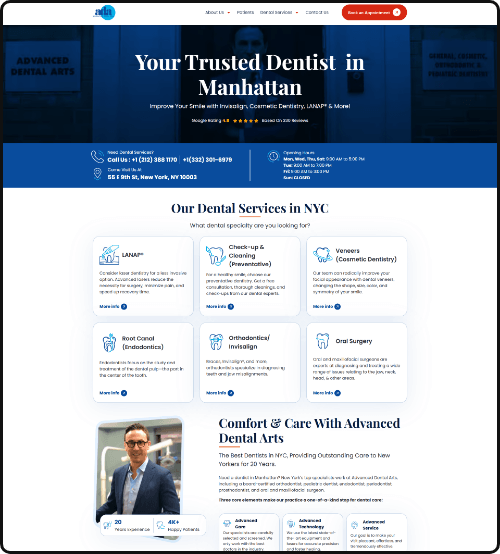
WordPress sites we have built and improved, and what changed for each business.



Process
Our Custom WordPress Plugin Development Process
Five steps, each signed off by you before the next begins.
-
01. Discover
We learn what you are trying to solve and check whether a custom plugin is the right answer, so you do not pay for code you do not need.

-
02. Design
We specify the features, data and admin screens, and give you a fixed written estimate and timeline.

-
03. Build
We build the plugin on core APIs, with only the features agreed in the specification.

-
04. Test and Launch
We test on staging against your theme and plugins, fix what we find, and launch after your sign-off.

-
05. Support
After launch, a support window covers small changes, and a retainer or maintenance plan keeps the plugin current.

Pricing
How Much Does Custom WordPress Plugin Development Cost?
The price depends on the number of features, integrations, and how much testing the plugin needs. You get a fixed written estimate after a free scoping call.
Plugin customization
Extend or fix an existing plugin
From $2,500
Typical timeline: 2 to 3 weeks
- Code audit of the current plugin
- Changes through hooks or a companion plugin
- Tested before release
Custom plugin
A new plugin built for one job
$7,500–$25,000
Typical timeline: 4 to 8 weeks
- Admin settings and custom post types
- Gutenberg blocks or shortcodes
- Tested before release
Integration or complex plugin
Business systems and heavy logic
Priced from scope
Typical timeline: 8 to 14 weeks
- CRM, ERP, or payment API integrations
- WooCommerce logic and dashboards
- Ongoing support after launch
Automattic Pro Partner
A WordPress Plugin Development Agency Verified by Automattic
Our plugins follow the coding, security and review standards Automattic checks when it verifies Pro Partners across WordPress.com, Pressable, Jetpack and WooCommerce.
-
 Plugins tested against WordPress.com platform requirements.
View our listing ↗
-
 Plugins profiled for database load on managed hosting.
View our listing ↗
-
 Custom code that works alongside Jetpack security and backups.
View our listing ↗
-
 Extensions built on WooCommerce hooks, not core edits.
View our WordPress.com listing ↗
(opens in a new tab)
Client reviews
Client Reviews of Our WordPress Plugin Work
“A few years ago we were unhappy with our web development agency – specifically their lack of responsiveness and their inability to deliver bug-free updates to our WordPress-based website. So we did some searching and found cmsMinds. It's a great fit, and Raj, Vishal and Kishan are valued members of our team and deliver excellent results for the business. Whereas the relationship started with relatively simple HTML and CSS updates, Raj's team has demonstrated much more advanced capabilities and now builds custom integrations and modifies WordPress apps on our behalf. They also successfully completed a website speed improvement project, which radically improved our scores through PageSpeed Insights (critical for SEO). We look forward to continuing to work with them.”
 Jonathan W
-
“These guys are great to work with! Very knowledgeable, prompt, and professional. Highly recommend CMS Minds for any of your custom programming needs.”
 Cougar Digital Marketing & Design
-
“cmsMinds has done a great job with continually updating our website and making changes to help increase our results. They are responsive and consistent, producing excellent work and earning a high recommendation.”
 Scott Letourneau
-
“cmsMinds is a team of professional web developers that is a great pleasure to work with. They are very responsive and highly skilled. They have been able to help me with all my companies web related projects. I plan to work with them for many years to come.”
 Suave Kajko
Need a Custom WordPress Plugin?
Tell us what your WordPress plugin needs to do. We will check the scope and come back with a realistic price.
FAQ
Custom WordPress Plugin Development FAQs
Answers to the questions we hear most before a plugin project starts.
How much does custom WordPress plugin development cost?
Custom WordPress plugin work costs from $2,500 for changes to an existing plugin and $7,500–$25,000 for a new single-purpose plugin; integrations are priced from scope, with a fixed written estimate after a free scoping call.
How long does it take to build a custom WordPress plugin?
Customizing an existing plugin usually takes 2 to 3 weeks. A new custom plugin takes 4 to 8 weeks, and plugins with integrations or WooCommerce logic take 8 to 14 weeks, including testing. The timeline is set after scoping, with a staging version you can test before the plugin goes live.
How can I develop my own WordPress plugin?
If you know PHP, you can: a plugin is a folder with a PHP file and a header comment, extended through actions, filters and the REST API. The hard parts come later: security, compatibility with updates, performance and maintenance. For features your business depends on, hiring a plugin developer can cost less than fixing a homegrown plugin after it fails.
Should I use a custom plugin or an existing plugin?
Use an existing plugin when it does what you need without features you will not use. Choose a custom plugin when free or premium plugins come with limits, when you would need several plugins for one job, or when the feature depends on how your business works. A custom plugin can also extend an existing one instead of replacing it.
What are the risks of relying on many off-the-shelf plugins?
Each extra plugin adds code to load, another update schedule and another possible security hole. Plugins can conflict, be abandoned by their developers or change pricing and features. Most WordPress vulnerabilities are found in plugins rather than core. Replacing a stack of plugins with one custom plugin built for the job reduces those risks and is easier to maintain.
How do you keep custom plugins secure?
Every plugin is written to WordPress coding standards, with input sanitization, output escaping, nonces and capability checks on every action. Code is peer reviewed, tested on staging against your theme and other plugins, and, under a maintenance plan, checked again with each major WordPress release. Keeping logic in one documented plugin also makes security reviews faster than auditing several third-party plugins.
Will a custom plugin work with my theme and other plugins?
That is part of every build. We check how the plugin fits with your theme and other plugins, test it on staging before launch and measure its effect on page speed, so slowdowns and conflicts are caught before launch. Because the plugin is separate from your theme, it keeps working through future redesigns.
How do I choose a WordPress plugin development agency?
Choose a WordPress plugin development agency that can show plugins it has built and maintained, explain its security and testing practices, and quote from a scoped specification. Ask who owns the code, whether you get documentation and how the plugin will stay compatible with future WordPress releases. A clear answer on support after launch matters as much as the build.
Can you integrate WordPress with our CRM or other software?
Yes. We connect WordPress with CRMs, ERPs, marketing platforms and other services through custom plugins using their APIs, with automated workflows and data syncing. Each integration logs errors and retries failed syncs, so data does not silently go missing. Credentials are stored securely, and the integration is tested on staging with real records before launch.
Who owns the plugin, and what support is there after launch?
You own the plugin code and documentation outright, delivered in your repository. A short post-launch window covers small adjustments. After that, a retainer or maintenance plan keeps the plugin compatible with new WordPress and PHP versions, or your own developers can take it over using the documentation.
Guides on WordPress Plugins and Development
-

How to Create a Plugin for WordPress [Guide for Beginners]
This beginner’s guide walks you through the essential steps to create your own WordPress plugin. You’ll learn about the necessary tools, coding basics, and best practices to develop a functional plugin from scratch.
-
10+ Best WordPress Development Tools (Free & Paid)
Choosing the right WordPress development tools can enhance productivity, optimize performance, and improve security for your website projects. Whether you’re a developer, designer, or agency, the right tools help streamline coding, debugging, and site optimization.
-

How to Integrate HubSpot with WordPress: A Complete Setup Guide
Discover how to seamlessly integrate HubSpot with WordPress to enhance your marketing and CRM capabilities. This comprehensive guide walks you through the integration process, from setting up HubSpot on your WordPress site to leveraging advanced features for lead management and marketing automation.
WordPress services
Our WordPress Services
Everything we build and support on WordPress, from custom development and migrations to maintenance and performance work.