
Reliable WordPress Maintenance Services
One failed update or missed security patch can take your website offline when customers need it most. Our WordPress maintenance services handle updates, backups, security and performance, and test every change before it goes live, so your site stays secure, fast and online while you run your business.
Reviewed by Raj Laddha, CEO & Founder, on

Automattic Pro Partner
15+ years building only on WordPress
Trusted by Businesses That Keep WordPress Running





Services
Our WordPress Maintenance Services
Our maintenance services cover updates, backups, security, performance and support, with each update tested on staging before it reaches your live site.
WordPress Core Updates
We regularly update your WordPress core to the latest version, keeping your site secure, stable, and compatible with newer plugins and features, and we test each update on staging before it reaches your live site.
Theme & Plugin Updates
Outdated themes and plugins can cause security issues and break your site. We handle safe updates, check compatibility, and check key pages and forms after each change.
Performance Optimization
A slow site turns users away. We fine-tune your site speed by optimizing caching, cleaning up your database, minimizing scripts, and monitoring load times, so pages keep loading quickly as your content and plugins grow.
Security Monitoring
We keep a close watch on your website, running regular scans for malware, vulnerabilities, or suspicious activity. If anything looks off, we step in fast to fix it and prevent long-term damage.
Website Backups
We back up your files and database regularly and keep copies off-site, so if something goes wrong, we can restore your site quickly.
On-Demand Support
If something on your website needs fixing or updating, let us know. Growth and Pro plans include monthly request hours for small changes, and we quote larger work before starting.

The basics
What Does WordPress Maintenance Include?
WordPress maintenance is the ongoing work that keeps a site secure, fast and working after launch. It covers core, theme and plugin updates tested on staging, regular backups, security and uptime monitoring, and performance checks.
Most sites do not break all at once. An update gets skipped, a plugin stops matching the latest WordPress version, and one day the contact form stops sending or the checkout fails. By the time anyone notices, the site has been losing leads for weeks.
Regular maintenance catches these issues early. Every update is tested on staging, backups are ready if something goes wrong, and someone is watching your site so you do not have to.
Why it matters
Why Your WordPress Website Needs Regular Care
WordPress, themes and plugins release updates all year. Regular care keeps them compatible, secure and backed up, so small issues are fixed before visitors notice.
Plan your maintenancePeace of Mind
You do not have to keep checking your website for updates or issues. We handle that part and send you a monthly report of what we updated and fixed.
Prevent Costly Downtime
Small issues turn into bigger problems if ignored. Regular maintenance helps catch and fix them early.
Stay Ahead of Issues
We keep an eye on your website and run regular checks, so problems are found before they affect visitors.
Better User Experience
When pages load quickly and forms work, visitors are more likely to stay and get in touch.
Stay Competitive
Current PHP, themes and plugins keep pages fast and secure, which both visitors and search engines notice.
Managed vs. do it yourself
Managed WordPress Maintenance vs. Doing It Yourself
Some teams can keep up with updates on their own. A maintenance partner makes sense when your site drives leads or sales and nobody has time to watch it every week.
| Factor | Doing it yourself | Maintenance from cmsMinds |
|---|---|---|
| Updates | Done when someone remembers, often straight on the live site | Tested on staging, then applied to the live site |
| Problems | Fixed after visitors notice | Caught early through regular checks |
| Security | Depends on whoever has time | Regular scans for malware and vulnerabilities |
| Performance | Rarely tracked | Load times and Core Web Vitals monitored |
| Backups | Manual, or missing when you need them | Regular backups with rollback if an update fails |
| Support | You troubleshoot alone | Fast answers from a team that knows your site |
WordPress security research
What WordPress Maintenance Protects You Against
Most WordPress security risk sits in plugins and themes, not WordPress itself. Each one is updated on its developer’s schedule, which is why sites need someone checking, testing and applying updates every week.
Source: Patchstack, State of WordPress Security in 2026. Figures count reported vulnerabilities, not successful attacks.
- 11,334new vulnerabilities found in the WordPress ecosystem in 2025
- 42%more vulnerabilities than in 2024
- 91%of new vulnerabilities were in plugins
- 46%had no developer fix when they were made public
Why cmsMinds
A WordPress Maintenance Agency You Can Count On
We build WordPress websites as well as maintain them, so the team looking after your site can fix deeper problems instead of only reporting them.
Your all-in-one WordPress partner
Updates, security monitoring, performance tuning, and backups with responsive support, from small business sites to complex multisite setups.
Cross-functional team
WordPress developers, system administrators, and performance experts with experience from WooCommerce to LMS platforms.
Dedicated support
A dedicated Account Manager who knows your setup, so you never start from scratch when you ask for help.
Staging first, every time
Updates are tested on staging before they reach your live site, and backups are ready to roll back if anything fails.
Ongoing optimization
We keep improving speed, monitor uptime, and stay on top of security updates, so you can focus on your business.
No long-term lock-in
Upgrade, downgrade, or cancel your plan with advance notice. We keep plans flexible and transparent.
Case studies
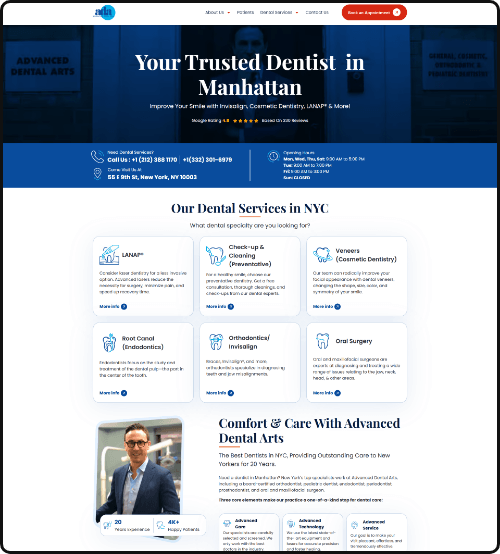
WordPress Maintenance Case Studies
WordPress sites we have built and improved, and what changed for each business.



Process
Our WordPress Maintenance Process
Five steps, from a first audit to monthly support, with a report every month.
-
01. Audit
We check your themes, plugins, hosting and performance to find what needs attention first.

-
02. Plan
We set the update schedule, backup timing and checks for your site.

-
03. Maintain
We handle regular updates, backups, and basic improvements. Before making changes, we test them on staging.

-
04. Monitor
We track uptime, speed and security. If a check fails, we fix it and note it in your monthly report.

-
05. Support
Send a request for any fix or change, and we handle it from your plan or quote it first.

Pricing
How Much Does WordPress Maintenance Cost?
WordPress maintenance plans from cmsMinds start at $100 per month. Growth is $200 and Pro is $350, billed monthly with no long-term lock-in.
Starter
Maintenance only
$100/month
Monthly, no long-term lock-in
- Core, theme, and plugin updates
- Daily backups with offsite storage
- Uptime monitoring and alerts
- Malware and security scans
- Updates tested on staging first
Growth
Maintenance plus small requests
$200/month
Monthly, no long-term lock-in
- Everything in Starter
- Visual checks on key pages after updates
- Broken link and form checks
- Database cleanup and optimization
- Priority email support
- 1–2 hours of requests each month
Pro
For sites your business depends on
$350/month
Monthly, no long-term lock-in
- Everything in Growth
- 2–4 hours of requests each month
- Quarterly performance and accessibility reviews
- Core Web Vitals monitoring
- Pre-release testing on critical pages
- Fastest response for urgent issues
Client reviews
Client Reviews of Our WordPress Maintenance Work
“We recently had changed over our WordPress back-end management and web hosting to cmsMinds. The migration was seamless. Everything went as planned and there was no downtime to the site. Since switching over to cmsMinds, they have been nothing been prompt in there responses, flexible, and very much a pleasure to work with. Their team is responsive, and Raj makes sure to that I as a client am getting the best service I can get with them. For peace of mind, choose cmsMinds.”
 Elias Moreno
-
“cmsMinds has done a great job with continually updating our website and making changes to help increase our results. They are responsive and consistent, producing excellent work and earning a high recommendation.”
 Scott Letourneau
-
“Raj and his team do a great job. They are very responsive and collaborative in their approach. They were very helpful in helping us solve a few issues with our WordPress site.”
 Larry Jones
-
“We’ve been working with CMS Minds on our WordPress site, and they’ve been doing a great job. The team is professional, responsive, and easy to work with. Highly recommend!”
 Mher Khachatryan
Not Sure Where to Start?
Request a free mini audit, and we’ll take a quick look at your current WordPress site.
FAQ
WordPress Maintenance FAQs
Answers to the questions we hear most before choosing a maintenance plan.
How much does WordPress maintenance typically cost?
WordPress maintenance from cmsMinds costs $100 a month for Starter, $200 for Growth and $350 for Pro, billed monthly with no long-term lock-in. The tiers differ in request hours, monitoring and support speed. Sites with complex setups, such as multisite networks or heavy integrations, get a custom plan. Cheaper update-only services exist, but they rarely test updates before applying them.
How much does it cost to pay someone to maintain a website?
A monthly maintenance plan from cmsMinds starts at $100; the alternatives are paying per fix or paying a staff member. Hourly freelancers suit occasional small jobs but bill each visit separately and may not know your site. Our monthly plans cover updates, backups, security and support at a fixed price. An in-house developer costs a full salary and is usually only worth it when the site needs daily development.
What is included in WordPress maintenance services?
WordPress maintenance covers core, plugin and theme updates tested on staging, regular off-site backups, security and malware monitoring, uptime monitoring, performance checks and on-demand support. Each month you get a plain-language report of what was updated and fixed. Growth and Pro plans add request hours for content edits, small changes and bug fixes.
What are the best WordPress maintenance services to look for?
Look for services that test updates on staging before they reach your live site, keep off-site backups you can restore quickly, monitor security and uptime, and send a clear monthly report. Check whether support requests are included, how fast urgent issues are handled and whether you can cancel. A WordPress maintenance agency that also builds sites can fix deeper problems instead of only reporting them.
Is managed WordPress maintenance worth it compared with doing it myself?
Doing it yourself works when your site is simple and someone has time each week to update, test and check backups. Managed maintenance is worth it when the site drives leads or sales, uses many plugins or custom code, or nobody clearly owns the job. One failed update on a live site can cost more in lost business and repairs than several months of maintenance.
What happens if something breaks after an update?
We roll the site back to its last working version from backup, usually within minutes, then find the conflict on staging and apply a stable fix. Because updates are tested on staging first, breakages on the live site are rare. When a plugin developer releases a faulty update, we hold it back until a fixed version is available.
Will my site go down during maintenance?
Rarely, and only briefly. Updates are applied and tested on a staging copy first, then pushed to the live site once compatibility is confirmed, so visitors keep using the site as normal. Larger changes, such as PHP version upgrades, are scheduled for low-traffic hours and agreed with you in advance.
How do WordPress website maintenance services start on an existing site?
WordPress website maintenance services start with an audit of your themes, plugins, hosting and performance, so the plan matches your site. We set up backups, security scans, uptime monitoring and a staging copy, fix urgent issues first, then move into the regular update cycle. You share admin and hosting access through a secure form, and setup usually takes a few business days.
Do you maintain WooCommerce, membership and page builder sites?
Yes. We maintain sites built with Gutenberg, ACF, Elementor, Divi and WPBakery, as well as WooCommerce, LearnDash and MemberPress setups. Updates are tested against your builder and extensions on staging, including checkout and member logins where they apply. Stores with heavy order volume are better served by a dedicated WooCommerce maintenance plan.
Can I cancel or change my maintenance plan?
Yes. You can upgrade, downgrade or cancel your plan with advance notice, with no long-term lock-in. If you leave, you keep your site, content, backups and all access, and we hand over credentials and notes so the next provider or your own team can continue without gaps. Hosting is separate unless you choose to bundle it.
Guides on WordPress Maintenance and Security
-
Why WordPress Maintenance is Critical for Security & Performance
Neglecting WordPress maintenance can lead to downtime and security threats. A structured maintenance plan keeps your website secure, optimized, and ready for growth.
-
WordPress Maintenance Costs: What Most Agencies Don’t Tell You
Evaluate WordPress maintenance costs and choose the right plan based on your business needs, website complexity, and long-term growth goals.
-
WordPress Security Checklist: Simple Steps to Protect Your Site
A practical guide and WordPress security checklist that outlines essential actions to secure your site, protect user data, and maintain a reliable website.
WordPress services
Our WordPress Services
Everything we build and support on WordPress, from custom development and migrations to maintenance and performance work.