 Reviews on


 ChatGPT
 Perplexity
 Claude
WordPress is everywhere these days. Millions of websites run on it, and for good reason. But here’s what a lot of people miss: just because you launched your site doesn’t mean the work is done. In fact, that’s when the real work starts.
Your WordPress site needs regular attention. Updates need to happen. Security needs to be monitored. Backups need to be taken. Performance needs to be checked. All of this is basic maintenance. If you ignore these things, problems pile up fast. Your site gets slower. It becomes vulnerable. And eventually, something breaks.
So what does all this maintenance actually cost? That depends on your situation. If you are running a small blog, your costs look different than someone running an eCommerce store with thousands of products. Some people handle maintenance themselves. Others hire someone to do it. And some use a mix of both.
The real issue is that most site owners don’t know what they should be spending on maintenance. They either spend way too little and end up with problems, or they spend too much on things they don’t actually need.
This guide is here to fix that. We will break down what maintenance really costs, what affects those costs, and how to make smart decisions about your maintenance budget.
- WordPress maintenance costs range from fifteen dollars monthly for small blogs to five hundred dollars or more for large eCommerce sites, depending on your needs and whether you hire professionals.
- Common maintenance expenses include hosting, backups, security solutions, SSL certificates, premium plugins, and professional services, all of which add up differently based on your site size.
- DIY maintenance saves money but requires technical knowledge and time. Professional services cost more monthly but provide expertise, peace of mind, and faster response times.
- Neglecting maintenance leads to expensive emergencies like data loss, security breaches, and prolonged downtime that cost far more than preventive maintenance.
- Starting with basic hosting and free tools, automating updates and backups, and building relationships with one service provider are practical ways to keep maintenance costs reasonable.
What Counts as WordPress Website Maintenance
Most people think WordPress maintenance just means clicking the update button on plugins. It is actually a lot more involved than that. Let me break down what actually needs to happen to keep a WordPress site running properly.
First, there are updates. WordPress releases new versions. Plugin developers push out updates constantly. Your theme might get an update. These aren’t always about new features either. A lot of times, they fix security issues. If you don’t update, you leave holes open for hackers to exploit. I have seen sites get hacked because someone ignored an update for three months.
Backups are critical. Think of it like insurance. You make a copy of everything on your site. The database, the files, all of it. When something goes wrong, you restore from that backup. Without one, a bad plugin or a hack can destroy your entire site. Some people back up daily. Others do it weekly. It depends on how often your site changes.
Security monitoring is different from just installing a security plugin. You need to watch for attacks, scan for malware, and check if someone is trying to break in. It is not just passive protection. You have to actively look for problems. You can get advanced security monitoring too for your website.
Images slow down sites. Your database gets bloated with old data. Caching isn’t set up right. All of this makes your site sluggish. Performance optimization means fixing these things so visitors don’t wait around for your pages to load.
Managing plugins is tedious work. You have dozens of them installed. Some you don’t even use anymore. Do they conflict with each other? Are they all compatible with your current WordPress version? You need to actually think about this stuff.
Content maintenance is boring but necessary. Old links break. Phone numbers change. SSL certificates expire. You need someone checking on these things regularly, not just when you notice a problem.
So maintenance isn’t just one thing. It is updates, backups, security, performance, plugin management, and content checks all happening at the same time. How much work that is depends on your site setup.
Get a clear, structured maintenance plan from cmsMinds that fits your website needs and keeps everything running smoothly.
Factors That Affect WordPress Maintenance Costs
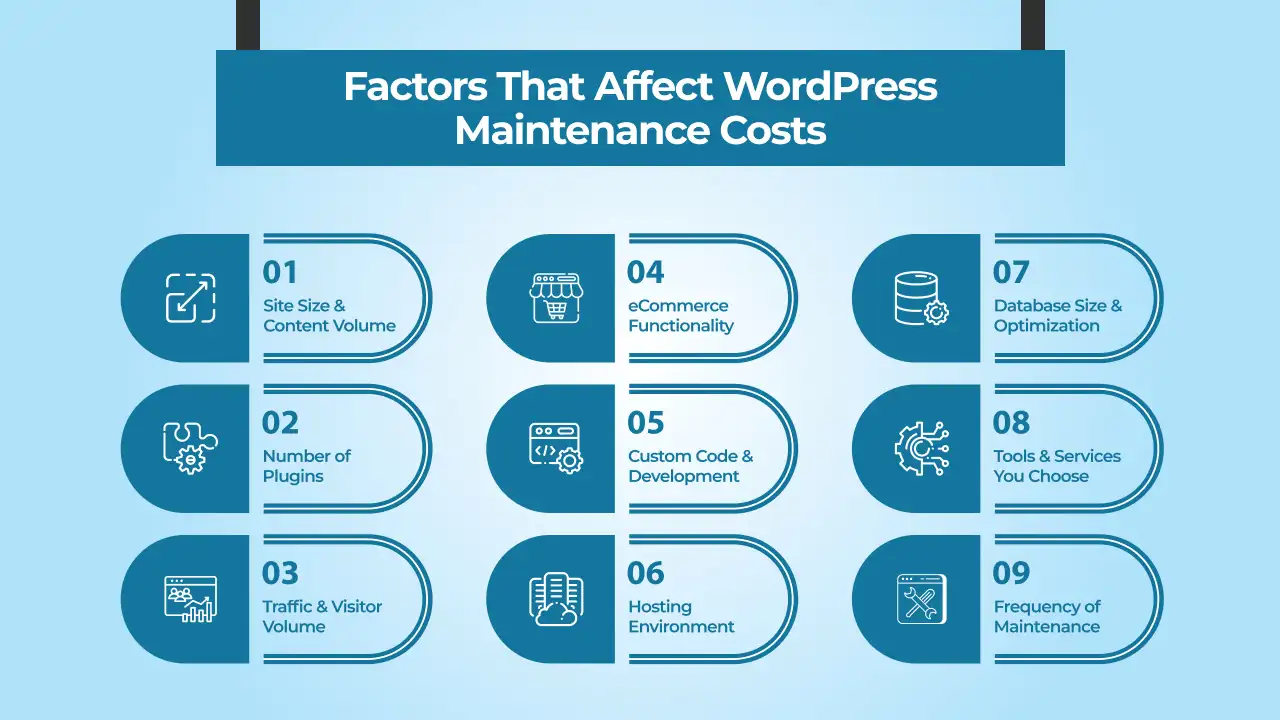
Not every WordPress site costs the same to maintain. A personal blog and a large eCommerce store have completely different maintenance needs. Several things determine what you will actually spend on keeping your site running.
Site Size and Content Volume
A small blog with fifty posts is simpler to maintain than a site with thousands of pages. More content means more things can break. More pages mean longer backup times. Search functions need optimization. The database gets bigger and slower. All of this adds complexity and time.
Number of Plugins
How many plugins are you running? I have seen sites with over a hundred plugins installed. Each one needs updates. Each one can conflict with others. Each one is a potential security risk. A site with ten well-chosen plugins is way easier to maintain than a site with fifty plugins doing overlapping functions. Plugin management alone can take hours if you have too many.
Traffic and Visitor Volume
A site getting a thousand visitors a month is different from one getting a hundred thousand. High-traffic sites need better performance optimization. They need stronger security because they are bigger targets. Database queries take longer. Everything happens at a larger scale.
eCommerce Functionality
A simple blog does not need the same maintenance as an online store. Stores have payment processing, inventory tracking, and order management. These systems need constant attention. They have compliance requirements. They are targets for hackers because they handle money.
Custom Code and Development
Sites built with mostly standard plugins and themes are easier to maintain. Sites with custom code need someone who understands that code. If your developer leaves the company, maintaining it becomes harder and more expensive.
Hosting Environment
Your hosting setup affects maintenance, too. Managed WordPress hosting includes some maintenance in the package. You pay more per month but less overall because the host handles updates and backups. Shared hosting is cheaper, but you do everything yourself. VPS or dedicated servers give you control but require more technical knowledge.
Database Size and Optimization
Older sites accumulate trash data. Revisions of posts pile up. Deleted content leaves behind fragments. A database that is poorly optimized slows everything down. Cleaning it up takes time and expertise.
Tools and Services You Choose
The plugins and tools you choose impact cost as well. Free backup plugins work but need manual setup. Premium backup services cost money but handle everything automatically. Free security plugins exist, but they are basic. Premium security services catch more threats. Your tool choices directly affect maintenance costs.
Frequency of Maintenance
Some people are fine with monthly maintenance. Others want weekly checks. Real-time security monitoring costs more than monthly reviews. Your preferences about frequency determine your budget.
DIY Maintenance vs. Professional Services
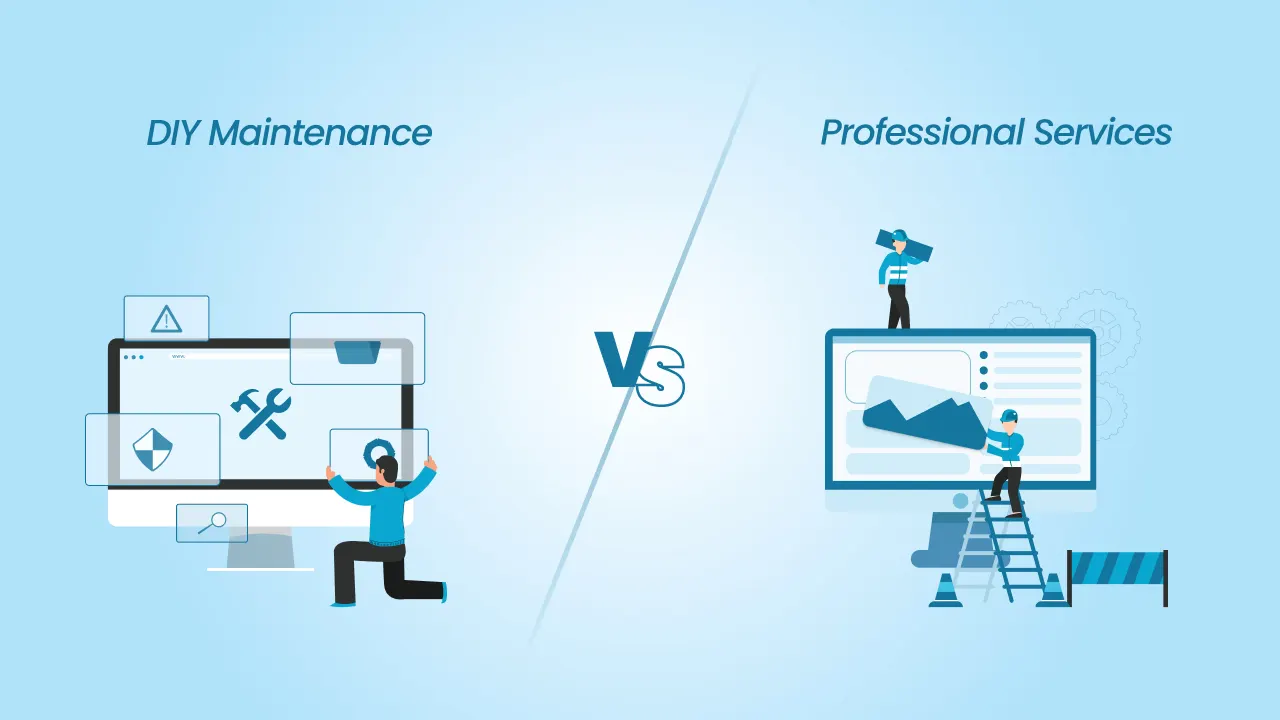
You basically have two choices. Handle WordPress maintenance yourself, or pay someone else to do it. Both have advantages and disadvantages.
Doing it Yourself (DIY)
The money side looks obvious. You don’t pay anyone. WordPress updates are free. Lots of backup tools don’t cost anything. Security plugins have free versions. On paper, DIY maintenance is cheap.
But people miss something important. Your time costs money. If you spend two hours every week on maintenance, that is a hundred hours a year. What else could you be doing? Running a business? Working on something that makes money? If you bill at fifty dollars an hour, you just spent five thousand dollars maintaining your site. That is a real expense.
Then there is knowledge. Do you actually know how to maintain WordPress properly? Can you handle database issues? Do you understand security? Can you troubleshoot plugin conflicts? Most people cannot do all of this. Learning takes time. Making mistakes can break your site.
And what happens when your site crashes on a Saturday afternoon? You have to fix it yourself. If you don’t know what you are doing, your site stays broken. Visitors see an error message. Your contact form doesn’t work. If you sell stuff online, you lose sales.
Hiring Someone
When you pay for maintenance, someone else worries about everything. Updates happen automatically. Backups run on schedule. Security gets monitored. If something breaks, they fix it. You don’t think about it.
- The downside is cost. Professional maintenance typically runs from fifty to a few hundred dollars a month, depending on what is included. For a hobby blog, that feels expensive. For a business generating income, it starts to make sense.
- Professionals also know their stuff. They have worked on hundreds of sites. They spot problems before they become disasters. They know which plugins work well together. They know how to optimize performance. They are not learning on your dime.
- Response time matters too. Something breaks at midnight. A professional service is already working on maintenance tasks. You don’t have to get out of bed. They handle it.
The Middle Ground
Some people handle content updates themselves, but hire professionals for everything else. You manage your blog posts, but they handle security and backups. This cuts costs while getting expert help where it really matters.
You might also start solo and switch to professional help later to get the right WordPress maintenance plan. When your site actually makes money, paying for maintenance becomes a smart business decision. The cost of downtime or a hack is way more than what you pay monthly.
What Makes Sense for You
Be realistic about what you can do. Be honest about your time. Think about what happens if something goes wrong. A hobby blog? You can probably handle it yourself. A business website? Professional maintenance usually pays for itself.
Breakdown of Typical Website Maintenance Costs

When you are figuring out your WordPress budget, it helps to know where the money actually goes. Different costs add up in different ways depending on your setup and WordPress maintenance services.
Hosting Costs
Your hosting is the foundation. This is what keeps your site online. Shared hosting runs anywhere from five to twenty dollars a month. Managed WordPress hosting costs more, usually thirty to a hundred dollars monthly, but it includes some maintenance work already. If you need a VPS or dedicated server, you are looking at $50 and up. Every site needs hosting, so this is your baseline cost.
Domain Name Renewal
You need to renew your domain every year. Most domains cost around twelve to fifteen dollars annually. Some specialty domains are more expensive. This is not optional if you want to keep your website address.
SSL Certificate
An SSL certificate makes your site secure with that little lock icon in the browser. Most hosting providers include a free SSL certificate now. If yours does not, you might pay ten to a hundred dollars a year, depending on the certificate type. If you have an online store, you might need a more expensive certificate.
Backup Services
Backups protect your site. A free backup plugin might cost nothing but requires manual setup and management. Premium backup services run from $5 to $30 a month and handle everything automatically. The more frequently you back up, the more it typically costs.
Security Solutions
A basic security plugin might be free. Premium security plugins run $10 to $50 a year. More comprehensive security services that include monitoring and malware removal cost $50 to $200 monthly. It depends on how serious you want to get about security.
Performance Optimization Tools
Caching plugins help your site load faster. Many are free. Premium versions add features and cost $5 to $20 a month. CDN services that distribute your content globally start at around ten dollars monthly.
Premium Plugins and Themes
Beyond the free options, you might purchase premium plugins and themes. A quality premium theme costs $40 to $100 one time. Premium plugins range from $20 to $100, depending on what they do. Some subscriptions renew annually.
Email and Communication Tools
If you use email services, contact forms, or newsletter plugins, these add up. Email hosting might cost $5 a month. Newsletter services vary widely based on subscriber count.
Professional Maintenance Services
If you hire someone to handle maintenance, you are looking at $50 to $500 a month, depending on what is included. Small sites with basic needs might cost $50 to $100. Larger sites with more plugins and traffic cost more.
Hosting Add-ons and Extras
Some hosts charge for extra or custom features like advanced caching, staging environments, or priority support. These typically add $10 to $50 a month.
📖 Also Read: How Much Does Website Maintenance Cost?
Monthly Maintenance Cost Breakdown
Here is what typical sites actually spend:
| Cost Category | Small Blog | Small Business | eCommerce Store |
|---|---|---|---|
| Hosting | $10 | $40 | $75 |
| Domain Renewal | $1 | $1 | $1 |
| SSL Certificate | $0 | $0 | $0 |
| Backup Services | $0 | $10 | $20 |
| Security Solutions | $0 | $15 | $40 |
| Performance Tools | $0 | $10 | $25 |
| Premium Plugins/Themes | $5 | $20 | $50 |
| Email Tools | $0 | $5 | $10 |
| Professional Maintenance | $0 | $40 | $150 |
| Other Add-ons | $0 | $10 | $30 |
| Monthly Total | $16 | $151 | $401 |
Hidden Costs to Consider
People focus on the obvious expenses. They pay for hosting, maybe a backup service, and possibly some professional help. What they don’t think about are the costs that pop up when things actually break. Those can be brutal.
When Your Site Crashes
Your site goes down on a Saturday afternoon. You don’t have a backup. You panic and hire someone to fix it immediately. That emergency rate is not the normal hourly rate. It is double, triple, sometimes more. You could spend a thousand dollars for what would have cost two hundred if you planned ahead. This happens all the time.
Lost Data
Backups sound boring until you actually need one and don’t have it. A corrupted database, a bad plugin update, a hack. Your content is gone. Now you need a data recovery specialist. That costs anywhere from $500 to thousands of dollars. Sometimes they cannot recover anything at all. Everything you built just disappears.
Getting Hacked
A hacked site is expensive to fix properly. Someone needs to find all the malicious code. They change every password and security setting. They might have to restore the entire site. Malware removal runs from $500 to $3000. But that is just the cleanup cost. If customer data got stolen, you have legal issues. You have notification requirements. You have customers angry. The real cost is much higher.
Your Site Being Down
How long can your site be offline? If you sell anything online, every hour costs money. An eCommerce site down for a full day loses thousands in sales. A service business loses client inquiries. A blog loses traffic and search ranking. Downtime is expensive and gets more expensive the longer it lasts.
People Stop Trusting You
A site that keeps breaking or getting hacked makes customers nervous. They go somewhere else. You spend money rebuilding that trust through marketing and extra effort. Some customers never come back.
Slow Site Performance
A neglected site runs slow. Database is bloated. No caching. Images are huge. Visitors get frustrated and leave. You lose customers to competitors with faster sites. This happens silently. You don’t get an invoice for lost sales but they are real.
Moving to New Hosting
Sometimes a site gets so messed up that it needs a fresh start. Maybe the server is compromised. Maybe the database is beyond repair. Moving to a new host or rebuilding from scratch costs thousands. This only happens when maintenance was ignored for years.
Legal Problems
If your site handles customer information and gets hacked, you might face legal action. Privacy laws have teeth now. A data breach can mean fines, lawsuits, notification costs. Proper maintenance protects you from this.
Your Own Time Wasted
You try to fix something yourself. You spend four hours researching, breaking things, making it worse. A professional does it in thirty minutes. You just cost yourself money even though you did not pay anyone directly.
Emergency Support Is Expensive
When you need help right now, you pay premium prices for it. Priority and basic support, after hours help, emergency response. These cost more than regular maintenance would have cost in the first place.
Cost-Saving Tips
Maintenance does not have to drain your budget. There are real ways to cut costs without compromising security or performance.
Pick the Right Hosting from the Start
Cheap hosting looks attractive until you realize you get what you pay for. Managed WordPress hosting costs more upfront but includes updates and backups. You save time and headaches. Sometimes paying more for hosting saves money overall.
Use Free Tools Wisely
A lot of quality tools are genuinely free. Free backup plugins work. Free security plugins catch basic threats. Free caching plugins improve performance. The downside is they need setup and monitoring. If you have time to configure them properly, free tools save money.
Automate Everything Possible
Set WordPress to update automatically. Schedule backups to run on their own. Configure security scans to run at night. Automation costs nothing if your hosting supports it. Most modern hosts do.
Delete Plugins You Don’t Actually Use
Every plugin you keep is another thing to update, another potential conflict, another security risk. A leaner site with fewer plugins is cheaper to maintain.
Start Small and Scale Up
A new site does not need enterprise level maintenance. Start with basic hosting, a simple backup plan, and a free security plugin. As your site grows and generates income, add professional services.
Do Monthly Reviews Instead of Constant Monitoring
Real time security monitoring is nice but expensive. For most sites, a monthly review is fine. Monthly maintenance is cheaper than 24/7 monitoring.
Build a Relationship with One Provider
Find one good WordPress maintenance provider and stick with them. They learn your site. They give you better service. You might negotiate better pricing for ongoing work.
Prevention Beats Emergency Fixes
This is the biggest money saver. Spend a little on prevention and you avoid spending a lot on emergencies. A fifty-dollar monthly backup service saves you from a thousand-dollar data recovery. Prevention is always cheaper than crisis management.
Conclusion
WordPress maintenance costs money. How much depends on your site and what you are willing to do yourself. A hobby blog might spend a few hundred a year. A business site spends more. That is just how it works.
Here is the thing though. Spending money on maintenance now saves you from spending way more later. Backups are cheap. A hacked site is expensive to fix. Updates take time. Downtime costs real money. The choice is whether you pay a little regularly or a lot in emergencies.
Figure out what your site needs. Be honest about what you can handle. Make a budget. Then actually stick to it. DIY or professional help, both work. The point is doing something instead of nothing.
Your site needs maintenance. Take care of it and it works for you. Ignore it and you will regret it.
cmsMinds provides ongoing support, updates, and monitoring so your website stays secure and performs consistently.



