 Reviews on



WordPress websites need regular care, simple. But many site owners think that once the website is live, the job is done. The website will magically take care of itself. By the time they realize that’s not how it works, pages slow down, plugins stop working properly, and security warnings appear out of nowhere.
WordPress maintenance is not just about clicking that update button once in a while. It involves keeping the website secure, ensuring it loads quickly, and fixing small issues before they become bigger problems.
When you ignore maintenance, websites become easier targets for security attacks and start performing poorly over time. This affects more than just your website. First, slow or broken pages frustrate your visitors. Second, security issues can either lead to data loss or downtime. Third, search engines may stop trusting the site, which will affect your overall search engine rankings.
At cmsMinds, we have seen clients walk away with their newly built WordPress website, only to return a year later with all the above issues.
That’s why we decided to explain why WordPress maintenance matters so much, especially for security and performance, and what happens when it’s not taken seriously.
- WordPress maintenance keeps your website secure, stable, and working properly over time.
- Ignoring maintenance can lead to security issues, slow pages, and sometimes, broken features.
- Regular updates and checks help catch small problems before they can do more damage.
- Maintenance supports better search visibility, user experience, and long-term site health.
- It’s better to get maintenance done by professionals than to do it yourself.
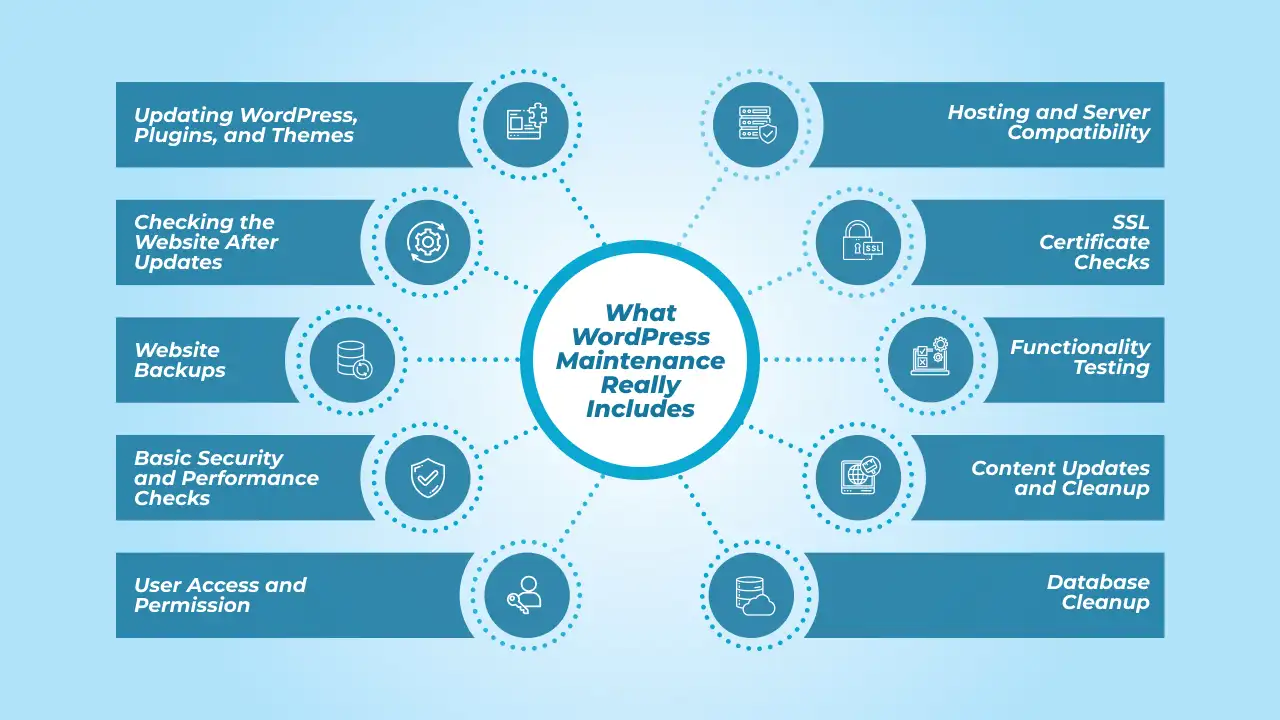
What WordPress Maintenance Really Includes
In our experience, when clients hear “WordPress maintenance,” they usually think it just means updating WordPress once in a while. In contrary, it’s actually more than that. Yes, updates do take place, but they are only one small part of well-maintained website.
-
Updating WordPress, Plugins, and Themes
Maintenance includes updating the WordPress platform itself, as well as plugins and themes. These updates normally fix bugs, security issues, and compatibility problems. So if you skip this maintenance step, features or custom functionality on your website can break and leave the site open to all kinds of attacks.
-
Checking the Website After Updates
WordPress maintenance services also include checking if everything is still working properly after updates. Sometimes, a plugin update can affect the site layout, forms, or website performance. These issues don’t always show up immediately, but they will slowly affect your website.
-
Website Backups
Another part of maintenance is backups. Let’s say something goes wrong; your recent website backup can save the site and restore it to its previous state without losing data. This usually includes data loss, update failures, or security vulnerabilities. Without backups, recovering a website can be difficult, or sometimes, it’s even impossible.
-
Basic Security and Performance Checks
A few other things that maintenance does are basic security checks, performance reviews, and cleaning up unused or outdated plugins or files. They could seem small, but they help prevent bigger issues later.
Maintenance also involves watching for unusual activity or warning signs that could indicate security issues. Basically, these security checks help identify problems early, before they impact visitors or cause the entire website to slow down or go offline. Hence, your site remains secure.
-
User Access and Permission
WordPress maintenance also includes reviewing who has access to the website. Over time, old users, past employees, or unused accounts may still have login access. In case you had a disgruntled employee who left the organization, you can only imagine what they could do to your website with the access they have.
Maintenance exactly helps review these accounts, remove access that is no longer needed, and make sure each user has the right level of permission. This will reduce security risks and keep the site under control.
-
Hosting and Server Compatibility
Web hosting and server settings change over time, even if your website doesn’t. What WordPress maintenance does in this situation is that it helps make sure the site stays compatible with the hosting updates, PHP version changes, and server-level adjustments.
To keep it short, WordPress maintenance is about keeping the site stable, secure, and usable over time. So it goes beyond just keeping it “Updated.”
-
SSL Certificate Checks
SSL certificates expire silently, and you wouldn’t even know. Maintenance ideally should include checking that the SSL certificate is active and working properly to keep your WordPress site secure and don’t show browser warnings.
-
Functionality Testing
Forms, buttons, search, and checkout flows can break or not be functional over time, especially after updates, and this is quite common. During maintenance, you should test key functionality to ensure users can still contact you, submit forms, or complete actions on the site.
-
Content Updates and Cleanup
Maintenance is not only technical. At cmsMinds, we include reviewing outdated content, broken links, old pages, and incorrect information as well. Keeping content fresh and accurate improves trust, usability, and overall site quality.
-
Database Cleanup
WordPress has a tendency to store unused data, like old revisions, spam comments, and temporary files. If you don’t clean up this database, it will pile up over time. That’s why maintenance includes cleaning this data so the website remains organized and doesn’t slow down unnecessarily.
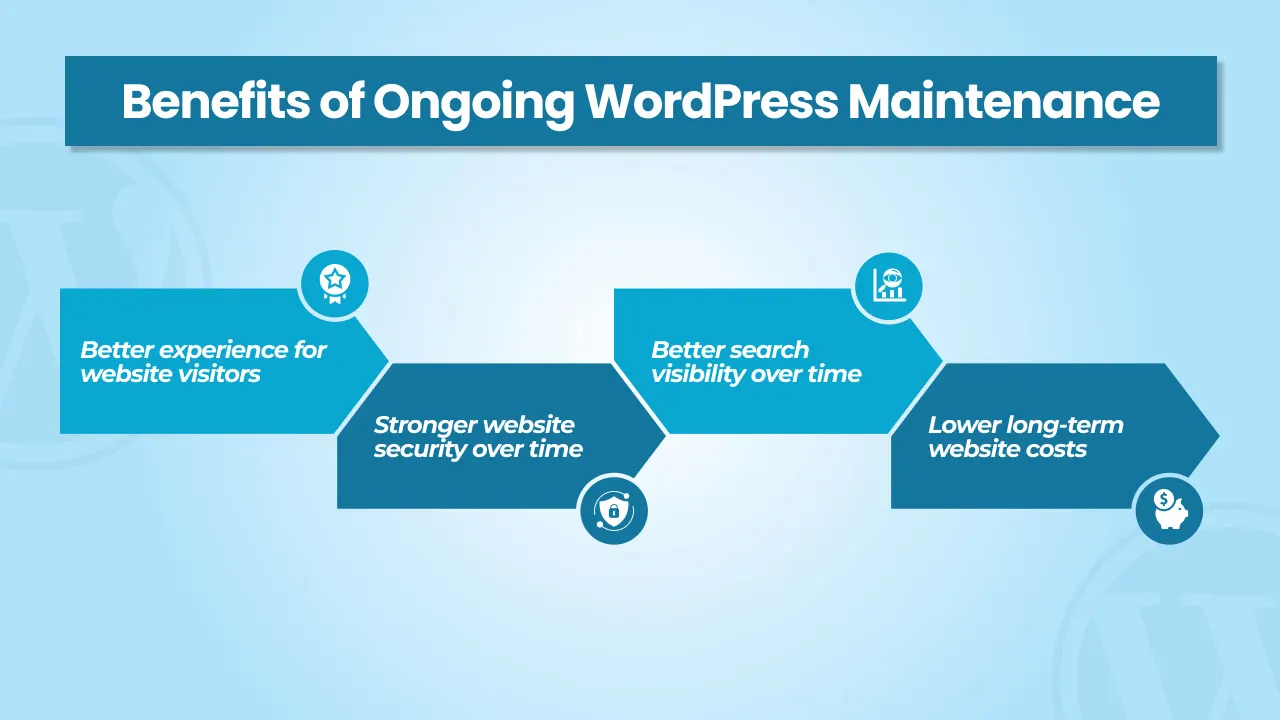
Benefits of Ongoing WordPress Maintenance
Not just one or two, there are a ton of benefits of using WordPress maintenance services. Let’s take a closer look at them.
-
Better experience for website visitors
Just like your smartphone starts lagging after a while, a website also needs maintenance to run smoothly. As a website owner, you should make sure that pages load properly, links work, and forms behave as they are supposed to. When people can easily browse your website and find what they need, they are likely to stay longer and take action.
-
Stronger website security over time
Regular maintenance reduces the probability of security problems slowly building up in the background. It’s better to spot the issues early than to lose sleep over fixing them after damage is done. Also, this lowers the risk of data loss, website downtime, or warning messages showing up for visitors.
-
Better search visibility over time
One more benefit that comes with regular website maintenance is that search engines can access and understand your website properly. When pages load reliably, errors are reduced to zero, and the site stays accessible, you have better chances of ranking on the first page of search engines.
-
Lower long-term website costs
Fixing small issues early usually costs less than dealing with major problems later. This is basic math. Website maintenance helps avoid expensive emergency fixes, downtime, or even full site rebuilds. Over time, this will save money and reduce the risk of sudden, unexpected website expenses.
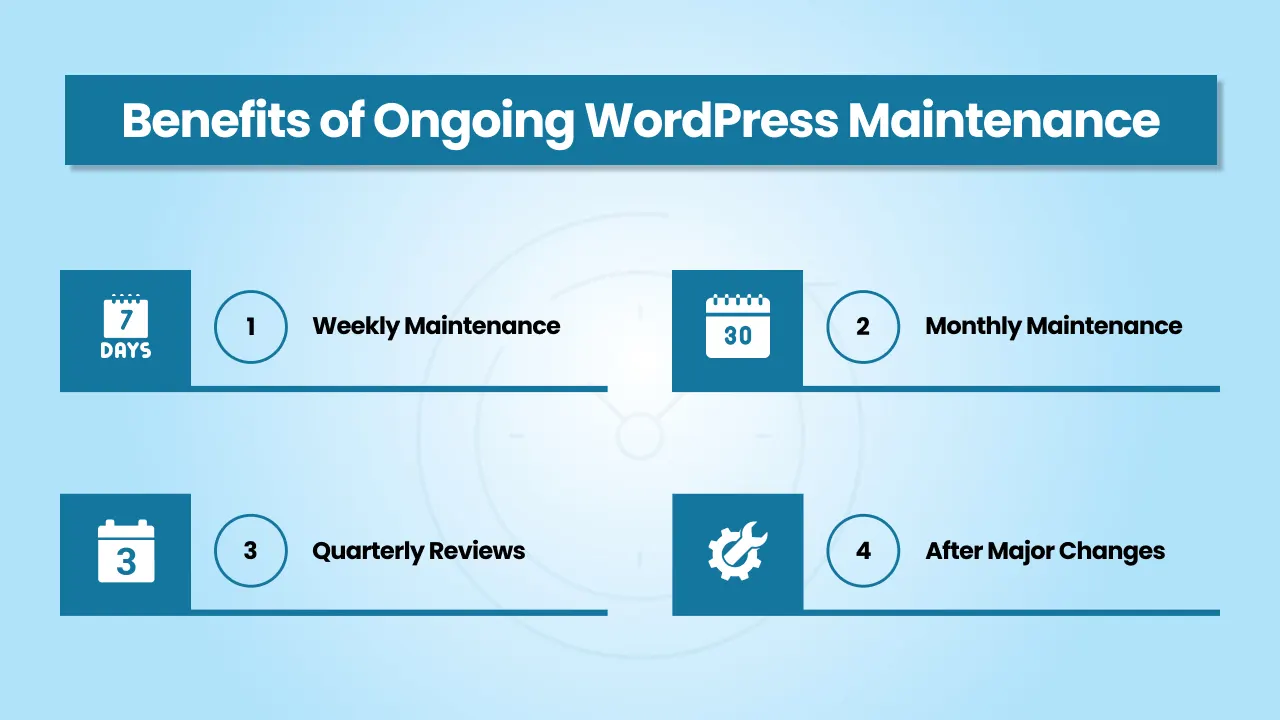
How Often Should WordPress Maintenance Be Done
Honestly, there isn’t one fixed schedule that works for every WordPress website. As a WordPress development agency, we offer maintenance services to clients depending on how active the site is and how it’s being used.
-
Weekly Maintenance
Websites that are updated often or get a lot of foot traffic actually benefit from weekly checks. This usually includes updates, quick reviews, and basic checks to make sure everything is still working properly.
-
Monthly Maintenance
For many business websites, monthly maintenance is more than enough. We normally cover updates, backups, security checks, and other performance-related reviews to keep the site stable and running smoothly.
-
Quarterly Reviews
There are a few websites that don’t need frequent attention. Websites that are purely informative and don’t contain any sensitive data only need a deeper review every few months. This helps clean up unused items, review content, and check overall site health.
-
After Major Changes
Maintenance should also be done after big updates, redesigns, or feature additions. What happens in this is that you can catch issues early and ensure the website continues working just as expected.
A small tip we give to all our clients at cmsMinds is that regular maintenance is better than waiting for problems to appear. As they say, prevention is better cure.
Signs Your WordPress Website is Being Neglected
- Pages feel slow or take too long to load
- Random errors or broken pages
- Forms or features stop working
- Frequent update warning
- Security alerts or browser warning
- Admin area feels unstable
- Plugins or themes haven’t been updated in a long time
- Visitors report issues with the website
Should You Handle WordPress Maintenance Yourself or Get Professional Help?
Some website owners prefer to handle WordPress maintenance on their own. For some, it’s because of cost, and others think they can do it themselves. Now, this can work for small websites with limited features, especially if updates are rare and traffic is low.
In such cases, basic tasks like minor updates or content changes are manageable if you are comfortable using WordPress.
However, maintenance takes time and attention. Sometimes, updates can cause issues, and fixing them mostly requires technical knowledge. For business websites, even small problems can affect leads, sales, or customer trust.
That’s why working with a WordPress agency or a professional team is usually a better option.
Professionals like cmsMinds, handle updates carefully, monitor issues, and know how to respond when something goes wrong. This reduces risk and frees up time, so you don’t have to worry about your website breaking unexpectedly.
Conclusion
WordPress maintenance is not something to think about only when something breaks. It’s actually a part of running the website that people rely on from the day it’s built. When maintenance is done regularly, websites stay safer, work better, and cause fewer problems over time.
We are not saying that if you ignore maintenance, right from tomorrow, your website will stop working. But small problems slowly build up in the background. By the time you notice them, fixing them may cost you more and take more time.
With regular maintenance, most things are predictable. It helps your website stay usable, secure, and ready to support your business as it gradually grows. In the long run, taking care of your WordPress site is much easier than reacting to problems after they have done the damage.
Get professional maintenance that improves security, boosts performance, and keeps your website running smoothly.



