 Reviews on


 ChatGPT
 Perplexity
 Claude
Web design pricing is all over the place. Some designers charge $500. Some charge $50,000. Some charge $500,000. What is the difference? Why does it cost so much more sometimes?
Most people have no idea what website design cost is. They think it is simple. Some website builders make it look that way. You design something, you build it, you launch it. Done. But there is way more to it than that. Good web design takes time. It takes planning. It takes strategy. It takes testing.
As a professional web design agency, we get asked this question constantly. How much should a website cost? The answer is it depends. It depends on what you are building. It depends on your goals. It depends on how complex your site needs to be.
This guide breaks down custom website design costs. We explain what you are actually paying for. We show you real price ranges. We help you understand why some websites cost more than others.
- Web design costs vary depending on what you need. Basic websites cost $2,000. Business sites run $10,000 to $30,000. Online stores cost more. Match your budget to your goals.
- Your website should make money or save money. Calculate expected return before spending. A good site pays for itself. A bad site wastes money.
- Ongoing costs add up after launch. Web hosting costs $10 to $100 monthly. Maintenance costs $100 to $500 monthly. SEO costs extra. Budget for these things.
- Do not pick based on price alone. Compare what designers actually deliver. Some include support. Others just build and disappear. Get details before hiring.
- Plan for surprises. Add 10 to 20 percent extra to your budget. Projects always have unexpected costs. This cushion prevents stress.
What Affects Web Design Costs

Understanding these factors helps explain why websites have different price tags and requirements.
-
Complexity of the Site
A simple brochure website costs less than a complex eCommerce store. A basic website design means a few pages with text and images. Complex means lots of features, custom functionality, and integrations with other systems.
-
Number of Pages
More pages mean more work. A five-page site costs less than a 50-page site. Each page needs design, content, and testing.
-
Custom Features
Standard websites use templates and plugins. Custom features cost more. You want something nobody else has? That takes development time and costs money.
-
eCommerce Functionality
Selling stuff online is more complex than just displaying information. Payment processing, inventory management, shipping calculations. All that costs more.
-
Design Quality
Hiring a designer who is really good costs more than hiring someone new. Experience matters. Better designers charge more because they deliver better results.
-
Ongoing Support
Some designers just build and leave. Some stick around for updates and maintenance. Support costs extra money over time.
-
Timeline
Rush jobs cost more. You want it done in two weeks instead of two months? Price goes up.
-
SEO and Performance
Building a site that ranks in Google and loads fast takes extra work. That costs more upfront but saves money long-term.
Typical Web Design Pricing
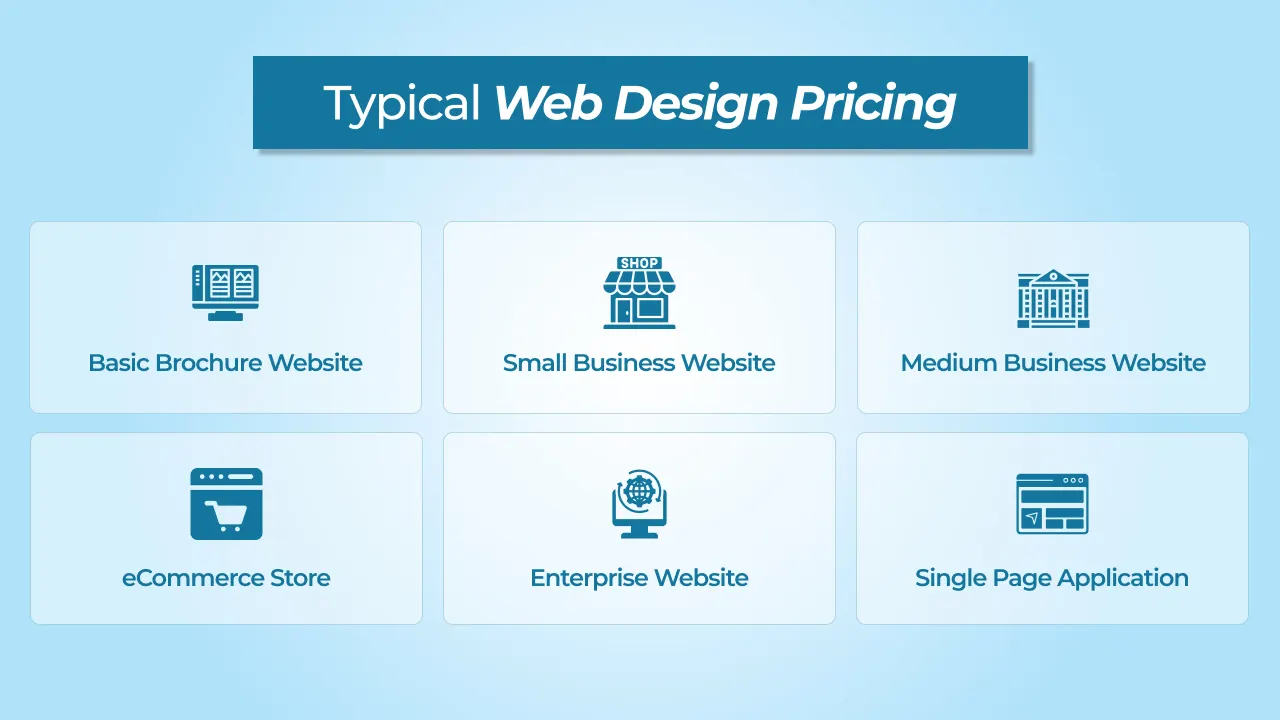
Different types of websites cost different amounts depending on complexity, features, and your business needs.
Basic Brochure Website
A basic brochure website is what most small businesses start with. You get five to ten pages. Home page, about page, services page, contact page, maybe a blog. Design is simple and straightforward. Uses standard templates and common layouts. Nothing too fancy or customized. Mobile-friendly but not optimized heavily. You get basic Search engine optimization features, but nothing advanced.
These sites work fine for businesses just wanting an online presence. A dentist’s office, a local plumber, a small service business. Something people can find and learn about you.
Building takes about four to eight weeks. Website designer creates mockups. You give feedback. They built the site. Testing happens. Then launch.
Price range $2,000 to $5,000. Sometimes, less if you use a freelancer overseas. Sometimes more if you want high quality website.
Small Business Website
A step up from basic. Ten to fifteen pages. Custom design that matches your brand. Not using templates as much. Some custom features beyond standard pages. Maybe a contact form that does something special. Maybe a simple booking system. Mobile optimization gets more attention. Pages load faster. SEO setup is more thorough.
These sites work for established small businesses. A marketing agency, a consulting firm, a local restaurant. You want something that looks professional and works well.
Building takes about eight to twelve weeks. More design time. More custom development. More testing. More revisions usually.
Website design pricing range for these would be $5,000 to $15,000. Depends on how custom you want it. Depends on the designer’s experience level. Depends on how many revisions you need.
Medium Business Website
Getting more serious now. Fifteen to thirty pages. Custom branding throughout. Multiple custom features. Integration with other systems may be. CMS so you can update content yourself. Good SEO foundation with proper structure. Fast loading times matter here.
These sites work for growing companies. Mid-sized businesses. Companies with real budgets. You want something that competes professionally. Something that ranks in Google. Something that converts visitors to customers.
Building takes about twelve to sixteen weeks. Lots of planning upfront. Lots of custom code. Lots of testing. Usually includes some maintenance after launch.
Price range $15,000 to $50,000. Depends heavily on custom features. Depends on how many integrations you need. Depends on how much content exists already.
eCommerce Store
Now you are selling online. Completely different ballgame. You need product pages. Shopping cart. Checkout process. Payment processing. Inventory tracking. Maybe shipping integration. Customer accounts. Order management.
Building an eCommerce site is complicated. Security matters because you are handling payments. Performance matters because slow checkout loses sales. User experience matters because people buy or leave based on how easy checkout is.
Building takes about twelve to twenty weeks, depending on complexity. How many products? How many payment methods? How complex is inventory? How many integrations do you need?
Price range $20,000 to $100,000. Can go higher if you have thousands of products or really complex requirements. Can go lower if you use standard platforms like Shopify or WooCommerce instead of building custom.
Enterprise Website
Large companies with serious requirements. Hundreds of pages, maybe. Complex functionality. Multiple integrations with internal systems. Advanced features. Security requirements. Performance requirements. Accessibility requirements.
Building an enterprise site takes serious planning. Serious budget. Serious timeline. Usually, multiple team members are involved. Project management is involved. Lots of testing and quality assurance.
Building takes months. Could take six months to a year or longer for really complex sites.
Price range $100,000 to $500,000 or more. Sometimes, much more for Fortune 500 companies or government projects.
Single Page Application
Modern interactive website. Not traditional pages. More like an application in your browser. Lots of interactivity. Lots of custom code. Lots of performance optimization is needed. One of the critical web design statistics is users don’t wait more than 0.05 seconds for a website to load.
These are sophisticated. High development cost. Requires really skilled developers. Takes specialized knowledge.
Building takes weeks to months, depending on complexity.
Price range $30,000 to $200,000 or more, depending on features and complexity.
cmsMinds helps you manage development, maintenance, and ongoing expenses with a transparent and reliable approach.
Quick Web Design Cost Overview 2026
A quick look into the actual costs of website design.
| Website Type | Pages | Features | Timeline | Price Range |
|---|---|---|---|---|
| Basic Brochure | 5-10 | Standard design, mobile-friendly, basic SEO services | 4-8 weeks | $2,000-$5,000 |
| Small Business | 10-15 | Custom design, some custom features, mobile optimized, SEO setup | 8-12 weeks | $5,000-$15,000 |
| Medium Business | 15-30 | Custom branding, multiple features, CMS, good SEO, fast loading | 12-16 weeks | $15,000-$50,000 |
| eCommerce Store | 20+ products | Shopping cart, checkout, payment processing, inventory, shipping integration | 12-20 weeks | $20,000-$100,000 |
| Enterprise | 100+ pages | Complex functionality, multiple integrations, security, advanced features, accessibility | 6-12 months | $100,000-$500,000+ |
| Single Page App | Custom | Interactive features, custom code, advanced functionality, high performance | Weeks-Months | $30,000-$200,000+ |
Why Web Design Costs Vary So Much
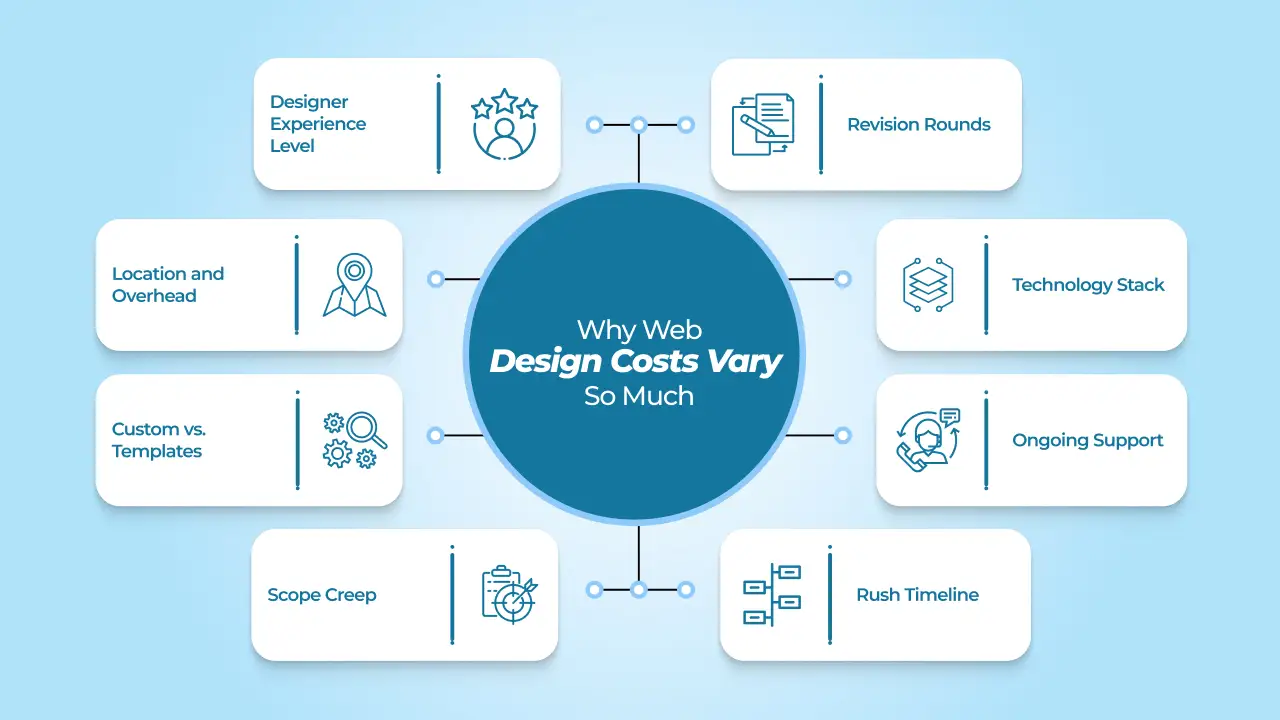
Web design prices are not standard. Two designers can quote totally different prices for similar work. Understanding why helps you make better decisions about your budget.
Designer Experience Level
A designer fresh out of design school charges way less than someone who has been doing this for twenty years. Experience matters a lot. Experienced designers work faster because they have solved these problems before. They know what works and what does not. They avoid mistakes that waste time.
An experienced designer can look at your project and know exactly how to approach it. A new designer spends time figuring things out. That costs you money. You pay more for experience, but you get better results. You get a faster turnaround. You get fewer problems.
Location and Overhead
Where a designer lives affects what they charge. A designer in San Francisco has huge overhead costs. Office rent is thousands per month. Living expenses are high. Taxes are high. They need to charge high prices just to cover their costs.
A designer in a small town has much lower costs. Their rent is lower. Their living expenses are lower. They can charge less and still make money. A designer overseas in India or the Philippines has even lower costs. They often charge significantly less.
This does not always mean lower quality. Sometimes you get good quality for less money. Sometimes you sacrifice quality to get a low price. It depends on the individual designer.
Custom vs. Templates
Using templates and plugins is the fast and cheap way to build websites. You pick a template, customize colors and text, add your content, and launch. Takes days or weeks. Costs $2,000 to $5,000.
Building everything custom takes longer and costs more. The designer creates a unique design. The developer codes it from scratch. Nothing is pre-built. Everything is tailored to your needs. Takes weeks or months. Costs $20,000 to $100,000 or more.
Templates get you launched fast and cheap. Custom graphics and more advanced features get you something that looks unique and works exactly how you want. Which is better depends on your goals and budget.
Scope Creep
This is the silent budget killer. You start with a project scope. The website has ten pages, a contact form, and a blog. The budget is $10,000. Then you think of more features. Add a photo gallery. Add a testimonials section. Add an event calendar. Add member login area.
Each addition takes time and costs money. What started as $10,000 becomes $15,000. Then $20,000. The designer keeps working, but the budget keeps growing. This is scope creep.
Preventing scope creep means being clear upfront about what you want. Write it down. Get designer approval. Stick to it. Change requests after a project starts cost more money.
Revision Rounds
Every designer handles revisions differently. Some include five free revisions in the price. Some include unlimited revisions. Some charge extra for revisions beyond a certain number.
If you are indecisive and need lots of revisions, costs go up. If you know what you want and give clear feedback, revisions happen faster. Fewer revision rounds mean lower total cost.
Having a clear vision upfront reduces revisions. Know your brand colors. Know your message. Know your goals. Communicate clearly. You get fewer revisions and a lower total cost.
Technology Stack
A simple WordPress site costs less than a custom-coded application. WordPress is built already. You just customize it. Custom applications need to be coded from scratch.
Using standard tools and platforms keeps costs down. Using cutting-edge technologies or specialized tools increases costs. The more standard and common the technology, the cheaper it is. The more custom or specialized, the more expensive.
Ongoing Support
Some designers build your site, and that is it. You own it. They disappear. If something breaks, you figure it out. This approach costs less upfront.
Some designers include maintenance and support. They monitor your site. They handle updates. They fix issues. They are available when you need them. This ongoing support costs more upfront but saves problems later.
You break something and cannot fix it? Support designer can fix it for you. Your site gets hacked? Support designer can help restore it. This costs money but prevents disasters. Some businesses also prefer delegating recurring website updates to a skilled virtual assistant that not only saves time but also keeps your site running smoothly.
Rush Timeline
Designers have schedules. They have other clients. If you want your project done in two weeks instead of two months, the designer has to rearrange their schedule. They might have to say no to other clients. They might have to work nights and weekends.
Designers charge premium prices for rush jobs. Double or triple normal rates sometimes. It is compensation for the disruption and extra hours. If you have flexibility on the timeline, you save money. If you need it immediately, you pay more.
How to Budget for Your Web Design Project

Create a realistic budget that aligns with your business goals and expected return on investment.
-
Determine Your Business Goals First
Figure out what you want the website to do before you spend anything. Does it need to get leads? Sell stuff? Make your business look professional? Each one is different. A lead site needs forms. A store needs payments. Know what you are building first, then budget for it.
-
Calculate Your Expected ROI
Your website should make money or save money. If you sell things, figure out how many sales per month and what people spend. If it’s a lead, know how many leads you need and what they are worth to you. A $30,000 site making $5,000 monthly pays itself back in six months. A cheap site that makes nothing wastes money.
-
Set a Realistic Budget Range
Look at what similar sites cost. Small sites run $2,000 to $5,000. Medium business sites run $10,000 to $30,000. Bigger ones cost more. Pick a range instead of one number. This gives you room to work with designers without going crazy on spending.
-
Factor in Ongoing Costs
Building the site is not the end. Hosting is $10 to $50 a month. Maintenance runs $100 to $500 a month, depending on what you need. SEO costs extra. Marketing costs money. Plan for these things, not just the initial build.
-
Get Multiple Quotes
Talk to three or four designers. Do not just look at the price. See what they include: how many revisions, hosting help, maintenance, support. Cheap might mean less work. Expensive might mean extras you don’t need. Compare what you actually get.
-
Prioritize What Matters
You cannot do everything. Decide what is most important: how it looks, selling features, search engine ranking, speed, and phone viewing. Put the budget there first. Cut the nice-to-have stuff if you need to.
-
Build in a Buffer
Add 10 to 20 percent extra to your budget. Projects always have surprises. This extra cushion keeps you from stress when unexpected stuff comes up.
Hidden Costs to Watch Out For in Web Design

Most people forget about these expenses that add up after your site launches.
-
Hosting and Domain Renewal
You pay for hosting yearly or monthly. Most people forget about renewal dates. Domain names cost $10 to $20 a year. Hosting costs $10 to $100 monthly, depending on what you need. Set calendar reminders so you don’t lose your domain or get surprise bills.
-
SSL Certificates and Security
Your site needs an SSL certificate so that data is encrypted. Many hosts include this for free now. Some charge $50 to $200 yearly. Do not skip this. Google penalizes sites without SSL, and customers distrust them.
-
Maintenance and Updates
WordPress and plugins need updates. Themes need updates. Security patches come out all the time. Some designers include maintenance. Most charge $100 to $500 monthly for ongoing work. If you do not update, your site gets hacked or breaks.
-
SEO Work
Building the site does not mean Google will find you. SEO costs $500 to $2,000 monthly or a flat fee upfront. Some designers include basic SEO. Most do not. Plan for this separately.
-
Content Creation
You need words, photos, and videos for your site. Hiring someone to write website content costs $50 to $150 per hour. Stock photos cost $5 to $50 each. Video production costs way more. Budget for content or plan to create it yourself.
-
Email Marketing Setup
Most businesses need email lists and automation. Tools like Mailchimp or ConvertKit cost $10 to $300 monthly, depending on list size. Setup and integration cost extra time.
-
Paid Advertising
Building the site does not bring traffic. Google Ads, Facebook Ads, or other paid channels cost $500 to $5,000 monthly, depending on your industry and goals. Budget separately for this.
-
Backup and Disaster Recovery
If your site crashes or gets hacked, backups save you. Backup services cost $10 to $50 monthly. This is cheap insurance.
Conclusion
Your website is not just a line item on your budget. It is a tool that should work for you. Some businesses spend $2,000 and get results. Others spend $50,000 and get nothing. The difference is not always the money. It is whether the site actually does what you need it to do.
Start by knowing what success looks like for you. Is it phone calls? Online sales? Emails? Once you know that, find someone who can build that. Ask them questions. Ask what happens after launch. Ask how they handle problems. Ask what support looks like.
Do not pick based on price alone. The cheapest option might look good but fall apart in six months. The most expensive might include services you don’t need. Find the middle ground that works for your situation.
Your site will need care after it launches. Updates, fixes, and hosting. Budget for that. Most people forget about ongoing costs and then get surprised by bills later.
A good website pays for itself. A bad website costs you customers and money. Spend enough to do it right.
cmsMinds ensures you understand every expense—from launch to maintenance—so your website stays secure, fast, and scalable.



