 Reviews on




Launching a website is a milestone at best. It is not a destination. Once your WordPress site is live, you would naturally assume that things should run on their own. As a matter of fact, they do, but only for a while.
Suddenly, your contact form stops sending emails, a plugin update changes your site’s layout, or a small issue messes with your customer data. As a result, you are now running in your circles looking for someone to fix this.
That’s why we never treat a website launch as the end of the project. From where we stand, we see it as a turning point as the website moves from a controlled setup to a live business tool.
- WordPress maintenance keeps your website updated, secure, and working 24/7.
- Support helps fix problems quickly when something breaks or behaves unexpectedly.
- Maintenance plans cover updates, backups, security checks, and other small fixes.
- The right maintenance and support save time, avoid last-minute disasters, and keep the site reliable.
What is WordPress Maintenance and Support?
Let’s clear something up first: WordPress maintenance and WordPress support are two different things.
WordPress maintenance is the regular work that keeps your website running the way it is supposed to after it is launched. The maintenance team will make sure that nothing breaks, slows down, or becomes a problem now or in the future.
Some of the maintenance tasks include updating the WordPress platform, keeping themes and plugins up-to-date, ensuring that contact forms and other links are working as they should, and fixing any small issues before they become a huge headache.
Along with this, maintenance covers basic security updates and backups, so your website can be restored to its original state if something goes wrong.
Coming to WordPress support, it’s something you rely on after something goes wrong. Let’s say you have error 404 for a specific service or product page. Instead of figuring it out yourself, you reach out to a support team that can help you fix it as soon as possible.
In simple terms, WordPress maintenance is about making sure nothing breaks through regular checkups, and WordPress support is about getting help after something breaks.
7 Things You Can Expect for Support & Maintenance From a WordPress Agency
The list below is something more or less every good WordPress agency provides its clients in the name of support and maintenance.
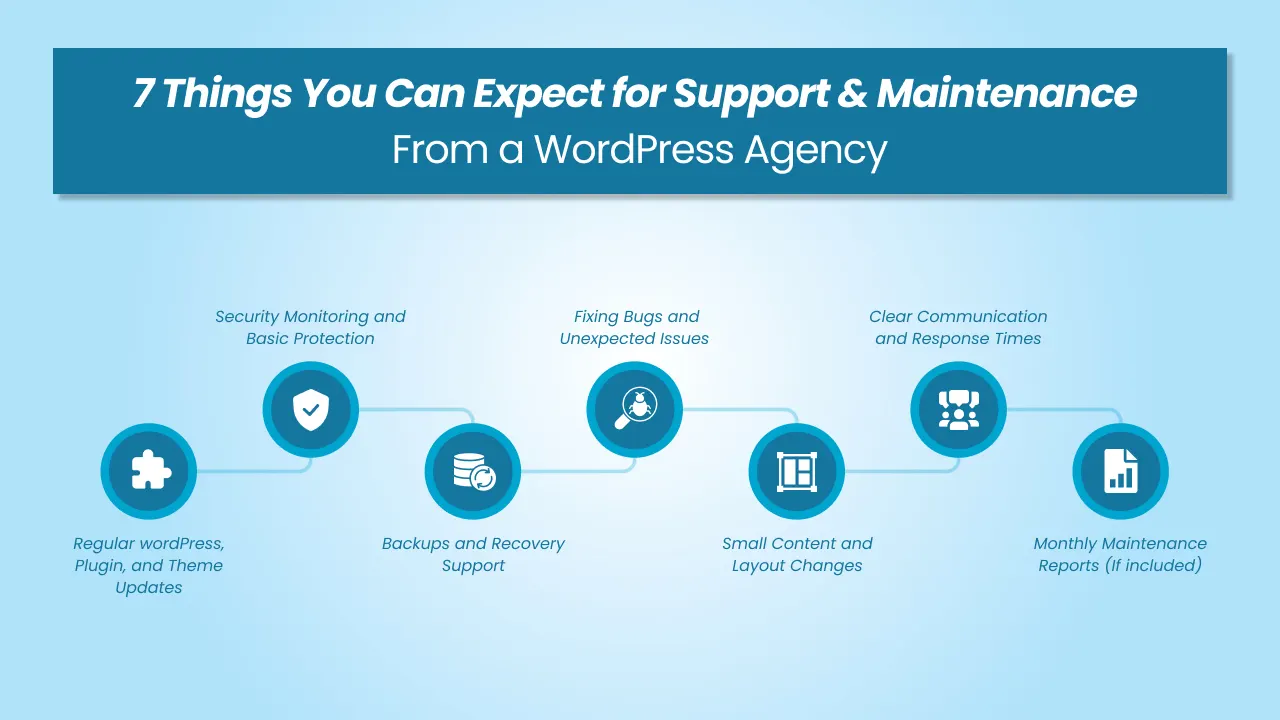
1. Regular WordPress, Plugin, and Theme Updates
One of the most basic but super important parts of maintenance is keeping everything up to date. WordPress releases major core updates 3-4 a year, which include new functionality. Plugins and themes do too, but they depend on the developer; they should be checked too, at least weekly. An agency should monitor these updates and update everything safely, not blindly.
“Not blindly” means checking compatibility first, taking a backup, and then updating the plugin, theme, or anything in a controlled way. If something breaks after an update, they should be able to fix it quickly.
This will help avoid security issues, choppy layouts, and features suddenly not working without warning.
2. Security Monitoring and Basic Protection
Security is not just installing a plugin. A WordPress agency should actively monitor your website for common security risks like malware, suspicious login attempts, or even outdated software.
Basic security monitoring includes setting up protection measures, limiting unnecessary access, and responding quickly if something looks wrong. Even if your site ever gets compromised, the support team should include cleaning it up and restoring a safe version.
3. Backups and Recovery Support
Your website should have a backup at all times. An agency should make sure your website is backed up regularly, either daily or weekly, depending on how active your site is.
More importantly, they should know how to restore your website properly if something goes wrong. For instance, if an update fails, data is lost, or the site crashes, recovery should be quick and well-controlled.
You and your agency should know where backups are stored and how far back they go, because you wouldn’t have enough time to discover this during an emergency.
4. Fixing Bugs and Unexpected Issues
Not all issues show during testing. Some do, and some only appear after real users start using the website. Forms stop working, layouts break on specific devices, or pages behave differently after updates. All this may or may not happen.
However, your WordPress ongoing support should cover identifying these issues and fixing them immediately. A good WordPress agency already knows your site structure, plugins, setup, and other custom functionalities, so they are not troubleshooting from scratch. This saves time going back and forth and avoids quick fixes that can potentially create more problems later.
5. Small Content and Layout Changes
Sooner or later, businesses need changes in the website, like updating content, adjusting layouts, adding a new page, or fixing spacing issues. Maintenance and support usually cover these kinds of reasons to some extent.
An agency should clearly explain what counts as a “small change” and what should be considered as new work. Having a good clarity on such things helps you plan updates without every minor request turning into a new project.
6. Clear Communication and Response Times
Only fixing things is not support. It is also about how easy it is to get help. You should know how to raise a request, who to contact, and how long it usually takes to get a response.
A good WordPress agency will tell you what they consider urgent issues and what they treat as routine requests. This way, you will not chase the agency when it’s just a routine request.
7. Monthly Maintenance Reports (If included)
Some WordPress agencies provide a monthly maintenance report (Not all, but some do). This is not a complicated document. The primary purpose of the report is to show the client what was done behind the scenes and how the website is performing.
Most maintenance reports cover basic things like WordPress, plugin and theme updates, website uptime, backups, security checks, and any other small issues that were fixed during the month.
You may also see simple performance data, such as page speed or downtime alerts. With this report, you will have a clear idea of the performance of the website, whether the site has been stable, or if any problems have arisen.
To get the full advantage of these reports, you can use them to spot patterns. If updates keep causing issues, maybe it’s time to review all those plugins. If performance is slowly dropping, see if either the hosting or the content needs any change. You can prevent a lot of issues with the help of these monthly maintenance reports, not just fix them only when something breaks.
What is Not Included in WordPress Maintenance Services
WordPress maintenance and support are meant to keep your website running smoothly. But that doesn’t mean it’s the same as ongoing development or marketing work.
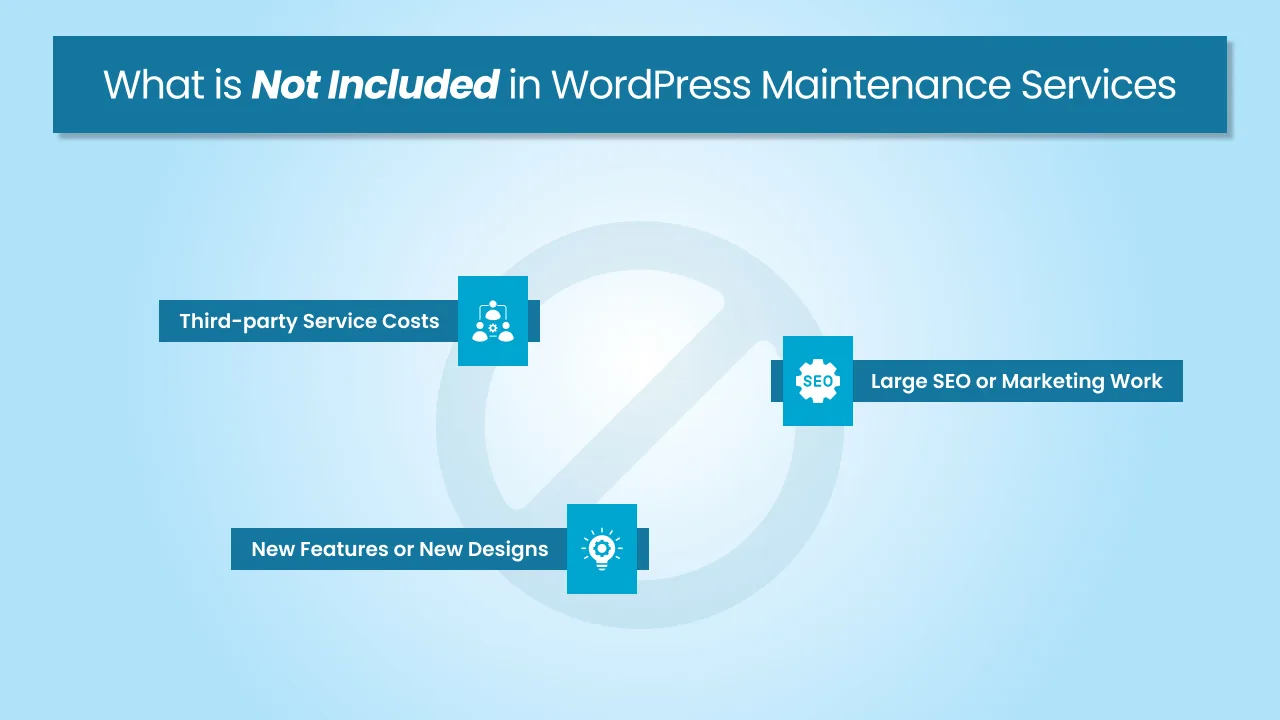
As a WordPress agency, we are going to share with you what is usually not included in maintenance and support so you can avoid last-minute surprises.
1. New Features or New Designs
New features or major redesigns are usually treated as new work. They are pretty much outside the maintenance scope. Adding new features, functionality, redesigning pages, or even remotely changing how the site works is considered a new project, and hence billed separately.
2. Large SEO or Marketing Work
Huge SEO-related work or marketing activities are also not a part of standard WordPress maintenance and support. For example, things like content strategy, keyword research, ongoing SEO campaigns, paid ads, etc., are handled separately. Maintenance may support these activities, but it won’t be able to replace them completely.
3. Third-party Service Costs
Third-party service costs are also not usually included in maintenance and support, either. This includes hosting feeds, premium plugins, email services, analytics tools, or any external software your site might use. Your WordPress agency might suggest or recommend a few tools, but you will be the one to cover the actual costs.
This is not an exclusive list. However, you should check with your agency what they include in maintenance and support, and what they don’t.
| Included in Maintenance | Not Usually Included in Maintenance |
|---|---|
| WordPress core, plugin, and theme updates | New features or custom development |
| Fixing bugs caused by updates | Major redesigns or layout overhauls |
| Security checks and monitoring | Full SEO campaigns or ongoing marketing |
| Regular website backups | Content writing or content strategy |
| Restoring the site if something breaks | Paid ads or conversion optimization work |
| Small content or layout tweaks (within scope) | Large UI/UX changes |
| Performance optimization checks and basic optimizations | Hosting, plugin, or third-party service costs |
| Support for unexpected issues | Ongoing product or feature planning |
How WordPress Maintenance and Support Costs Usually Work
When it comes to the cost of WordPress maintenance and support, it depends on various factors. Things like how complex your website is, how often it changes, and how much support you need on a daily, weekly, or monthly basis.

A simple one-page site will not cost the same as a site with a bunch of custom features, integrations, and complex functionality.
Most agencies (Yes, we do too) offer WordPress maintenance plans in one of three common ways.
1. Monthly Maintenance Plans
This is the most common option out there. You pay a fixed monthly fee that covers routine maintenance work like updates, backups, security checks, and a defined level of support.
A plan like this is beneficial for you as it’s predictable. You know what you are paying for each month and what is included in that plan. This kind of monthly plan is great for businesses that have a clear scope of work and don’t want to spend time fixing issues every time something small comes up.
Of course, higher plans usually include faster response times, more support hours, and closer monitoring.
2. Hourly or On-demand Support
Some agencies offer support on an hourly basis, too. You only pay when you need help. This can work for websites that rarely need to be monitored or are managed mostly by the in-house team.
It wouldn’t take long for hourly support to become expensive if issues start coming up more frequently. You have to understand that in hourly support, there is no maintenance, and hence, there are more chances for problems to be noticed only after something breaks.
3. Retainer-based Support
A retainer falls somewhere in between monthly maintenance and hourly support. You pay X amount for a set number of hours each month, which can be used for support, fixes, or any small changes in the website.
This model works well for growing companies that need regular and frequent help but not full-scale development every month. It definitely gives you flexibility and keeps your costs controlled.
That being said, unused hours may not carry forward, depending on the agency. You will have to clear this up with them directly.
Whether you choose a monthly plan, a retainer, or on-demand support, the goal is to keep your website up and running. It should stay stable, usable, and easy to manage.
Conclusion
A WordPress website works best when it is treated as an ongoing responsibility instead of a one-time project. Most stable sites that we see regularly are usually the ones where someone stays involved in the maintenance and support, and very well understands how the site was built.
With that kind of support in hand, updates happen on time, issues get handled before they become bigger problems, and most importantly, decisions are made keeping the long-term in mind.
When maintenance is done this way, the website stays dependable and easy to manage.
Partner with a cmsMinds for proactive maintenance, technical assistance, and continuous performance improvements.



