 Reviews on


You have a business and you decided to build a website for it. Great. Now, what?
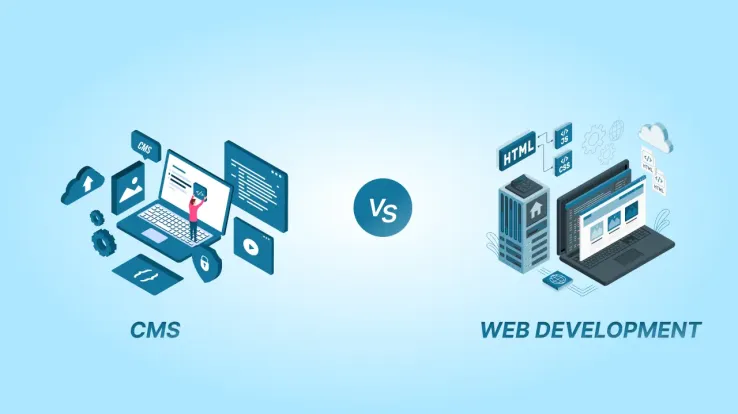
Well, there are two options. One is CMS (Content Management System) and the other is custom web development. Which one you choose will impact everything– from how your site looks and functions to how much time and money you will spend maintaining it.
But how do you know which option is right for you?
Don’t worry, in this post, we will compare the two approaches, breaking down their benefits, drawbacks, and when to choose each one. By the end, you will have a clear path forward for building your perfect website.
However, let’s understand the basics first.
CMS vs. Web Development Overview
What is a CMS?
A Content Management System (CMS) is a platform that allows you to create, manage, and modify website content without needing advanced technical skills. Popular CMS platforms include WordPress, Shopify, Wix, and Joomla.
Key Features of a CMS:
- Pre-designed templates for quick setup
- Drag-and-drop editors for easy customization
- Plugins to add extra functionality
- Built-in SEO tools to improve website visibility
What is Custom Web Development?
Custom web development is the process of building a website from scratch using coding languages like HTML, CSS, and JavaScript, or frameworks such as React, Angular, or Laravel. This approach offers unmatched flexibility and control but requires technical expertise or hiring professional developers.
Key Features of Custom Web Development:
- Complete control over design and functionality
- Highly scalable and customizable
- Requires coding knowledge or developer support
We specialize in creating powerful, user-friendly websites using platforms like WordPress, Shopify, and more.
Key Differences Between CMS and Web Development
Both options have their strengths and weaknesses, and knowing the key differences can help you make the right choice for your needs. For better understanding, let’s break it down:
1. Ease of Use
- CMS: If you are looking for a straightforward, no-fuss solution, a CMS is your best bet. Platforms like WordPress, Wix, or even Squarespace are designed with simplicity in mind. They come with intuitive drag-and-drop interfaces, pre-built templates, and easy-to-follow tutorials. Even if you have never built a website before, you can have something up and running in a matter of hours. It’s like assembling furniture with an instruction manual—anyone can do it.
- Custom Web Development: On the other hand, custom development is more like building furniture from scratch. It requires technical expertise in coding languages like HTML, CSS, JavaScript, and possibly backend languages like Python or PHP. Unless you are a developer or have one on your team, you will likely need to hire a professional web development company to handle the work. It’s not impossible, but it’s definitely not as beginner-friendly as a CMS.
2. Customization
- CMS: While CMS platforms offer a lot of flexibility through themes, plugins, and widgets, there’s a limit to how much you can customize. You are often confined to the features and designs provided by the platform or its community. Sure, you can tweak things here and there, but if you have a very specific vision or need unique functionality, a CMS might feel slightly restrictive.
- Custom Web Development: Custom development is where creativity and functionality truly shine. You are not bound by templates or pre-built features. Every aspect of the website—from the layout to the functionality—is tailored to your exact needs. Want a completely unique user experience or a complex feature that doesn’t exist in any CMS plugin? Custom development makes it possible. It’s like having a blank canvas where you can paint anything you imagine.
3. Cost
- CMS: For most small businesses or individuals, a CMS is the more budget-friendly option. Many platforms offer free or low-cost plans, and even premium themes and plugins are relatively affordable. You can get a professional-looking website without breaking the bank. However, keep in mind that costs can add up if you start adding premium features or hiring CMS development company or developers for customizations.
- Custom Web Development: Custom development is a bigger investment. You are paying for the time and expertise of developers, designers, and possibly other specialists. The cost can vary widely depending on the complexity of your project, but it’s not uncommon for custom websites to run into the thousands—or even tens of thousands—of dollars. That being said, you are paying for a product that’s uniquely yours, which can be worth every penny if you have specific needs.
4. Scalability
- CMS: CMS platforms are great for small to medium-sized websites. They are perfect for blogs, portfolios, or small business sites that don’t require heavy traffic or complex functionality. However, as your site grows, you might start hitting limitations. Performance can slow down, and you may find yourself needing more advanced features that a CMS can’t easily provide.
- Custom Web Development: If you are planning for growth and scale, custom development is the way to go. A custom-built website can be designed to handle high traffic, complex databases, and advanced functionality from the start. It’s scalable in a way that CMS platforms often struggle to match. Whether you are running a large eCommerce site or a web application with thousands of users, custom development ensures your site can grow with you.
5. Maintenance
- CMS: One of the biggest advantages of using a CMS is that most of the maintenance work is handled for you. The platform itself takes care of updates, security patches, and bug fixes. Having said that, you will still need to manage content and keep an eye on things, but the technical heavy lifting is done for you. So, if you are using a lot of third-party plugins, you will need to ensure they are updated regularly to avoid security risks.
- Custom Web Development: With a custom-built website, maintenance is entirely your responsibility. You’ll need to handle updates, security, and any technical issues that arise. This often means having a developer on retainer or an in-house team to manage the site. While this gives you full control, it also means more ongoing effort and cost.
Pros and Cons of CMS vs. Custom Web Development
| Aspect | CMS | Custom Web Development |
|---|---|---|
| Ease of Use |
|
|
| Customization |
|
|
| Cost |
|
|
| Scalability |
|
|
| Maintenance |
|
|
| Time to Launch |
|
|
| Technical Expertise |
|
|
Key Takeaways
- CMS is ideal for small to medium-sized projects, users with limited technical skills, and those needing a quick, cost-effective solution.
- Custom Web Development is better suited for large, complex projects, businesses with unique needs, and those willing to invest in a scalable, long-term solution.
Hybrid Approach: Combining CMS and Web Development
Sometimes, choosing between a CMS and custom web development isn’t an either/or decision. Many businesses opt for a hybrid approach, leveraging the strengths of both worlds. This means using a CMS as the foundation while adding customizations to meet specific needs. Here’s how it works and why it might be the perfect solution for your website:
How It Works
A hybrid approach involves starting with a CMS platform (like WordPress, Shopify, or Drupal) and then enhancing it with custom elements. Here are some common ways businesses do this:
- Custom Plugins or Extensions: Add unique features or functionality that aren’t available in pre-built plugins.
Example: A custom booking system for a service-based business built on WordPress. - Custom Themes or Templates: Design a unique look and feel while still using the CMS’s backend for easy content management.
Example: A custom-designed theme for an eCommerce store on Shopify. - Custom Integrations: Connect the CMS with third-party tools, APIs, or databases to streamline workflows.
Example: Integrating a CRM system like Salesforce with a WordPress site requires technical expertise. If you lack technical knowledge, a WordPress development services agency can help in a professional and secure way. - Performance Optimization: Enhance the speed and scalability of a CMS by adding custom code or server configurations.
Example: Optimizing a WooCommerce store to handle high traffic during sales events.
Benefits of the Hybrid Approach
Combining a CMS with custom development offers the best of both worlds. Here’s why this approach is gaining popularity:
- Balances Ease of Use with Flexibility:
You get the user-friendly interface and quick setup of a CMS, plus the ability to add custom features or designs.
Example: A marketing team can update blog posts easily, while developers handle complex backend integrations. - Cost-Effective for Mid-Sized Projects:
Instead of building everything from scratch, you save time and money by using the CMS as a foundation.
Example: Customizing a Shopify store is often cheaper than building an eCommerce platform from the ground up. - Scalable and Future-Proof:
Start with a basic CMS setup and add custom features as your business grows.
Example: A small business can begin with a simple WordPress site development and later add custom tools for analytics or customer management. - Faster Time-to-Market:
Launch your website quickly using the CMS, then gradually introduce custom elements.
Example: A startup can go live with a basic Squarespace site and later add a custom membership portal. - Tailored to Your Needs:
You are not limited by the CMS’s default features but can still take advantage of its convenience.
Example: A nonprofit can use WordPress for its blog and donation pages while adding a custom event registration system.
Who Should Consider a Hybrid Approach?
This approach is ideal for businesses that:
- Need a balance between simplicity and customization.
- Have specific requirements that off-the-shelf CMS features can’t fully address.
- Want to scale their website over time without starting from scratch.
- Have a moderate budget and some technical resources (or access to developers).
Factors to Consider When Making Your Decision
Choosing between a CMS and custom web development isn’t just about features—it’s about aligning your decision with your unique needs and goals. Here are the key factors to consider before making your choice:
1. Budget: How Much Are You Willing to Spend?
- CMS: Ideal for small to medium budgets. Most CMS platforms offer affordable plans, and you can often get started with minimal upfront costs. However, costs can add up if you opt for premium themes, plugins, or customizations.
- Custom Development: Requires a larger investment upfront. You’ll need to account for design, development, testing, and ongoing maintenance. However, it’s a worthwhile investment if you need a highly tailored solution.
2. Timeline: How Quickly Do You Need the Website?
- CMS: Perfect for tight deadlines. With pre-built templates and drag-and-drop tools, you can launch a website in days or even hours.
- Custom Development: Takes longer to build, as every aspect of the site is created from scratch. Ideal for projects where time isn’t the primary constraint.
3. Technical Expertise: Do You Have In-House Developers or Need a User-Friendly Solution?
- CMS: No coding knowledge is required. Great for individuals or teams without technical expertise. You can manage and update the site yourself.
- Custom Development: Requires skilled developers or a dedicated team. If you don’t have in-house expertise, you’ll need to hire web development professionals, which can increase costs.
4. Long-Term Goals: Will Your Website Need to Scale or Evolve Over Time?
- CMS: Suitable for small to medium-sized projects with steady growth. However, you may hit limitations as your site grows or if you need advanced functionality.
- Custom Development: Built to scale. If you anticipate significant growth, complex features, or high traffic, custom development ensures your website can evolve with your business.
5. Maintenance and Updates
- CMS: Most updates and security patches are handled by the platform. However, you’ll need to manage plugin updates and monitor for potential vulnerabilities.
- Custom Development: Requires ongoing maintenance, including updates, security checks, and website optimization. This can be resource-intensive but ensures full control over your site.
6. Unique Needs and Functionality
- CMS: Great for standard features like blogs, portfolios, or small e-commerce stores. However, if you need highly specialized functionality, a CMS may fall short.
- Custom Development: Perfect for unique or complex requirements. Whether it’s a custom user experience, advanced integrations, or a one-of-a-kind design, custom development delivers.
Conclusion
Before making a decision, take a step back and evaluate your specific needs, goals, and resources. Ask yourself:
- What’s my budget?
- How quickly do I need the website?
- Do I need unique features or functionality?
- Will my website need to grow or evolve in the future?
Still unsure? Consult with a web development company like cmsMinds to find the best solution for your website. Whether you choose a CMS, custom development, or a hybrid approach, the right decision will set your website up for success.
cmsMinds offers custom web development services tailored to your specific needs.
