Reviews on


 ChatGPT
 Perplexity
 Claude
Converting Figma to WordPress is one of those tasks that looks straightforward until you are in the middle of it. You have a finished design, you need a live site, and the path between the two has more options than it did twelve months ago.
In 2026 there are three real routes: an AI-assisted agentic workflow using Claude Code, a page builder approach using automation or manual recreation, and a fully custom agency build. Each one is appropriate for a different project type, budget, and technical context. None of them work well if the Figma file is not set up properly before you start, which is where most conversion attempts run into trouble first.
Some guides cover using Claude to generate markup from a Figma export and push it to a staging site. That is a useful starting point. What this post describes is further along: Claude Code as the actual developer, connected live to both Figma and WordPress, guided by a structured prompt library that enforces coding standards, architectural decisions, and approval gates throughout the build. And it is the only guide on this topic with a named, live production site built using that exact process.
Before You Convert: Is Your Figma File Ready?
This is the step every Figma-to-WordPress guide skips, and it is where more conversions go wrong than any method choice.
A Figma file that works as a presentation is not the same as a Figma file that works as a development handoff. The difference is structure, and the absence of it costs time at every stage regardless of whether you are using Claude Code, a page builder, or a developer building a custom theme.
Here is what a development-ready Figma file needs, based on the internal standard cmsMinds uses on every project.
File and Page Structure
The project should have named pages for Desktop, Mobile, Components, Documentation, and Archive.
- Documentation page: typography styles, color styles, and design elements — lets a developer code global settings without reverse-engineering individual frames
- Components page: all reusable elements in one place
- Archive page: rejected options and unused designs, keeping the working file clean
Design System
Colors and typography must be defined as named Figma styles or variables, not as hardcoded values on individual elements. A file without a design system forces the developer to extract global settings manually from hundreds of elements.
If you are working toward a custom or Claude Code build, take this further: set up Figma variables that map directly to theme.json properties. Colors, typography scale, and spacing values defined as Figma variables become the design tokens that feed your WordPress theme.json global styles directly. The cleaner this mapping, the less translation work happens in development.
Components
Every repeatable element should be built as a Figma component. Components with proper instances are what AI reads most reliably — when set up correctly, Claude Code can map them directly to WordPress blocks or ACF field groups without interpretation errors. Common components:
- Buttons, form fields, navigation/header
- CTAs, cards, hero/intro/banner blocks
- Testimonials, textured backgrounds, footer
Mobile Frames
Every page template needs a corresponding mobile frame at 375px. A desktop-only file requires the developer to interpret responsive behaviour rather than implement it. That interpretation creates revisions.
Assets
- Images: WebP for photographs, SVG for icons, PNG where transparency is required
- Fonts: confirmed as web-safe or Google Fonts references — not system fonts that will not render in a browser
📌 Common Mistake: The two failures we see most often: a missing Documentation page (forcing the developer to reverse-engineer the design system) and no mobile frames (meaning responsive behaviour gets guessed rather than built).
Both are fixable in Figma in a few hours. Both cost significantly more to fix mid-developmen
Method 1: Using Claude Code to Convert Figma to WordPress

This is the most technically advanced route and the newest one on this list. It is an agentic AI development workflow where Claude Code acts as the developer, connected directly to Figma and WordPress via MCP connectors, guided by a structured prompt library you build before development starts.
Used correctly it compresses a multi-week custom build into days. Used without the right technical foundation it produces code that looks right and has structural problems underneath.
Step 1: Install Claude Code
Claude Code is Anthropic’s agentic coding tool, distinct from the Claude chat interface. It runs locally, executes terminal commands, reads and writes files, and connects to external services via MCP. Install it as a desktop application before anything else.
Step 2: Connect Claude Code to Figma and WordPress Studio via MCP
Figma’s MCP connector allows Claude Code to read your live Figma file directly — not exported specs or screenshots, the actual design. The WordPress Studio connector lets Claude deploy and test changes in a local WordPress environment in real time.
This is what separates this method from simpler AI-assisted approaches. Claude is not working from a description of the design. It is reading the design directly and building into a live WordPress environment simultaneously.
Step 3: Build Your Prompt Library
This is the step that determines whether the output is usable. Most developers skip it or treat it as a one-line instruction — that is why most AI-assisted development produces inconsistent, hard-to-maintain code.
A prompt library is a structured set of instructions loaded into Claude Code before development begins: a project brief, a coding standard, and an approval process in one document. Here is what it must cover:
- Figma reading instructions: tell Claude which page contains desktop designs, which mobile, where the Components page is, and how to read the Documentation page for global styles
- Architecture approval gate: before writing a single line of code, Claude proposes a block architecture for your approval. Reviewing a list of blocks takes ten minutes. Rebuilding a wrong architecture takes days
- Coding guardrails: PHP conventions, CSS architecture (BEM), file naming, function structure, what goes in functions.php
- Block and component instructions: which Figma components become Gutenberg blocks, which become ACF field groups, which become block patterns. Provide your skeleton theme as context here
- SEO, performance, and accessibility standards: semantic HTML, heading hierarchy, alt text, lazy loading, WCAG considerations — easy to enforce at build time, expensive to retrofit
- QA instructions: tell Claude what to compare, what discrepancies to flag, and what level of deviation requires a correction
The more specific and complete your prompt library, the less correction the output requires. Time spent building it at the start is recovered many times over during development.
Step 4: Start Development
With MCP connections live and the prompt library loaded, Claude Code reads the Figma file, proposes a block architecture for your approval, then builds each block and template sequentially. Your role shifts from writing code to reviewing decisions, approving direction, and managing the development conversation. You are the senior engineer. Claude is the implementation.
Step 5: Ask Claude to QA Against the Figma Design
With both MCP connectors active, Claude compares the built output against the original Figma design and flags discrepancies in layout, spacing, typography, and component behaviour. Claude surfaces the differences and you decide what needs correcting.
Step 6: Developer Verification and Final QA
Review Claude’s QA output, validate flagged items, test across devices and browsers, and make final corrections. At this stage you are a senior reviewer, not a line-by-line coder.
📌 Proof it works: cmsMinds used this exact process to build AgencyMinds (agencyminds.co), a white label digital agency platform, using ACF and Gutenberg blocks.
One week. $20 in AI credits for the full build. 40 hours of developer time covering prompting, approvals, reviewing output, and QA.
The AI credit cost stayed low because the prompt library and skeleton theme reduced correction cycles significantly. Without that foundation, the same build would have taken far longer and cost more to clean up.
💡 Important: This method requires genuine WordPress development knowledge, a well-built prompt library, and a structured Figma file. It makes an experienced developer significantly faster. It does not replace one.
Method 2: The Page Builder Route
The page builder route is the most accessible of the three methods and the most widely used.
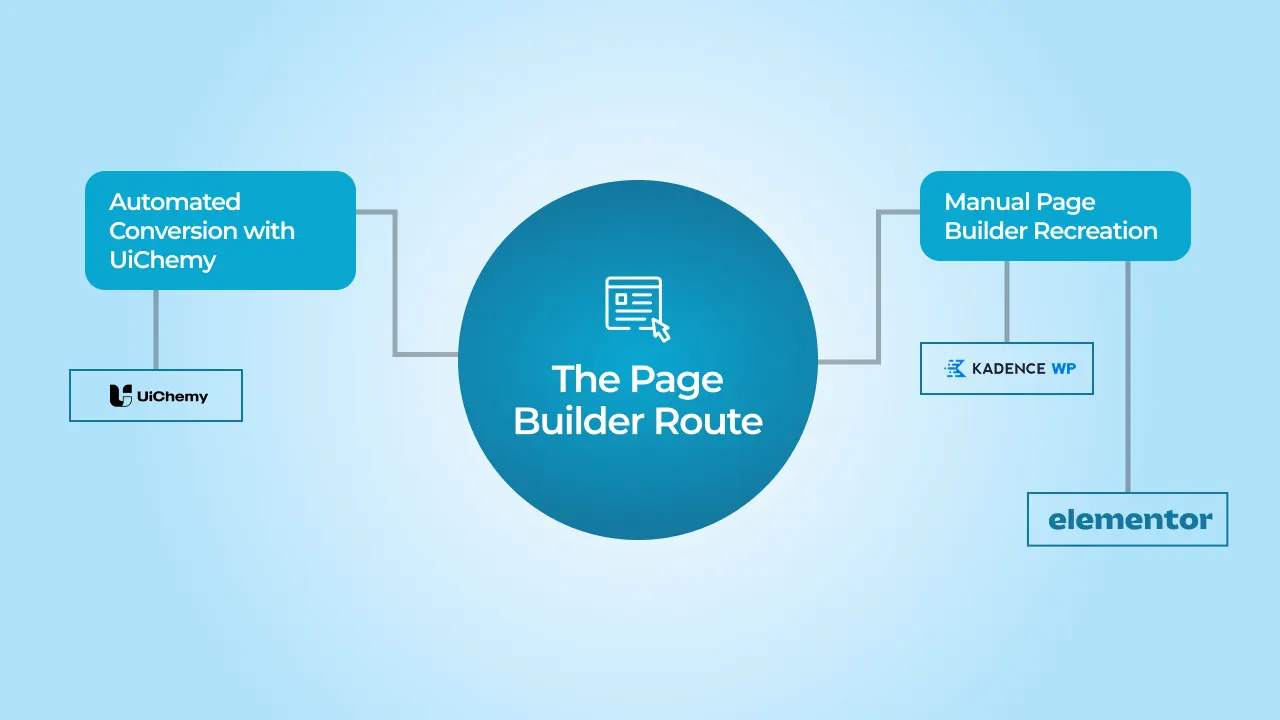
It does not require an agentic AI setup or a custom development workflow. Two approaches: automated conversion, or manual recreation inside a page builder.
Option A: Automated Conversion with UiChemy
UiChemy is currently the most capable automated Figma-to-WordPress conversion tool available. It connects to your Figma file, reads the design structure, and generates editable layouts in Elementor, Gutenberg, or Bricks rather than static code.
What it does well: standard layouts, common component types, text-heavy pages, designs that follow conventional structure
What it does not do well: complex interactions, non-standard layouts, heavily custom component behaviour, precise spacing relationships
Expect to make manual adjustments after import. For a straightforward brochure site or landing page, UiChemy is a legitimate no-code starting point and a genuine time saver.
Option B: Manual Page Builder Recreation
Kadence or Block-Based Builders
Work within the native WordPress editor. Output is cleaner and lighter than most page builders — better Core Web Vitals scores and easier long-term maintenance. Good for content-focused sites, blogs, and teams already in the Gutenberg workflow.
Bricks Builder
In 2026, Bricks has become the preferred page builder for performance-conscious agencies because it generates significantly lighter markup than Elementor with a higher design ceiling than standard Gutenberg. If performance matters and you want a page builder rather than a custom build, Bricks is worth evaluating seriously.
Elementor or Other Drag-and-Drop Builders
Flexible, well-documented, and genuinely easy for non-technical users to manage after launch. The trade-off is heavier markup and lower PageSpeed scores. For a business that wants to manage its own content without developer involvement, that trade-off is often worth making.
💡 cmsMinds’ honest position: For performance — Gutenberg blocks, Kadence, or Bricks. For ease of use and client self-management — Elementor. Both are legitimate choices for the right project.
📌 Common Mistake: Page builder output typically scores 15 to 30 points lower on Google PageSpeed Insights than a clean custom build on the same hosting.
For a small business brochure site with moderate traffic — usually acceptable.
For an ecommerce store or a site competing in search — that gap costs real money in rankings and conversion rate.
When the Page Builder Route Makes Sense
- Marketing sites, portfolio sites, brochure sites, and small business websites with moderate design complexity
- Businesses with limited budgets that need a professional result without the cost of a full custom build
- Projects where the client wants to manage their own content after launch without developer involvement
It is NOT the right call for ecommerce, performance-critical sites, or any project that will need significant custom development later. Page builder code is difficult to extend cleanly.
Not the best approach for every project — but genuinely the right one when the project fits.
Method 3: The Agency Route with a Custom WordPress Build
A custom build is what you get when the site is designed and engineered around your specific requirements by a team that has done this hundreds of times before. No page builder ceiling, no AI output that needs correcting, no architecture decisions made by a tool that does not understand your business.
It costs more upfront than the other two methods. Over two or three years it almost always costs less, because a well-built custom site does not need rebuilding when the business outgrows it.
What You Actually Get
- A Professionally Built Site Without the Headaches
The design-to-development translation, the technical decisions, the QA, the performance work: an agency handles all of it. You get a finished site that looks like the design, works correctly across devices, and does not arrive with a list of things to fix. - Scalable Architecture
Theme structure, template hierarchy, content model, database decisions — made by experienced developers who have seen what happens when they are made badly. A site built on a clean custom foundation can be extended, added to, and handed off to any competent WordPress developer without untangling what was already there. - Easy for Content and Marketing Teams to Manage
At cmsMinds, we build using ACF field groups or custom Gutenberg blocks so content editors can update pages, add sections, and manage content without touching code or relying on a developer for routine changes. - Accessible and Compliant
Accessibility is built in from the start: semantic HTML structure, correct heading hierarchy, keyboard-navigable interactive elements, and proper alt text handling. In today’s legal environment — particularly in regulated industries or metro markets — this matters. - SEO-Ready from Day One
Clean semantic markup, correct heading structure, schema markup where relevant, Core Web Vitals optimised at build time. A custom site does not start its SEO life fighting the overhead of a page builder. - High Performance
No page builder markup, no redundant CSS from a theme framework, no plugins doing jobs that should be handled in code. A custom build scores significantly better on Core Web Vitals than an equivalent page builder site on the same hosting. - Built Around Your Needs, Informed by Experience
The decisions made during a custom build are not generic. They are informed by what has worked and what has failed across hundreds of projects. When an experienced agency recommends an architecture decision, it is because they have seen the alternative cause problems at month twelve. - Design review against the Figma readiness standard before development starts.
- Design token implementation: Figma color and typography styles mapped to CSS custom properties or
theme.jsonglobal styles. - Template development from Figma frames, mobile-first.
- Content editability layer: ACF fields, block patterns, or FSE templates for editors.
- Performance optimisation pass: Core Web Vitals, image formats, critical CSS.
- QA across devices and browsers, then handoff and training.
- The Claude Code method is fast, not easy. It requires genuine WordPress development knowledge, a well-built prompt library, and a structured Figma file. In the right hands, it is the most efficient route from design to a clean custom build. In the wrong hands, it produces technical debt faster than any other method.
- The page builder route is not a compromise if it fits the project. A well-built Elementor, Bricks, or Kadence site is a legitimate outcome for a small business that needs a professional presence and wants to manage its own content. It becomes a compromise only when it is used for a project that truly requires a custom build.
- The agency route is not about budget—it is about what the site needs to do. A business treating its website as a growth channel cannot afford the limitations that come with a page builder. A custom build delivers better performance, easier maintenance, and eliminates the need for a costly rebuild later.
How the Build Actually Works
Letters to the Presidents (letterstothepresidents.org) is a good illustration of what this looks like in practice. A collaborative project of the Presidential Libraries in partnership with the National Archives Foundation — a fully custom WordPress build with custom post types for letters filterable by president, topic, sender, and location, an interactive map interface, and event management. A data-driven architecture that a page builder could not have handled cleanly. The right method for the right project.
📌 From Our Projects: cmsMinds builds custom WordPress sites using ACF field groups or custom Gutenberg blocks, and we recommend the same to any team evaluating a custom build.
Both approaches give marketing and content teams a clean, intuitive editing experience without developer dependency.
For developers, they keep the codebase lean, maintainable, and flexible enough to handle the unique requirements of each business.
The combination of structured content with custom blocks is what lets a site serve marketing needs on day one and scale without a rebuild.
Best for: Growth-focused businesses, production sites, ecommerce, regulated industries, and any project where the site needs to perform in search, convert visitors, and be extended over time without hitting a ceiling.
Which Method Is Right for Your Project?
The right method is not about which tool is newest or which approach sounds most impressive. It comes down to three questions: how complex is the design, who is maintaining the site after launch, and what does the site need to do for the business over the next two to three years.
| Your Situation | Right Method |
|---|---|
| Developer who wants clean, fast output from Figma | Claude Code with ACF and Gutenberg |
| Internal tool, prototype, or short-lifespan project | Claude Code or page builder |
| Simple site, some technical background, limited budget | Page builder route |
| Small business, brochure site, self-managed content | Elementor or Kadence |
| Performance-conscious build, Gutenberg preferred | Kadence, Bricks, or custom Gutenberg blocks |
| Production site, ecommerce, SEO-competitive market | Agency custom build |
| Complex content structure, custom post types | Agency custom build |
| Site that needs to be extended and maintained over time | Agency custom build |
| Regulated industry, accessibility compliance required | Agency custom build |
A Few Honest Observations
Conclusion
Figma to WordPress is not one problem with one solution. It is a spectrum from a developer using Claude Code to ship a clean custom build in a week, to a small business owner using Elementor to get a professional site live without a large budget, to an agency building a complex, data-driven platform that needs to perform and scale for years.
The method that is right for your project is the one matched to what the site actually needs to do — not the one that sounds most impressive or costs the least upfront. A page builder site that fits the project is a good outcome. A custom build used where a page builder would have done the job is an expensive one. And a page builder used where a custom build was needed is the most expensive outcome of all, because it gets rebuilt.
Whatever route you take, the Figma file is where it starts. A well-structured file with a complete design system, proper components, and mobile frames makes every method faster and every output better. It is the investment most people skip and the one that pays back immediately.
If your project needs a custom WordPress build from a Figma design, talk to our team. We will tell you exactly where it sits and what it needs before any number goes on paper.
This post was researched and drafted with AI writing tools and reviewed for accuracy by our editorial and project teams.