Reviews on




Drupal is a serious CMS. cmsMinds spent years building on it, and there’s a reason it still runs a huge share of government and enterprise sites. It rewards developers who know it well.
But here’s what changed the conversation for a lot of teams this year: Drupal 7, 8, and 9 are already past their end of life. Drupal 10 loses support in mid-December 2026, the same month Drupal 12 ships. If your site is still running on any of those versions, the question isn’t “should we migrate,” it’s “where do we migrate to, and how soon?”
At cmsMinds, we’ve handled 10+ Drupal to WordPress migrations, from small business sites to platforms with real content complexity behind them.
This guide walks through how we actually do it: the real process, the real technical tradeoffs, what a project like this costs and takes by size, and where the popular DIY route holds up and where it doesn’t.
One thing this isn’t: a tutorial for running an import plugin and hoping for the best. That approach works for a handful of basic pages. The moment your site has custom content types, structured taxonomies, forms, or years of search rankings worth protecting, it stops being enough, and we’ll show you exactly where that line sits.
⏰ Key Takeaways
- Drupal 7, 8, and 9 are already end-of-life. Drupal 10 loses support in December 2026.
- cmsMinds has completed 10+ Drupal to WordPress migrations.
- One recent project, Harisharan.com, saw organic traffic grow 176% in the five months after launch.
- Projects usually range from the $10,000 range for a simple site to $100,000 for enterprise-scale builds, with timelines from about six weeks to six months or more depending on complexity.
- A DIY plugin works for a handful of basic pages. It stops covering custom post types, Views-based listings, forms, and search-ranking protection at the exact point most real business sites need those things.
- Your existing URL structure may not need to change at all.
Why Migrate Now
Every major CMS eventually forces this decision, but Drupal’s timeline in particular has gotten hard to ignore.
Drupal 7 has been unsupported since January 2025. Drupal 8 and Drupal 9 are both already past their end of life too. If your site runs on any of those, you’re not just missing features; you’re running without security patches on a platform that’s stopped receiving them.
Drupal 10 is the one still in the window, but that window is closing. Support for Drupal 10 ends in mid-December 2026, the same month Drupal 12 ships.
That gives Drupal 10 sites a hard deadline measured in months, not years, before the next forced decision arrives anyway: upgrade again, or move once and stop rebuilding your CMS every couple of years.
None of this is a knock on Drupal. It’s genuinely powerful, still under active development, and a team that lives in it daily can do things WordPress can’t out of the box.
📌 It increasingly fits a narrower set of use cases though: large, security-sensitive institutions with dedicated development teams, not most small and mid-sized businesses trying to manage a growing site with a lean one.
What you’re moving to matters as much as what you’re moving away from. WordPress just shipped version 7.1 in August 2026, its second major release this year, with real investment in editorial tools, media handling, and site-wide performance. A few concrete advantages come with it:
- A much larger talent pool. WordPress runs a significant share of the web, so finding developers, or training your own team, costs less and takes less time than sourcing Drupal-specific expertise.
- A deeper plugin ecosystem. Forms, SEO, security, backups, e-commerce: almost every content need already has a mature, tested plugin behind it, rather than requiring custom module development.
- Editorial independence. With the right architecture, covered in the next section, your own team can update content directly, without a developer ticket for every change.
The honest case for migrating usually isn’t “Drupal is bad.” It’s that most teams don’t have a dedicated Drupal developer on staff, changes that should take minutes take days, and every content update becomes a ticket instead of a task.
The EOL timeline just adds a deadline to a decision a lot of teams were already circling.
How an Agency-Led Migration Actually Works
A plugin-based migration is fundamentally a one-way data transfer: connect to a database, pull records across, and hope the formatting holds. An agency-led migration is a rebuild, informed by your existing site rather than constrained by it.

Here’s what that looks like, based on our process on a recent Drupal 10 to WordPress project for Harisharan, a marble and granite manufacturer, and it’s representative of how we approach larger projects too.
The work runs in two tracks that move in parallel: a frontend track and a backend track, rather than one long sequential checklist where nothing starts until the step before it finishes.
Discovery and Audit
Before either team starts building, we review the live Drupal site in full:
- Structure, page layouts, and navigation
- Responsive behavior across devices
- Existing forms and their underlying logic
- Templates and reusable sections: headers, footers, menus, and content blocks that repeat across the site
We flag anything outdated or no longer worth rebuilding as part of this same pass.
This is also the point where we export and lock in your current URL list. That list becomes the reference point for every SEO decision made later in the project. It’s far easier to capture accurately now, while the old site is still live and browsable, than to reconstruct after content has already moved.
What the Frontend Team Does
The existing live site becomes the frontend reference, not a fresh set of mockups built from scratch. The frontend team reviews the live Drupal pages and builds the HTML structure and responsive layouts directly from what’s already there and already working for your visitors.
The team also handles media as part of the same pass, converting images to WebP, cleaning up SVG icons, and cutting anything that’s stopped earning its place on the page.
The goal here isn’t to reskin Drupal in WordPress’s clothes. It’s to keep what’s already proven to work for your visitors while rebuilding the underlying markup around WordPress’s block-based templating instead of Drupal’s theming layer.
What the Backend Team Does
This is where the platform decisions get made, and where a plugin-only approach and an agency build diverge the most.
We set up the WordPress environment and, for most content-heavy builds, a custom theme architected around Advanced Custom Fields Flexible Content. That choice turns every page section into a modular, backend-editable block instead of a template hard-coded to one layout, which is what lets your own team update the site without filing a developer ticket every time.
We create and version-control ACF JSON configuration files for consistency across development, staging, and production. Once the frontend templates are ready, the backend team integrates the ACF-based flexible sections into the theme so every section becomes something an editor can rearrange, swap, or update directly from the WordPress dashboard.
We give content migration the same level of attention as the architecture. We move and verify every product, page, and blog post individually rather than bulk-importing and spot-checking afterward.
On the Harisharan project specifically, our team migrated all product and blog content by hand. That took longer up front than an automated database import would have, but it meant nothing arrived mismatched, missing a custom field, or silently dropped, the failure mode that shows up most often in plugin-only migrations once a site has any real structure to it.
Verification, SEO, and Performance
Once content is in place, we check every page against the original for accuracy, review the full content structure for SEO, and test load times and image weight on the finished build before anything goes live.
This is also where we finalize the redirect strategy, covered in full in the SEO section below, since not every site needs the same approach. Some need a full redirect map. Others, like Harisharan, already have a clean URL structure worth keeping exactly as it is.
For larger, more complex sites, the same two tracks apply; they just carry more weight:
- Multilingual content needs a dedicated plugin and real content-model planning, not a checkbox.
- Views-based sections need their listings and filtered archives rebuilt with WordPress’s own query tools, since there’s no direct plugin equivalent.
- Meaningful organic search traffic needs its redirect map treated as a launch-blocking deliverable, not a nice-to-have.
The architecture decision at the start of this process matters more than it looks like it should. Building a modular, ACF-driven theme takes more time at launch than dropping content into a default template.
But it’s the difference between a site your editorial team can actually run afterward and one that needs a developer for every content change, which quietly defeats a large part of the reason most teams leave Drupal in the first place.
Expert Note: Migration projects often surface a second decision. A good share of the Drupal sites we migrate come with designs that haven’t been touched in years, not just an outdated CMS underneath, but a look and layout that no longer matches the brand.
Bundling a redesign into the migration instead of treating it as a separate project later adds relatively little to the overall cost and timeline, since discovery, content audit, and the technical build are already underway.
Doing it as two separate projects tends to cost more in total, and means living with a design you already know needs work in the meantime. Worth raising during discovery, whether that means a full redesign or just refreshing the sections that show their age most.
Mapping Drupal to WordPress: The Technical Ground
Every Drupal to WordPress migration runs into the same handful of structural differences between the two platforms. Getting these right is most of what separates a migration that holds up from one that quietly breaks things nobody notices until a customer complains. Here’s how each one maps, and what goes wrong when it’s rushed.
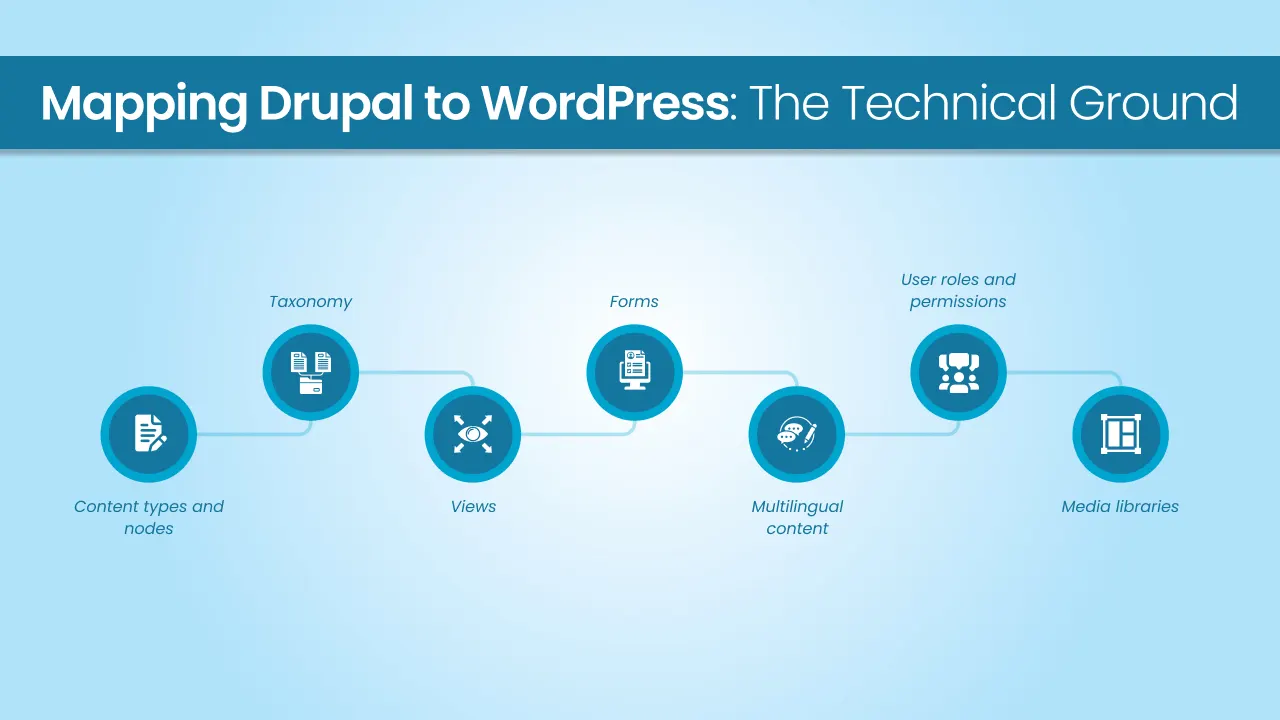
Content types and nodes. Drupal organizes content into nodes and content types, each with its own set of fields. WordPress uses posts, pages, and custom post types instead. For most sites, this is a clean, direct mapping: a Drupal “Event” content type becomes a WordPress “Event” custom post type, with Advanced Custom Fields handling the structured data, dates, locations, pricing that used to live in Drupal’s own field system. This goes wrong when every content type gets flattened into generic WordPress posts, losing the structure that made the content useful in the first place.
Taxonomy. Drupal’s vocabularies and terms map to WordPress categories, tags, and custom taxonomies. The conversion itself is usually straightforward. The real work is preserving hierarchy and cross-references; a two-level Drupal vocabulary needs to stay two levels in WordPress, not collapse into one flat list because that’s what a basic import tool defaults to.
Views. This is the single place a plugin-only migration falls short most consistently, because no WordPress plugin reliably rebuilds a Drupal View. We rebuild filtered listings, custom archive pages, and relationship-based displays, a product page that pulls in related items from a different content type, for example, using WordPress’s own custom queries and page templates. It’s development work, not a settings screen, which is why it tends to get skipped or half-finished in DIY migrations, and why those listings are often the first thing that visibly breaks after a self-service migration.
Forms. We rebuild Webform-built forms in Gravity Forms or WPForms on the WordPress side, including any conditional logic, multi-step flows, or integrations with a CRM or email platform. Recreating the visible fields isn’t enough. The logic and the destination of that submitted data need remapping too, or the form looks fine and quietly stops reaching anyone.
Multilingual content. Drupal’s built-in multilingual system maps to WPML or Polylang on WordPress. Neither is a plugin you install and walk away from. Both need real setup to preserve the relationships between translated versions of the same content, or you end up with an English and a French page that both exist but no longer know they’re translations of each other, which breaks the language switcher and confuses search engines about which version to rank.
User roles and permissions. Drupal’s granular permission system maps to WordPress roles and capabilities. WordPress’s defaults, Administrator, Editor, Author, Contributor, cover a lot of common cases, but they don’t always match how a specific editorial team works. A plugin like User Role Editor fills that gap when you need something more specific, an author who can publish product pages but not touch pricing, for instance.
URL structure and redirects. Significant enough to earn its own section below.
Media libraries. Direct in most cases, but a large media library needs real planning around file organization and image sizing rather than a straight bulk transfer. Otherwise you trade one disorganized media library for another, just on a different platform.
A migration plugin can move basic pages, posts, categories, and images well, and for a simple site with none of the above, that’s often enough. The moment even one of these shows up, a plugin-only approach either can’t finish the job alone or needs enough separate tools and manual fixes layered on top that the time it was supposed to save mostly disappears. That’s the real dividing line, and it’s worth knowing which side of it your site falls on before you start.
Protecting Your SEO Through the Move
If your Drupal site has any organic search traffic worth keeping, and most sites with a few years behind them do, SEO preservation isn’t a step you handle after launch. It’s a deliverable planned before a single page moves.
The starting point is the URL list captured during discovery, covered above. From there, one of two paths applies, and knowing which one your site needs matters more than executing either one poorly.
If your URL structure changes, every old URL needs a 301 redirect mapped to its new WordPress equivalent, not a generic redirect to the homepage, which forfeits most of the SEO value the old page had built up. If the list is long, prioritize the homepage, key landing pages, and your highest-traffic content first, then work through the rest. Getting the top 10 to 20 pages right protects most of a site’s search value even before the full list is finished.
If your URL structure doesn’t need to change, don’t change it anyway just because a new platform makes it possible. On the Harisharan project, the existing Drupal URLs were already clean and search-optimized, so we carried them over exactly as they were. No redirects were needed because nothing about the URLs changed, and that’s a better outcome than a well-executed redirect map, since even a correct redirect chain can introduce a small amount of ranking dilution that simply doesn’t exist if the URL never moved at all.
Common Mistake: Restructuring URLs during a platform migration just because the new platform makes it easy to do. A cleaner-looking URL isn’t worth the ranking risk if the existing one was already working. Change URLs when there’s a real reason to, a genuinely broken structure, not because the migration happens to be a convenient moment.
Beyond redirects, the same discipline applies to metadata: titles, descriptions, and any structured data on the old site need to carry over on purpose, not get regenerated from scratch by whatever SEO plugin happens to be installed by default. Core Web Vitals are worth measuring before the move and again after, since a faster, better-built WordPress site should be an improvement here, not a regression, and that’s only verifiable if you have the before number to compare against.
Once the new site is live, submit the updated XML sitemap to Google Search Console and watch the coverage report for the first few weeks. Redirect errors and orphaned pages show up there faster than they show up in a traffic dashboard, and catching them in week one costs a lot less than catching them in month three.
Case Study: Harisharan.com
Harisharan Marble and Granite is a Rajasthan-based manufacturer that needed to move off an aging Drupal 10 install onto a platform its own team could manage day to day. The site is lean, roughly 25 to 30 pages spanning two product hub categories, marble and granite, each with 8 individual stone product pages, plus a blog and company pages. It moved to WordPress in April 2026, built on the modular ACF architecture described above.
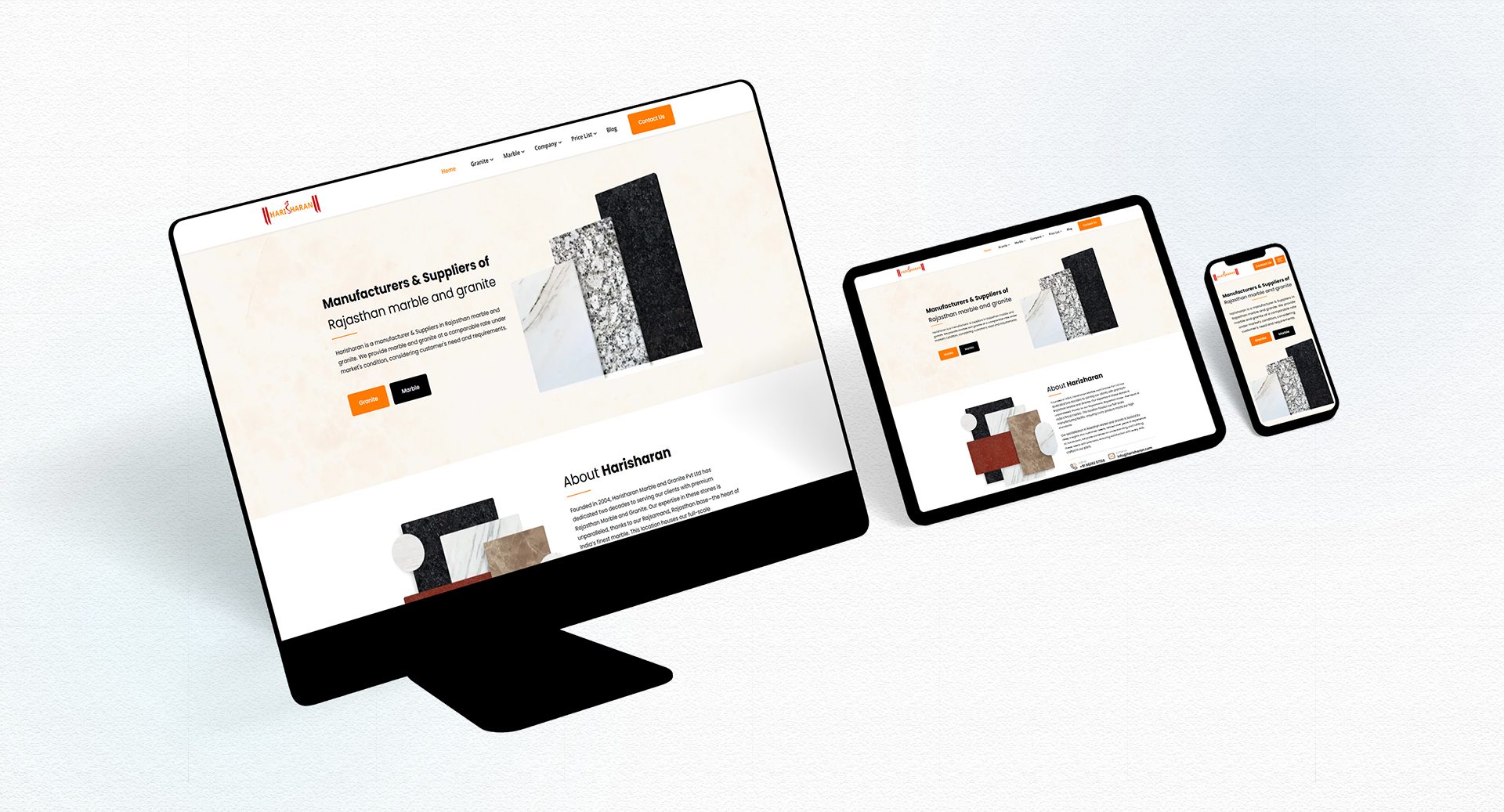
Five months after launch, organic traffic to the site is up 176%, from roughly 71 monthly organic visits in March 2026 to 196 in August 2026, tracked independently through Google Search Console.
It’s a small site, but the discipline behind it—structured content, clean information architecture, and a backend an editor can actually run—is the same approach we bring to larger, more complex migrations.
How Much Does It Cost?
Cost scales with complexity, not with the fact that you’re moving off Drupal specifically. A Drupal to WordPress migration falls into the same three bands as any custom WordPress project.
| Project Size | What’s Usually Involved | Investment |
|---|---|---|
| Small | Basic content, minimal custom types, a site in the Harisharan range | $10,000-$25,000 |
| Mid-sized | Custom post types, moderate taxonomy complexity, higher content volume | $25,000-$60,000 |
| Enterprise | Multilingual content, Views-based listings, complex permissions, large media libraries | $60,000-$100,000 |
These bands cover the full rebuild, not just the content transfer: the custom theme, the ACF architecture, content migration, SEO preservation, and the performance work described above. A quote after a discovery call will always be more accurate than a general range, since the real cost driver is usually one or two specific complexity factors rather than site size alone.
Page count matters less than most people expect going in. What usually moves a project up a tier:
- Views-based listings or filtered archives
- Real multilingual requirements, not just a language switcher
- A large media library that needs real reorganization, not a straight transfer
A 20-page site with one complex Views-based directory can cost more to migrate correctly than an 80-page site built entirely from basic content types.
How Long Does It Take?
Timeline follows the same three bands as cost, and depends more on complexity than raw page count.
| Project size | Timeline |
|---|---|
| Small | 6-10 weeks |
| Mid-sized | 3-5 months |
| Enterprise | 6 months or more |
Discovery and audit take roughly the same amount of time regardless of site size, since a thorough review of the existing site is the foundation the rest of the timeline depends on. What varies most is the backend build.
An ACF architecture for a handful of simple page types comes together faster than one supporting a dozen content types with complex relationships between them, and manual content migration scales directly with how much content exists and how much of it needs individual attention rather than bulk handling.
Launch itself, the final verification, redirect activation, and performance check described above, usually adds a few days to a week on top of the build timeline regardless of project size, since that step doesn’t compress well no matter how large or small the site is.
The fastest way to protect a realistic timeline is a clean discovery phase. A well-documented existing site with clear content types and a manageable amount of custom functionality moves faster through every stage that follows it.
Migrate to WordPress with a structured, SEO-safe approach built for performance, scalability, and long-term growth.