Reviews on




In 2025, one question kept coming up in almost every conversation we had at cmsMinds: “How long will it take to build a WordPress website?” Whether it was a small business website or a more complex site, timelines were always a top priority.
There’s no single answer that works for every project. Some WordPress sites move quickly, while others take time, and most fall somewhere in between. It usually depends on what’s being built, how clear things are at the beginning, and how the project moves day to day.
That’s why we decided to walk you through the process and what really affects WordPress timelines in 2026, and what to expect in practical terms.
The Short Answer( From Our Experience at cmsMinds)
Based on the several hundred projects we handled at cmsMinds so far, most WordPress websites take anywhere from 3 weeks to 3 months to complete. We understand that this range may sound generic and broad, but it’s the most honest answer we can give.
A smaller and basic site with a clear site structure and ready content can move relatively fast. A business site with custom design, 3rd-party integrations, WordPress plugins, and multiple decision-makers usually takes longer.
So when it comes to the timeline of website development, it mostly depends on planning, content readiness, and how smoothly decisions are made during the project.
| Website Type | Pages / Content Size | Design Level | Features & Integrations | Team Involvement | Typical Timeline |
|---|---|---|---|---|---|
| Simple informational website | 5–8 pages, basic content | Simple (page builder) or custom | Contact form, basic pages | 1–2 decision-makers | 2–3 weeks |
| Business or marketing website | 10–20 pages, high-quality content | Custom design | Forms, CRM tools, analytics, SEO setup | Small internal team | 5–6 weeks |
| WooCommerce / eCommerce website | Products, categories, policies | Custom or hybrid | Payments, shipping, tax, product management | Business + tech stakeholders | 7–8 weeks |
| Large or complex WordPress site | 30+ pages, ongoing content | Fully custom | Custom features, integrations, workflows | Multiple teams | 2–3 months |
Factors That Affect WordPress Website Timelines
As we already said, there isn’t one or two, but too many things that decide how long a WordPress web development project takes. It’s usually a mix of a few common factors that show up in almost every project.

-
Size and scope of the website
The size of the website plays a huge role. A website with 5 or 6 pages is naturally quicker to build than one with 20 or 30 pages. More pages usually mean more layouts, more content, and importantly, more time spent reviewing everything.
-
Design approach
How the website is designed also matters. If the design is simple or already decided, the work moves faster. When the design is fully custom or when there are multiple rounds of changes, the timeline can stretch to a few hours/days or a week(s).
-
Feedback and approvals
In our experiencethis is one of the biggest factors. When clients take longer to review something or provide feedback days later, even small delays can add up and affect the overall timeline of your project.
-
Features and functionality
A basic website with standard pages is usually straightforward. But once you start adding things like custom forms, integrations with other tools, relevant plugins, user accounts, or even special features, the work becomes more detailed and takes longer.
-
Content readiness
The readiness of the content also decides the pace of a project. When text and images are ready early, things move pretty smoothly. On the contrary, if the content isn’t ready or keeps changing, the rest of the work usually slows down as well.
-
Team size and involvement
The number of people working on your project also makes a huge difference. If a single person is handling both frontend and backend, then obviously, the website might take longer than expected. Often, when a WordPress agency is involved, a team of 3-5 people will be working on different tasks. This fast-forwards the whole project.
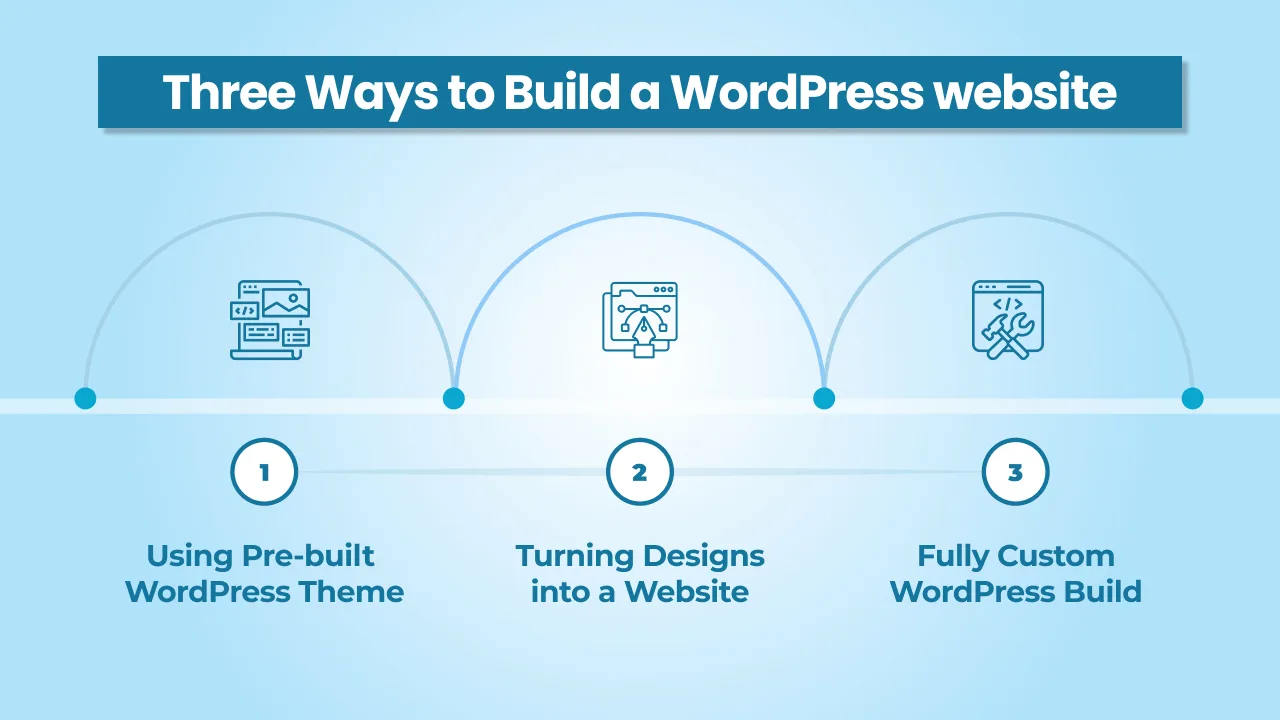
Three Ways to Build a WordPress website
When it comes to building a WordPress website, most fall into one of these three categories. Each approach usually comes with a different level of effort, flexibility, and timeline.
-
Using a Pre-built WordPress Theme
This is where an existing theme is customized to fit the business. The structure, layouts, and essential features are mostly already defined. Now what’s left is adjusting colors, fonts, content, and some basic functionality.
It’s usually the fastest way to build a website and works quite well for simple websites with limited features and requirements. However, the downside is flexibility. Let’s say the business needs something later; in that case, the theme can become a limitation.
Although the timeline is usually short, changes or other custom work can be restricted by how the WordPress theme is built.
-
Turning Designs into a Website
In this case, the client already has designs ready, created by either an internal or an external designer. The WordPress work mostly starts from those design files, turning them into a functional website. This includes building templates, layouts, and features to match the designs as closely as possible.
Now, the timelines largely depend on how detailed the designs are and how many pages or variations exist. Compared to a pre-built theme, this approach gives more control.
-
Fully Custom WordPress Build
A fully custom WordPress build means both design and development are done from scratch. The website is planned around business needs, content structure, and future growth. Custom-made websites require more discussions, planning, and iterations before development even starts.
Honestly, the build itself also takes a longer time because features, templates, and workflows are created specifically for this project. This approach offers the most flexibility and control but naturally comes with longer development timelines. Many websites made by custom code are often chosen by businesses that need something tailored rather than a standard website made using pre-built themes.
Typical WordPress Timelines in 2026
Over the years, certain patterns have shown up again and again in our projects. Although every project is different, these are the timeline ranges we most commonly see at cmsMinds.
-
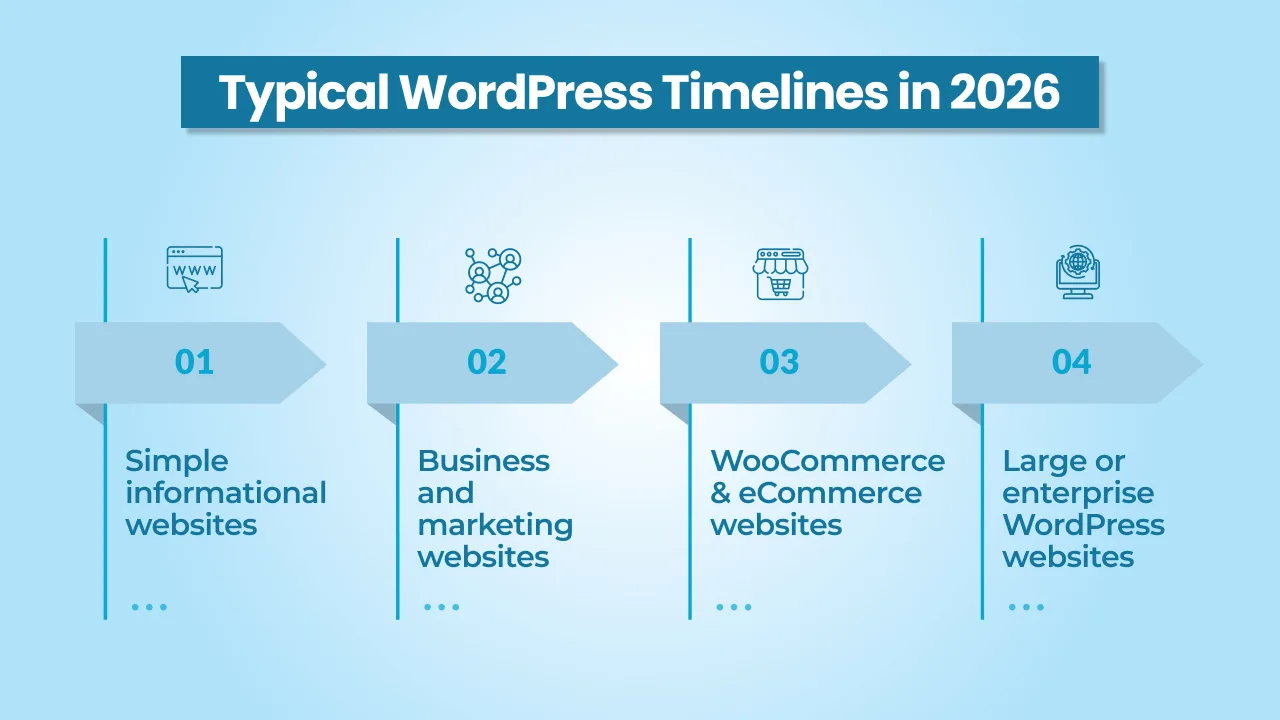
Simple informational websites
These are basic websites with a small number of pages and limited features. If the design is simple and the content is ready, then projects like these don’t take more than 3 to 5 weeks from start to launch.
-
Business and marketing websites
Websites like these usually include custom design, more pages, and a few integrations like forms or 3rd-party tools. With design reviews and content work involved, timelines typically fall between 6 and 10 weeks.
-
WooCommerce and eCommerce websites
Online stores take more time generally because of product setup, payments, shipping rules, and testing. Most WooCommerce websites take around 8 to 12 weeks, depending on the site’s complexity.
-
Large or enterprise WordPress websites
These projects will have several pages, custom features, 3rd-party and social media integrations, and multiple teams. Planning and approvals alone can take some time, so timelines often take from 3 to 6 months, sometimes even longer.
How We Keep WordPress Projects on Track
At cmsMinds, we have seen that most WordPress projects don’t get delayed because of big technical problems. They usually slow down because of small things adding up. Over time, we have learned a few simple ways to avoid such delays in projects.
-
Getting clarity early
At the start of a project, we spend time talking to the client about what the website should include and what it doesn’t really need. This helps everyone stay on the same page. When things are clear early on in the project development process, there’s less confusion and fewer changes are required later.
-
Asking for content sooner
Content plays a huge role in how fast a project moves. Pages can’t be finalized without text and images. That’s why we ask for content early, so development doesn’t halt halfway through waiting for content or other related things to be shared by the client.
-
Keeping feedback simple
Projects move faster when feedback comes from one or two people instead of a whole team. When we get reviews that are clear and timely, changes are easier to handle, and most importantly, work doesn’t get stuck in prolonged discussions.
-
Planning time for testing
Testing takes time, and we plan for it instead of squeezing it in at the end. We go through pages, forms, links, and layouts properly so issues are caught before the website goes live.
-
Setting realistic timelines
Rather than rushing to launch, we set timelines based on what’s actually involved. This helps us avoid stress, keeps expectations clear for our clients, and allows the work to move forward at a steady pace.
Conclusion
From what we see as a web design agency at cmsMinds, WordPress timelines work best when expectations are realistic. Every project has a ton of moving parts, and giving them enough time makes a big difference.
Clear planning, timely content, and steady decisions usually matter more than speed. When these things are in place, WordPress projects tend to run a lot smoother and end up in a better place overall.
Get a clear idea of timelines, scope, and what it takes to build your site the right way.