 Reviews on


At cmsMinds, we get asked this question constantly. “Is WordPress really the best option? What if we tried something else?” After working with dozens of different platforms over the past decade, we have a pretty honest answer. WordPress is still solid, but there are legitimate alternatives worth considering depending on what you actually need to build.
The thing is, WordPress dominates the market. About 43% of all websites run on WordPress. But that does not mean it is the right choice for every single business. Sometimes it is overkill. Sometimes it lacks specific features you need. Sometimes you just want something simpler that does not require a developer to maintain.
We have tested the major WordPress alternatives, worked with clients using them, and seen what actually delivers results versus what sounds good in marketing materials. Let me share what we have learned.
- WordPress requires maintenance and gets expensive. Not the right fit for everyone.
- Shopify is best for eCommerce. It handles everything you need for selling online.
- Wix and Squarespace work great for simple sites. Build something professional in hours without coding.
- Ghost beats WordPress for blogging. Better writing experience and faster performance.
- Pick based on your actual needs. Test platforms before committing. You can switch later if needed.
Why Some Businesses Leave WordPress
We get why businesses look at alternatives. WordPress is not perfect, and honestly, it is not for everyone.
WordPress needs constant attention. Updates come out, security patches, plugins breaking each other – it is annoying. If you are not on top of it, your site gets hacked, or something breaks, and you have no idea why. It is fine if you have someone managing it. But if you are running a solo business? Yeah, it gets messy fast.
Speed is another thing. WordPress is not slow by itself, but throw too many plugins at it and use a bloated theme, and suddenly your checkout takes forever. Customers hate waiting. They just leave.
Setting it up correctly is complicated. You have to know which plugins to use, how to configure them, and what conflicts with what. Most people have no clue. So they end up hiring a WordPress developer. Which costs money.
Then there is just the cost overall. You pay for hosting, maybe you buy premium plugins, maybe you hire someone to customize things. For a small business just wanting a simple website? It feels expensive and complicated for what you actually need.
The Best WordPress Alternatives: A Quick List
| Platform | Best For | Cost |
|---|---|---|
| Shopify | eCommerce stores, especially for physical products | $29–$2,300/month + transaction fees |
| Wix | Small businesses, freelancers, and local services | $11–$27/month |
| Webflow | Designers, agencies, custom websites | $12–$55+/month |
| Squarespace | Creative professionals, portfolios | $12–$30+/month |
| Ghost | Bloggers, publishers, newsletters | Free (self-hosted), $9+/month (hosted) |
| Statamic | Developers, technical teams | Free (hosting varies) |
| Contentful | Large companies, dev teams, multi-channel content | Free tier, $489+/month |
| Strapi | Development teams, multi-platform apps | Free, $25+/month (cloud) |
| Craft CMS | Dev teams, complex web apps | Free (hosting varies) |
| Drupal | Enterprises, large organizations | Free (hosting + dev costs) |
WordPress Alternatives We Have Actually Tested and Recommended to Clients
Here is what we found works best, depending on what your business actually needs to accomplish.
1. Shopify – If You Are Serious About Selling
We have worked with plenty of Shopify stores, and it is honestly impressive how well it works for eCommerce. If your primary goal is selling physical or digital products, Shopify handles it better than WordPress does out of the box.

Shopify is a fully hosted platform. You do not install anything on your own server. You sign up, pick a theme, add your products, and start selling. The company handles all the server maintenance, security, backups, and updates. You just run your business.
The eCommerce features are incredible. Product management, inventory tracking, shipping integrations with UPS and FedEx, abandoned cart recovery, and discount codes. Everything is built in. You do not need to install seventeen different plugins to make it work as you do with WooCommerce.
Payment processing is integrated. Shopify handles Stripe, PayPal, and other gateways seamlessly. No plugin compatibility issues. No weird payment gateway problems.
The downside is cost. Shopify charges between $29 and $2,300 per month, depending on which plan you choose. That is just the platform fee. You also pay transaction fees on top of that. For a small store doing $5,000 in monthly revenue, Shopify might be cheaper than WordPress with proper hosting and plugins. For a store doing $100,000 monthly, the fees become significant.
You also have less control over your site than you do with WordPress. You cannot install custom code easily. You cannot modify the database. If Shopify does not support something natively, you either find a third-party app or live without it.
But here is the thing – if you just want to sell stuff online without thinking about the technical side, Shopify is genuinely excellent. The user experience is straightforward. The features work. You get decent support.
Best for: eCommerce stores, especially those selling physical products. Businesses that want to focus on sales instead of technical maintenance.
Cost: $29-$2,300/month plus transaction fees.
2. Wix – Simplicity Over Everything
Wix is basically the opposite of WordPress. Instead of having control over everything, you get ease of use and beautiful designs that work out of the box.
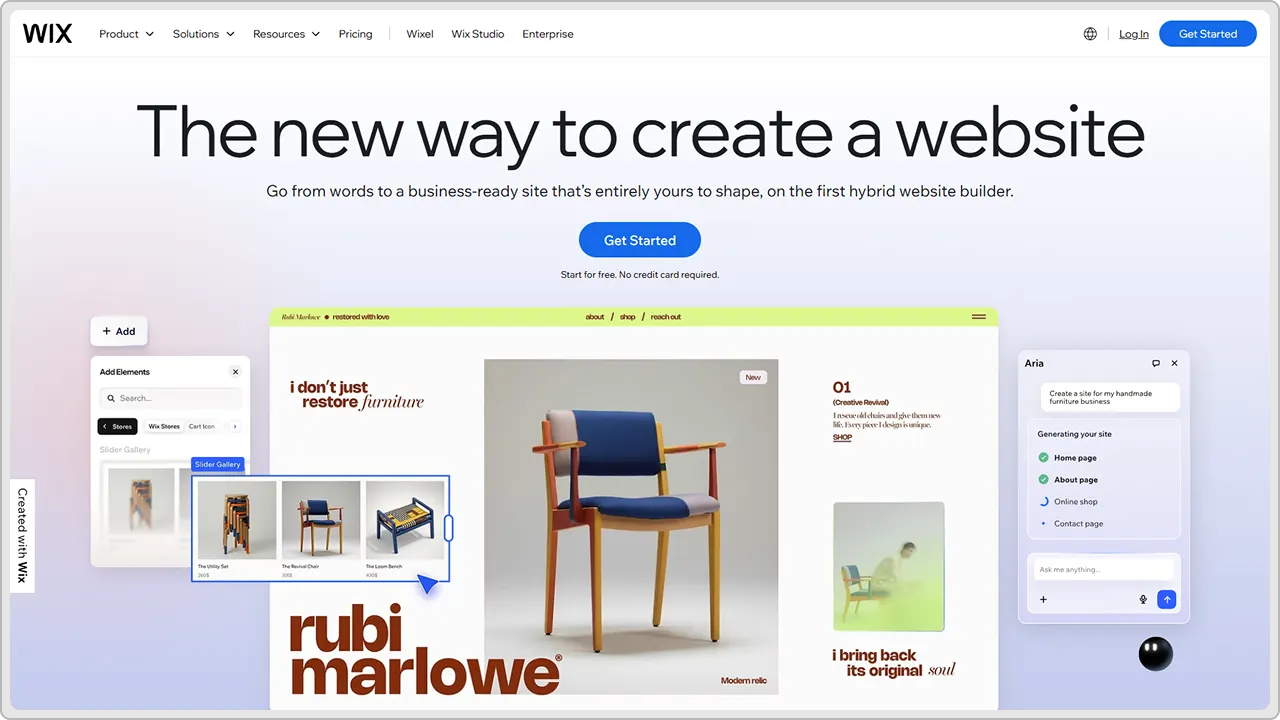
You start by picking a template. The templates actually look good. Wix invested in design. Then you just drag and drop elements where you want them. Add a contact form, add a photo gallery, and add a blog section. It is genuinely simple.
The learning curve is minimal. We have watched people with zero technical experience build respectable websites with Wix in a couple of hours. That would take days with WordPress for someone with no experience.
Website performance is good. Wix handles hosting, so your site stays fast. You do not have to worry about plugin conflicts killing your performance.
The downside is flexibility. You are limited to what Wix offers. Want to customize the code? You cannot really do that without paying a premium. Want to integrate something unusual? Probably not possible. Want to own your data and move to a different platform? Wix makes that harder than most platforms.
The pricing is also a factor. Wix charges anywhere from $11 to $27 per month, depending on the plan. That is cheaper than WordPress hosting plus premium plugins, but you are paying for that forever with limited growth potential.
We recommend Wix for small businesses that just need a professional-looking website to exist online. Restaurants, service businesses, freelancers, and local shops – these businesses benefit from Wix because the barrier to entry is so low. You do not need to hire anyone. You just built your site.
Best for: Small businesses, freelancers, and local services. Anyone wanting simplicity over customization.
Cost: $11-$27/month.
📖 Also Read: WordPress vs. Wix: A 2026 Comparison Guide
3. Webflow – For Designers and Complex Sites
Webflow is weird because it sits somewhere between WordPress and a traditional website builder. It gives you a visual design tool, but also lets you write custom code if you want to.

The visual editor is genuinely powerful. You can build almost anything visually without touching code. But if you want to do something custom, you can write CSS and JavaScript to extend what the visual tools do.
This makes Webflow popular with designers and agencies. They can build sophisticated, custom websites without needing a full Webflow development team.
The CMS features are solid. You can create content collections, set up custom fields, and build dynamic content pages. It is not quite as smooth as WordPress for content management, but it works well for structured content.
Performance is excellent because Webflow handles all the hosting and optimization. Your sites will be fast.
The learning curve is steeper than Wix but less steep than WordPress if you stick to the visual tools. If you want to write code, it gets more complex.
Pricing varies based on what you need. Basic hosting starts around $12/month. But if you want advanced features and higher traffic limits, you are paying more. For agencies and serious projects, Webflow becomes expensive fast.
The real limitation is that Webflow is still relatively niche. There are fewer third-party integrations available compared to WordPress. If you need to integrate something unusual, you might be stuck.
We have clients using Webflow for agency websites, portfolio sites, and custom web applications. It works great for these use cases. For simple blogs or basic business sites, it feels like overkill.
Best for: Designers, agencies, custom websites. Businesses that need sophisticated design without a full development team.
Cost: $12-$55+/month depending on features.
4. Squarespace – Beautiful by Default
Squarespace is similar to Wix but with a different philosophy. Everything in Squarespace is designed to look beautiful by default. The templates are gorgeous. The animations are smooth. The whole experience feels premium.

You build your site by picking a template and customizing it. The customization options are less flexible than Wix but more polished. Everything has a cohesive design language.
The built-in features are solid. eCommerce works well. Blogging is straightforward. Analytics are included. Email marketing integration is built in.
Where Squarespace shines is for creative businesses. Photographers, designers, artists – these businesses look incredible on Squarespace templates. The image handling is excellent. The portfolio showcase features are beautiful.
The pricing is similar to Wix at around $12-$18 per month for basic sites. eCommerce plans are more expensive at around $30/month.
The downside is that the same beauty can feel limiting. You are constrained by the design system. You cannot deviate too much from the template without things looking odd. The customization options are straightforward but not deep.
Also, Squarespace is completely hosted. You do not own your data in the traditional sense. If you want to move to another platform, it is painful.
We recommend Squarespace for creative professionals who want to showcase their work beautifully without thinking about technical stuff. For everything else, there are probably better options.
Best for: Creative professionals, portfolios, image-heavy sites. Businesses where design is the primary differentiator.
Cost: $12-$30+/month depending on features.
5. Ghost – Blogging Done Right
Ghost is interesting because it is specifically designed for blogging and publishing. It is not trying to be an all-in-one like WordPress. It is really good at one thing.

The writing experience is excellent. The editor is distraction-free and actually enjoyable to use. The publishing workflow is streamlined. You write, you publish, it goes live. No confusing menus or plugin conflicts.
Performance is excellent because Ghost is optimized specifically for publishing. Your blog will be fast.
SEO basics are handled well. Ghost generates proper sitemaps, handles redirects, and includes basic SEO features. You do not need seventeen SEO plugins.
The membership features are interesting. You can create paid subscriptions for your content. Readers subscribe, get exclusive posts, and support your work. This is becoming more important for publishers.
The downside is that Ghost is really just for blogging and publishing. If you want an eCommerce store, Ghost is not the answer. If you want a complex business website with multiple features, you need something else.
Ghost also requires a bit more technical knowledge than Wix or Squarespace. Hosting Ghost yourself means dealing with servers and command lines. Using Ghost’s hosted version means paying their hosting fees on top of the subscription.
We recommend Ghost for serious bloggers and publishers. If your main goal is publishing content and building an audience, Ghost is genuinely better than WordPress. It is simpler, faster, and the writing experience is superior.
Best for: Bloggers, publishers, newsletters. Businesses focused on content.
Cost: Free self-hosted version. Ghost Pro hosting starts at $9/month.
6. Statamic – The Hip WordPress Alternative
Statamic is open source like WordPress, so you can install it on your own server. You have full control. But the code is built with modern frameworks, so it is cleaner and faster than WordPress.

The admin interface is actually nice to use. It is not as confusing as WordPress can be for beginners. Managing content is straightforward.
The learning curve is moderate. If you know WordPress, you will pick up Statamic pretty quickly. If you are not aware of WordPress, Statamic is probably simpler to learn, actually.
The ecosystem is smaller than WordPress. There are fewer third-party themes and plugins available. If you need something custom, you might need to build it yourself or hire a developer.
Hosting Statamic yourself means dealing with server management unless you find a hosting provider that supports it. This is more technical than WordPress hosting.
We have played around with Statamic and like it for developers and technical businesses. It is a solid platform. But the smaller ecosystem means fewer off-the-shelf solutions available. You end up building more custom stuff.
Best for: Developers, technical teams, and businesses wanting modern CMS technology. People who have outgrown WordPress and want something better built.
Cost: Free open source. Hosting costs vary by provider.
7. Contentful – Headless CMS Approach
Contentful is fundamentally different from the other options on this list. It is a headless CMS, which means it just manages your content. It does not handle how that content gets displayed.

You manage content in Contentful. Then your developers build whatever front-end they want using modern frameworks like React or Next.js. The content displays wherever you want it – web, mobile app, smartwatch, whatever.
This is incredibly flexible for technical teams. You can build exactly the experience you want without being constrained by CMS limitations.
The downside is complexity. You need developers to build the front end. You cannot just pick a template and go live like you can with WordPress or Wix. It requires technical expertise.
The pricing is based on API calls and content editors. For small projects, it is reasonable. For large projects with lots of content, it gets expensive.
We recommend Contentful for serious companies building sophisticated applications. For a small business website, it is massive overkill.
Best for: Large companies, development teams, multi-channel content. Organizations with dedicated development resources.
Cost: Free tier available. Paid plans start around $489/month.
📖 Also Read: Contentful vs WordPress: A Head-to-Head Comparison
8. Strapi – Headless CMS for Modern Development
Strapi is a headless CMS, which means it just manages your content. It does not handle how that content gets displayed. You manage content in Strapi, and your developers build the front end using modern frameworks like React or Vue. This gives incredible flexibility.

You can display your content on a website, a mobile app, a smartwatch, anywhere you want. The content lives in one place and gets used everywhere. This appeals to development teams and companies building sophisticated applications.
The downside is complexity. You need developers to build the front end. You cannot just pick a template and launch like you can with WordPress or Wix. It requires technical expertise and planning.
The pricing is based on API calls and usage. For small projects, it is reasonable. For large projects with lots of content, it can get expensive.
We recommend Strapi for companies with development teams building multi-platform applications. For a simple website, it is overkill.
Best for: Development teams, multi-platform applications, and companies with dedicated developers.
Cost: Free open source. Cloud hosting starts around $25/month. Enterprise pricing available.
9. Craft CMS – Flexibility Without Limits
Craft CMS gives developers complete flexibility to build whatever they want. It is not trying to be everything for everyone like WordPress. It is built for developers who want to create custom solutions. You have control over how content is structured, how it displays, and what features exist.

The learning curve is steep because it is really designed for developers. If you are not technical or do not have developers on your team, Craft CMS is probably not for you. But if you have a development team and need total flexibility, Craft delivers that.
The community is smaller than WordPress but growing. Documentation is good. You can build almost anything with Craft if you know what you are doing. It scales well for complex projects.
We recommend Craft CMS for serious web applications and custom solutions where flexibility matters more than ease of use.
Best for: Development teams, complex web applications, companies needing total customization.
Cost: Free open source. Premium support available. Hosting varies.
10. Drupal – Enterprise-Grade CMS
Drupal is powerful but intimidating. It has been around forever and powers some massive websites. The difference between Drupal and WordPress is that Drupal is built for complex, enterprise-level projects. It handles complicated content structures and workflows that WordPress struggles with.
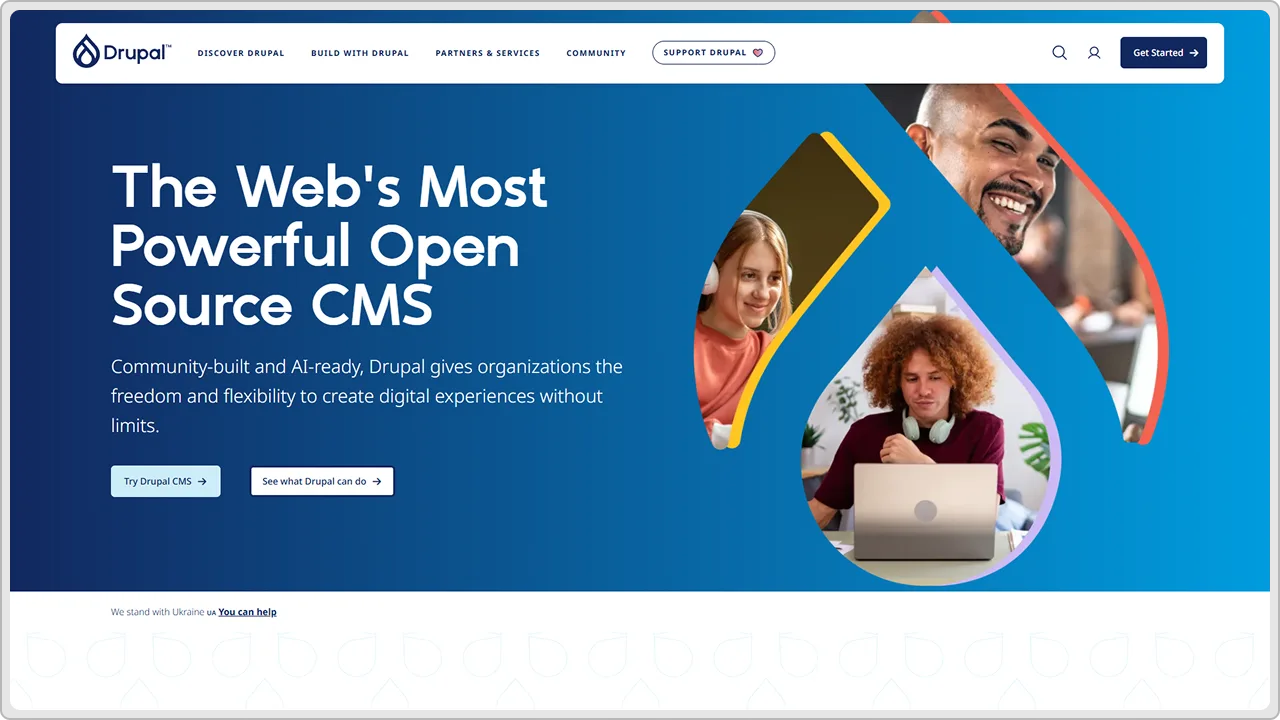
The learning curve is steep. Really steep. Drupal requires developers who know what they are doing. If you are a small business owner, Drupal is definitely overkill. But if you are running a large organization with complex content needs, Drupal can handle it.
The community is smaller than WordPress but serious. The people using Drupal are typically developers and large organizations. You get what you pay for with Drupal – power and flexibility, but not simplicity.
We recommend Drupal for enterprises and large organizations with complex requirements. For most small and medium businesses, it is more than you need.
Best for: Enterprises, large organizations, complex content management needs, and government agencies.
Cost: Free open source. Hosting varies. Development costs are higher because you need experienced Drupal developers.
So, What Should You Actually Use?
Honestly, it depends on your situation.
- If you are building an eCommerce store, Shopify is probably the best choice unless you have specific customization needs that only WordPress can solve. Shopify handles everything you need for selling stuff online.
- If you want simplicity and do not need much customization, Wix or Squarespace work great. You get a professional site up and running quickly without technical headaches.
- If you are a serious blogger or publisher, Ghost is genuinely better than WordPress for your use case. The writing experience is superior, and the performance is better.
- If you are a designer or agency building custom sites, Webflow gives you flexibility and beautiful design tools that speed up your workflow.
- If you have complex requirements and technical expertise, WordPress is still solid. It has the biggest ecosystem of themes and plugins. You can build almost anything. But you need to know what you are doing, or hire a WordPress website development agency.
- If you want a modern CMS built with current technology, Statamic is worth considering if you want something self-hosted. For cloud-based, Contentful is powerful if you have developers.
Conclusion
If you are considering WordPress alternatives, start by writing down what you actually need from a website. Do you need to sell things online? Do you need a blog? Do you need custom functionality? Do you need to manage content easily? Do you need eCommerce?
Then look at the platforms that handle those needs. Test a few of them. Build a simple site on each one if possible. Feel what it is like to work with each platform.
Then make a decision based on your specific situation, not based on what is popular or what someone else recommends.
If you are not sure which platform makes sense for your business, that is where we can help. We work with all of these platforms and can recommend what actually makes sense for your situation.
cmsMinds simplifies the decision with real-world insights and delivers a solution that fits your business, not just the trend.


