 Reviews on




Umbraco first released its open-source version (V2.0) in 2005. Since then, it has grown into a reliable platform. It is quite updated to industry changes and perfectly supports different website needs. As a matter of fact, many companies choose Umbraco as it offers nice flexibility and has strong website development capabilities.
Slowly, websites outgrow their initial, simple needs. And when that happens, managing the platform becomes a little complex. For example, to update content in an Umbraco website, businesses need a developer’s support. The same goes for adding new features. This may not seem like a problem at first. But over a period of time, it just frustrates users when even small changes require a developer’s assistance.
This is a huge reason why some businesses move to WordPress eventually. It is the most preferred content management system. Easy for marketing and content teams to manage, and the platform is equipped with an enormous ecosystem of plugins, themes, and tutorials.
This doesn’t mean migrating from Umbraco to WordPress is all about moving content and a bunch of images.
Using our experience as a WordPress development company, we will walk you through why businesses consider moving from Umbraco to WordPress, what challenges to expect, and a step-by-step process on how to migrate.
- Umbraco websites move to WordPress as it is easier to manage.
- WordPress offers thousands of plugins and themes to help add features without custom development.
- Moving an Umbraco website to WordPress takes proper planning.
- Following a structured process helps make sure the website works properly after launch.
- For complex or large websites, working with an agency is a better choice.
If Both Are Open-Source, What’s the Difference?
Yes, both platforms are open-source content management systems. This means businesses don’t have to write code for every single page.
Although from the outside, both platforms look similar, in reality, they are not. Once businesses start using both platforms on a daily basis, the differences become more and more apparent. The way both Umbraco and WordPress platforms are built is very different. Hence, this changes the whole user experience.
What is Umbraco?
Umbraco was built using the .NET Framework. Businesses prefer this platform when they want custom websites along with full control over the structure and functionality. Developers can build highly tailored solutions and easily connect the website with other systems.
But managing an Umbraco website is not so easy. It requires solid technical knowledge. Activities like adding new features, functionality, or even integrating tools definitely require a developer’s assistance.
What is WordPress?
WordPress doesn’t need any introduction. The platform is extremely popular and used by businesses of all sizes and industries because of its ease of management. Especially marketing teams and content editors love WordPress, given how easily they can update pages, publish blogs, and manage content without sitting next to a developer.
With a huge ecosystem of plugins, themes, and other tools, WordPress has everything a business possibly needs to build a website. Businesses can customize the site and add features like online stores, analytics, and SEO tools as per their needs.
What Makes Businesses Migrate from Umbraco to WordPress
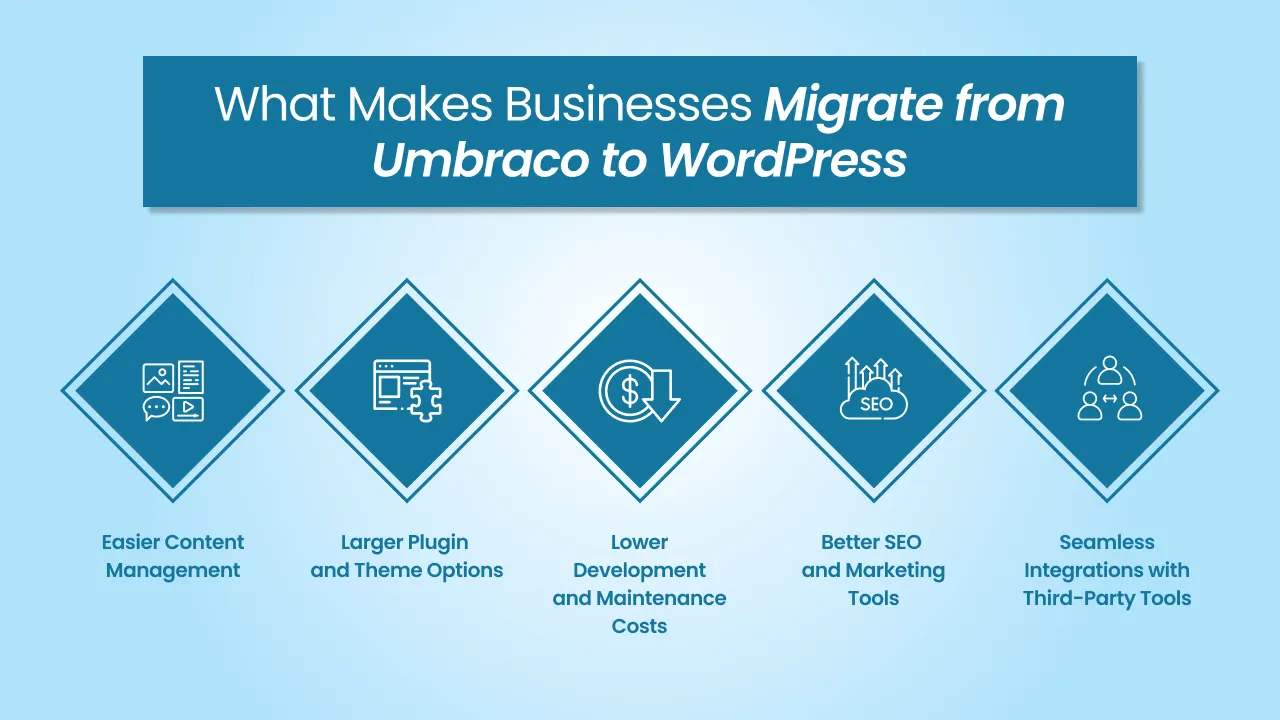
Umbraco is a wonderful platform. As we said, many businesses use it. What happens is that, over time, some businesses simply cannot continue as they realize that the platform no longer suits their day-to-day operations and requirements. This is especially for businesses whose marketing and content teams struggle to make updates.
Easier Content Management
A WordPress site is a lot easier to manage. Someone with zero technical skills can still update content, add images & videos, publish blog posts, and do a lot more, actually. The dashboard is user-friendly and intuitive, and that makes managing the platform easy for businesses.
Larger Plugin and Theme Options
WordPress database has over 60,000 plugins and thousands of themes and template options. On top of that, businesses can add SEO tools, eCommerce functionality, 3rd-party integrations, and do much more. Features and functionality that need custom development in the Umbraco site can be added to the WordPress website through plugins.
Lower Development and Maintenance Costs
Businesses can find experienced WordPress developers in every nook and corner of the city. As a matter of fact, there’s a large community of developers and WordPress agencies who work with the platform on a daily basis. This automatically means development, customization, and maintenance are budget-friendly compared to other top CMS platforms that require a particular set of development skills.
Better SEO and Marketing Tools
If there ever was a race, WordPress comes first in supporting search engine optimization and SEO preservation. To improve online visibility and rankings, businesses can add SEO plugins like Rank Math and Yoast SEO, analytics integrations like Google Analytics (MonsterInsights and Analytify), and other marketing automation tools.
Seamless Integrations with Third-Party Tools
Almost every business depends on multiple tools like CRMs, email marketing platforms, and payment gateway integrations. WordPress offers seamless 3rd-party integrations as it allows businesses to connect these tools with their website. They can do it either via a plugin or API, and this helps streamline their workflows too.
Is It Worth Migrating from Umbraco to WordPress?
Although WordPress has several advantages, it doesn’t mean every Umbraco website should blindly migrate to WordPress.
That’s absolutely not what we are saying.
Before you even think of considering migration, let’s understand when moving from Umbraco to WordPress makes sense and when it doesn’t.
| When Umbraco to WordPress Migration Makes Sense | When Staying on Umbraco May Still Make Sense |
|---|---|
| ✔️ Content teams struggle to manage the website. | ❌The Umbraco website is highly tailored and built specifically for your business. |
| ✔️ The website needs frequent updates or new features. | ❌The business already has an expert development team. |
| ✔️ Marketing and search engine optimization become a bigger priority. | ❌The website depends heavily on .NET systems for integrations. |
| ✔️ Development and maintenance costs are becoming high. | ❌The current setup works efficiently with existing infrastructure. |
A list of essential things to consider before deciding
For the last time, businesses that are looking for migration should ask themselves these questions.
- How difficult is the current platform for the team to run?
- What are the features or functionality that the current platform doesn’t support?
- How much money and time would it take to migrate from Umbraco to WordPress?
- Will the new WordPress platform support your long-term goals?
Once businesses find the answers to these questions, the dilemma of whether to migrate or not to migrate becomes clearer.
Step-by-Step for Umbraco to WordPress Migration Process
If migration is all about copying and pasting the content, we wouldn’t be here, guiding you step-by-step. Any migration, whether it is from any two platforms, should have a proper process to ensure the new website works perfectly.
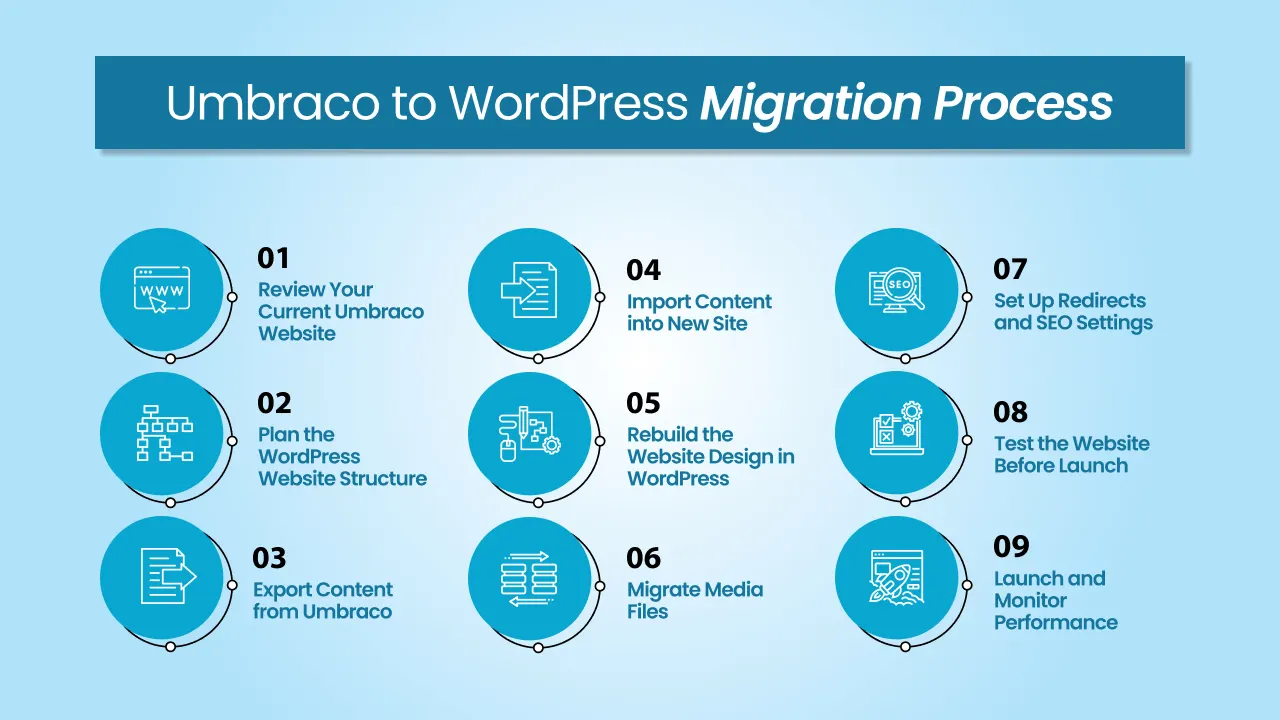
Step 1: Review Your Current Umbraco Website
Let’s start by reviewing your current website carefully. From landing pages, blog posts, and media files to integrations and custom features, everything should be checked thoroughly. You can remove outdated or unwanted content or files, and keep what’s useful.
Step 2: Plan the WordPress Website Structure
After you review your existing website, next you should plan how your new website will be properly organized. This mostly includes defining the page hierarchy, navigation menus, categories, and templates. It’s better to plan and structure a little early so you have enough time to do everything to provide a better user experience.
Step 3: Export Content from Umbraco
Now, extract content from the existing Umbraco website. You can simply copy the content from all pages, including blog posts, landing pages, and other media files. Then, using database tools, APIs, or custom scripts, the content can be exported to the new WordPress site.
Step 4: Import Content into New Site
It’s time to import the exported content from your old website. Create the same pages in your new WordPress site and place them into the right WordPress post types, categories, and page templates. Also, it’s better to delete any outdated content.
Step 5: Rebuild the Website Design in WordPress
It’s not possible to transfer themes or templates. So you have to rebuild your new website in WordPress as per your needs. Choose a template/theme or go with a custom-built website. You can also go with a template-based website and have custom-made plugins to add specific functionality.
Step 6: Migrate Media Files
Now, carefully transfer media files. From images and videos to PDFs, every media-related file should be transferred to the WordPress media library. Make sure that every file is correctly linked to pages and file paths are updated accordingly.
Step 7: Set Up Redirects and SEO Settings
To keep your SEO rankings as they are, ensure redirects are proper. If URLs changed during migration, then set up 301 redirects so that your clients, customers, and search engines are automatically directed to the new WordPress URLs on your new site.
Step 8: Test the Website Before Launch
Time to test your website thoroughly. Search the entire website for broken links, missing images, or any other issues. Also, check plugin compatibility. You should test your website on multiple browsers and devices to provide a consistent user experience.
Step 9: Launch and Monitor Performance
Keep your website under observation for a few days at least in the beginning. Check website performance, website footfall, and SEO rankings every now and then. This step will let you know if anything has been affected during the migration process.
Common Mistakes to Avoid During Umbraco to WordPress Migration
When businesses handle migration themselves, there could be so many things that can go wrong. Here’s a list of common things that shouldn’t be overlooked.
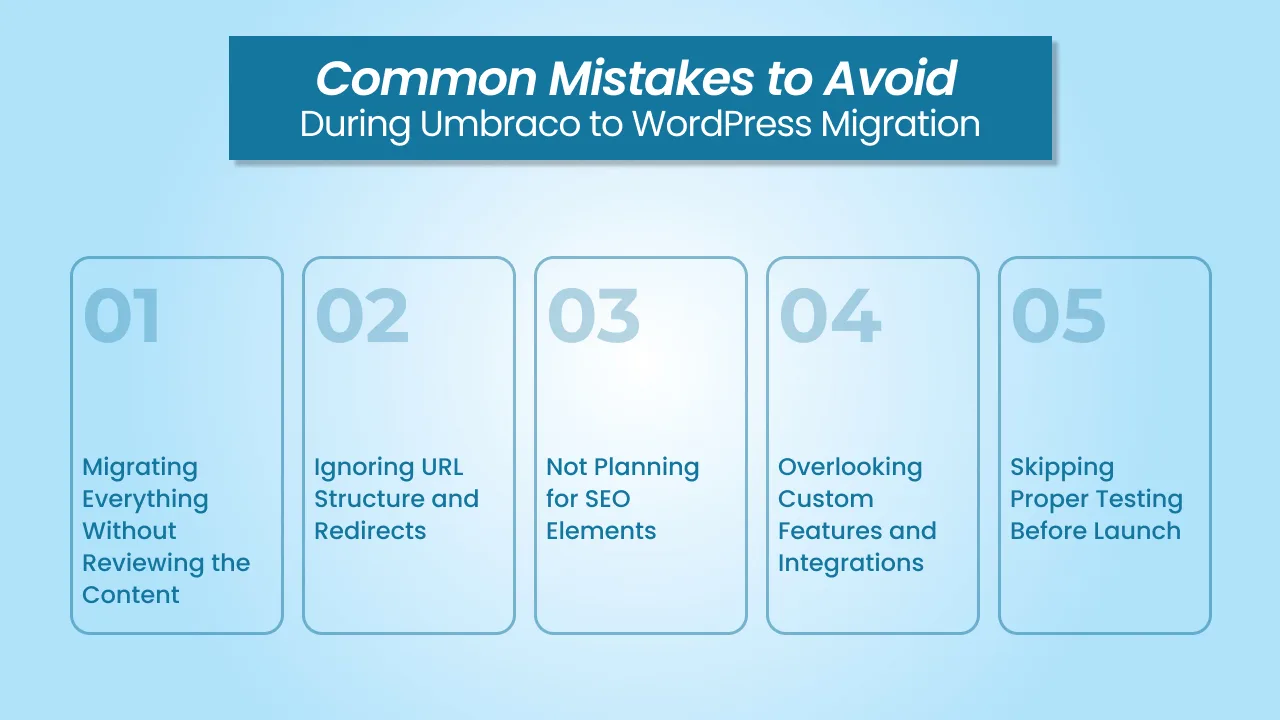
Migrating Everything Without Reviewing the Content
You cannot just copy everything from your current website without checking it properly. There might be outdated content, duplicate pages, or something that you no longer need. After migrating unnecessary and unwanted content structure can make your job harder in managing the new website.
Ignoring URL Structure and Redirects
Sometimes, URLs change after migration. Businesses have to make sure the redirects are set up properly so that visitors do not land on broken pages. Also, when redirects fail, search engines may lose track of the original content. That’s why 301 redirects exist. They guide visitors to the correct pages on the new website.
Not Planning for SEO Elements
There’s a good chance businesses might lose their SEO rankings after website migration. It mostly happened due to meta titles, descriptions, alt tags, and other structured data, as they cannot be moved. Before making the website live, ensure to double-check that SEO elements are migrated and configured properly.
Overlooking Custom Features and Integrations
Most Umbraco websites are custom-made. They either have custom features and functionality or integrations with other 3rd-party tools like CRMs and marketing tools. Businesses may have to fully recreate them or replace them with available plugins and tools.
Skipping Proper Testing Before Launch
Testing the website before launch is everything. Keep an eye out for broken links, missing images, internal links, or layout issues. Plus, ensure to test the website on multiple devices and browsers to offer a consistent user experience.
When Should You Hire a WordPress Migration Expert?
For smaller websites, migration can sometimes be handled either internally with the help of guides like this or through a freelancer. But in our experience, the migration process becomes more complex than expected. And there are so many reasons for that.
Large Websites with Hundreds of Pages
If the website is huge with tens of pages, hundreds of blog posts, and thousands of media files, migrating everything manually can be a tedious process, and it’s more likely to be error-prone too. A migration expert can use the right WordPress migration tools and processes to efficiently transfer the content while maintaining the structure of the website.
Complex Integrations
Most websites have 3rd-party integrations such as CRMs, marketing platforms, and payment gateways. All the integrations in the current website have to be properly reconnected and tested to make sure they are working properly.
Custom Functionality
Some Umbraco websites have custom-built features that were developed specifically for that platform. In cases like those, the features may need to be rebuilt or find alternative tools in WordPress. If businesses have an experienced WordPress developer, they will properly evaluate the current functionality and do whatever’s necessary.
Why Choose cmsMinds for Umbraco to WordPress Migration
At cmsMinds, the team follows a proper, structured approach to make the migration process organized and reliable.
Experience with CMS Migrations
The cmsMinds team has 15+ years of experience working with WordPress setup and handling WordPress website migrations services for businesses across various industries. This experience helps us in making sure that content, media files, and website structure are moved properly while avoiding common migration issues.
Structured Migration Process
Our team at cmsMinds follows a meticulous process that includes auditing the current website, planning the website structure, redesigning, carefully migrating the content, and thoroughly testing the website.
Focus on SEO-Friendly Migration
We make sure your search engine rankings stay the same after migration, too. We will manage every aspect of SEO, including redirects, metadata, and URL structures. This will help you reduce the risk of traffic loss after website migration.
Post-Migration Support and Maintenance
Once the website is live, cmsMinds will keep providing support and maintenance services to keep everything running smoothly. Our support team will take care of technical issues, improve performance, and make sure your WordPress website works just fine.
Talk to the cmsMinds team to plan a smooth and SEO-friendly migration.



